

 Premium
What's new in Ford™ 4.13.0
What's New - 4.13.0
• Continuous quality improvements under the hood of the app
Keep the feedback coming!
About Ford™ 4.13.0
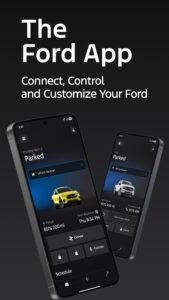
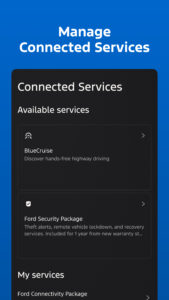
Meet FordPass. The app that puts your ownership experience right in the palm of your hand.
With the FordPass App you can:
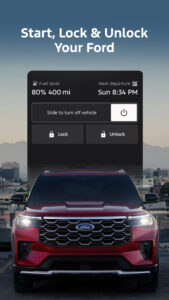
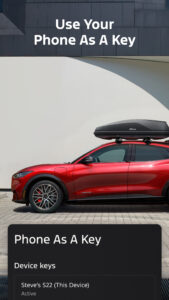
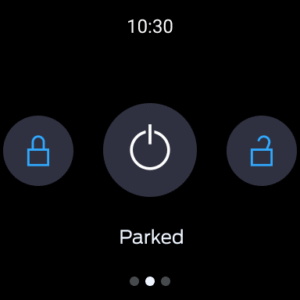
• Lock/unlock (1), stop/start (2), create start schedule from virtually anywhere with complimentary remote vehicle controls when equipped with FordPass™ Connect (3)
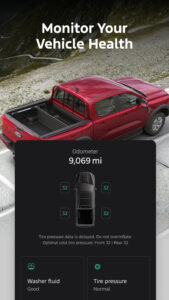
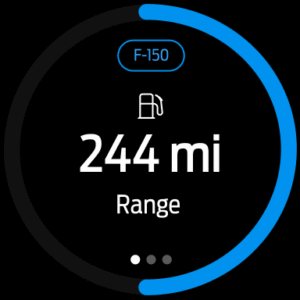
• View important Vehicle details like fuel level, maintenance information and more with FordPass™ Connect (3)
• Get Vehicle Health Alerts when your Ford needs attention (4)
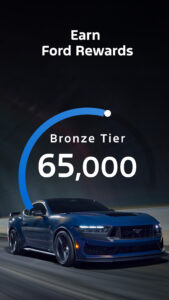
• Access FordPass Rewards™ to earn points you can use toward discounts on service, maintenance and new vehicle purchases
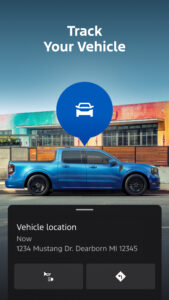
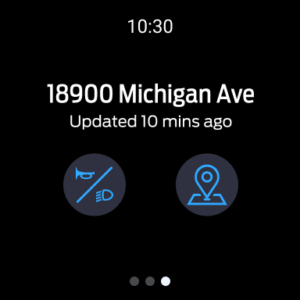
• Locate fuel or electric charging stations, dealers and more
• Get 24/7 roadside assistance (5)
• Call or chat with a friendly FordGuide
• Schedule service (6)
• Make secure payments with Ford Credit
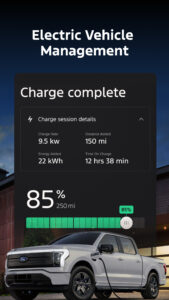
Unlock the full potential of your Ford battery electric. With the FordPass app you can:
• View charge level and monitor charge progress
• Find charge stations on the route
• Plan your next Electric Vehicle with Trip Planner
• Locate, activate and pay for charging at Blue Oval™ Charge Network chargers
• Get charging station details, like pricing, availability, reviews and more
(1) Remote lock/unlock requires power door locks.
(2) Automatic transmission only.
(3) Remote features available on select Model Year vehicles. Not all features are available in all markets. FordPass™ Connect (optional on select vehicles), the FordPass App and complimentary Connected Service are required for remote features (see FordPass Terms for details). Connected service and features depend on compatible AT&T network availability. Evolving technology/cellular networks/vehicle capability may limit functionality and prevent operation of connected features. Connected service excludes Wi-Fi hotspot.
(4) Vehicle Health Alerts require SYNC 3 version 2.0 or higher and a data connection via a mobile device or FordPass Connect.™ See SYNC interface, a dealer or a Ford Guide for more information.
Aftermarket on-board diagnostic devices may interfere with various vehicle systems, including Vehicle Health Report and 911 Assist.® To avoid interference, remove the device or contact the device maker for more information on compatibility.
(5) Roadside Assistance is included for certain owners and available to everyone for a per- service fee. Ford reserves the right to change program details without obligations. Ford Roadside Assistance is a complimentary offering to all Ford owners for up to 5 years or 60,000 miles (from the date of sale), whichever comes first. Ford EV Owners: Beyond 35 miles, your vehicle will be taken to the closest public charger or EV Certified Ford Dealer.
(6) At participating dealers.
Download Ford™ 4.13.0
This release comes in several variants (we currently have 2). Consult our handy FAQ to see which download is right for you.

Version:1.14.0
Uploaded:October 17, 2025 at 6:23PM UTC
File size:12.79 MB
Version:6.3.0
Uploaded:December 5, 2025 at 4:06AM UTC
File size:86.99 MB
Downloads:22
Version:6.2.0
Uploaded:November 19, 2025 at 3:37PM UTC
File size:85.74 MB
Downloads:56
Version:6.1.0
Uploaded:November 4, 2025 at 3:08PM UTC
File size:84.36 MB
Downloads:44
Version:6.0.0
Uploaded:October 20, 2025 at 10:06PM UTC
File size:84.13 MB
Downloads:95
Version:5.28.0
Uploaded:September 22, 2025 at 4:12PM UTC
File size:81.83 MB
Downloads:105
Version:5.27.0
Uploaded:September 10, 2025 at 3:23PM UTC
File size:81.77 MB
Downloads:75
Version:5.26.0
Uploaded:August 26, 2025 at 3:02PM UTC
File size:80.16 MB
Downloads:68
Version:5.25.0
Uploaded:August 12, 2025 at 3:25PM UTC
File size:80.14 MB
Downloads:97
Version:5.24.0
Uploaded:July 29, 2025 at 4:31PM UTC
File size:79.9 MB
Downloads:74
Version:5.23.0
Uploaded:July 9, 2025 at 3:59PM UTC
File size:79.4 MB
Downloads:126
Follow APK Mirror


