

 Premium
This APK's signature: 7dc8. Other known valid signatures: 464f.
Download Microsoft OneNote: Save Notes 15.1.6027.1004 APK
Version: 15.1.6027.1004 (1560271004)
Languages: 67
Package: com.microsoft.office.onenote
Downloads: 2,931
Target: Android 5.1 (Lollipop MR1, API 22)
nodpi

Microsoft OneNote: Save Notes notes
We have added a super quick and easy way for you take notes: OneNote floatie. Using OneNote floatie you can
- add content to the choice of your Notebook and section while sharing content to OneNote
- take quick notes or add to your notes without launching OneNote.
- start research for your next project from the phone. Copy the content you want to capture and add it to OneNote without having to constantly switch between apps.
What's new in Microsoft OneNote: Save Notes 15.1.6027.1004
From version 15.0.0.3:
• Search results are highlighted, so you can easily find what you are looking for.
• Use Find on Page on smartphones to quickly locate keywords on your current page.
• Press the button on your S Pen while you draw or write to seamlessly erase.
• Bug fixes and performance improvements.
About Microsoft OneNote: Save Notes 15.1.6027.1004
From version 16.0.19929.20122:
Premium
Organize your thoughts, discoveries, and ideas and simplify planning important moments in your life with your digital notepad. Take notes on your phone and sync them across all your devices with Microsoft OneNote.
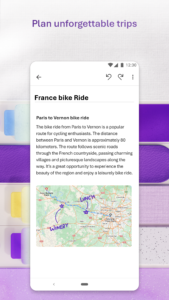
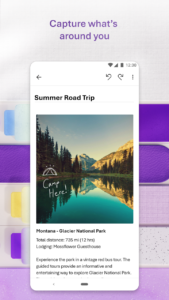
With OneNote, you can plan a big event, seize a moment of inspiration to create something new, and track your list of errands that are too important to forget. Take notes, write memos and make a digital sketchbook right on your phone. Capture pictures and add images to your notes.
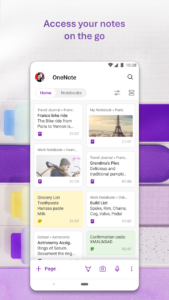
Sync notes across your devices to access them anytime, anywhere. Save ideas and check your list at home, in the office, or on the go across your devices. Search your notes quickly and effortlessly.
Take notes, share ideas, organize and collaborate with Microsoft OneNote today.
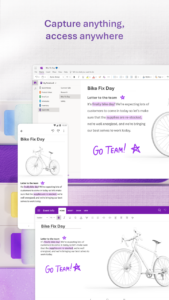
Homepage & Quick Capture Bar
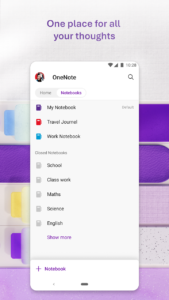
• Find all notes from your connected accounts in one place to easily create, find, & act on your notes
• Now with Samsung Notes integration
• Capture text, voice, ink or images to your notepad with Quick Capture
• Capture notes in ink. Click the pen button & write down your thoughts
Scan Pictures & Extract Text
• Notes Scanner: Scan documents, pictures, or files to extract notes
• Capture images to extract text from documents, files, & more
• Apply different filters to change colors, add ink, crop images & more
Audio Notes
• Take accurate voice notes with voice dictation
• Click the Mic button to begin recording, then click it again to end recording & save the file
• Dictate notes in 27 languages (note some languages are in preview) & use Auto-Punctutation to automatically format your notes
Capture Content & Get Organized
• Write notes, draw & clip things from the web to add to your notebook
• Use OneNote’s flexible canvas to place content anywhere you want
Take Notes & Achieve More
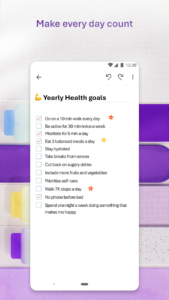
• Organize your notes using to-do lists, follow up items, marks for what’s important & custom labels
• Use OneNote as a notebook, journal or a notepad
Save Ideas At The Speed of Light
• OneNote syncs your notes across all devices & lets multiple people work on the content together, at the same time
• Notepad badge hovers on screen & lets you quickly write your thoughts down any time
• Sticky notes are helpful for quick memos
Collaborate & Share Notes
• Take meeting notes, brainstorm projects, & draw attention to important points
• Take notes & save ideas across your favorite devices, no matter what device your team likes to use
• Search your notes with a fast & powerful search function
Better Together With Microsoft Office
• OneNote is part of the Office family & works great with your favorite apps, such as Excel or Word, to help you do more
Write notes, save ideas & keep up with your to-do list with Microsoft OneNote.
You can find answers to frequently asked questions about OneNote for Android at aka.ms/OnenoteAndroidFAQ
Requirements:
• Requires Android OS 9.0 or later.
• A free Microsoft account is required to use OneNote.
• OneNote opens existing notebooks created in Microsoft OneNote 2010 format or later.
• To sync your notes to OneDrive for Business, sign in with your organization’s Office 365 or SharePoint account.
This app is provided either by Microsoft or a third-party app publisher and is subject to a separate privacy statement and terms and conditions. Data provided through the use of this store and this app may be accessible to Microsoft or the third-party app publisher, as applicable, and transferred to, stored and processed in the United States or any other country where Microsoft or the app publisher and their affiliates or service providers maintain facilities.
Please refer to Microsoft’s End User License Agreement (EULA) for Terms of Service for OneNote on Android. By installing the app, you agree to these terms and conditions: support.office.com/legal?llcc=en-us&aid=OneNoteForAndroidLicenseTerms.htm. Microsoft’s privacy statement is available at privacy.microsoft.com/en-us/privacystatement
Microsoft OneNote: Save Notes 15.1.6027.1004 screenshots (6)
Screenshots from version 16.0.19929.20122
Microsoft OneNote: Save Notes 15.1.6027.1004 variants
This release may come in several variants. Consult our handy FAQ to see which download is right for you.
This APK's signature: 7dc8. Other known valid signatures: 464f.

Version:15.1.6925.1041(1569251041) for Android 4.1+ (Jelly Bean, API 16)
Uploaded:July 15, 2016 at 3:03PM UTC
File size:47.85 MB
Downloads:932

Version:15.1.6821.4825(1568214825) for Android 4.1+ (Jelly Bean, API 16)
Uploaded:July 9, 2016 at 4:09PM UTC
File size:34.16 MB
Downloads:2,036
Version:15.1.6901.4825(1769014825) for Android 4.1+ (Jelly Bean, API 16)
Uploaded:April 5, 2016 at 7:57PM UTC
File size:29.74 MB
Downloads:5,082
Version:15.1.6724.4426(1567244426) for Android 4.1+ (Jelly Bean, API 16)
Uploaded:February 26, 2016 at 11:24AM UTC
File size:34.15 MB
Downloads:1,138
Version:15.1.6507.4427(1565074427) for Android 4.1+ (Jelly Bean, API 16)
Uploaded:December 7, 2015 at 6:55PM UTC
File size:33.93 MB
Downloads:1,145
Version:15.1.6319.4426(1563194426) for Android 4.1+ (Jelly Bean, API 16)
Uploaded:October 21, 2015 at 5:47PM UTC
File size:35.20 MB
Downloads:1,295
Version:15.1.6027.1008(1560271008) for Android 4.1+ (Jelly Bean, API 16)
Uploaded:August 25, 2015 at 8:18PM UTC
File size:37.35 MB
Downloads:2,381
Version:15.1.6027.1004(1560271004) for Android 4.1+ (Jelly Bean, API 16)
Uploaded:August 11, 2015 at 7:53PM UTC
File size:37.35 MB
Downloads:2,931
Version:15.1.4229.1011(1542291011) for Android 4.1+ (Jelly Bean, API 16)
Uploaded:August 6, 2015 at 5:55PM UTC
File size:36.85 MB
Downloads:793
Version:15.1.4229.1010(1542291010) for Android 4.1+ (Jelly Bean, API 16)
Uploaded:July 31, 2015 at 2:50AM UTC
File size:36.87 MB
Downloads:1,188

Version:16.0.19929.20122
Uploaded:May 5, 2026 at 4:45PM UTC
File size:100.57 MB
Downloads:188
Version:16.0.19929.20086
Uploaded:April 29, 2026 at 5:23AM UTC
File size:100.56 MB
Downloads:130
Version:16.0.19725.20156
Uploaded:April 22, 2026 at 6:46AM UTC
File size:141.87 MB
Downloads:494
Version:16.0.19822.20114
Uploaded:April 14, 2026 at 10:08PM UTC
File size:100.07 MB
Downloads:396
Version:16.0.19725.20142
Uploaded:March 3, 2026 at 10:25PM UTC
File size:227.01 MB
Downloads:54
Version:16.0.19725.20106
Uploaded:February 25, 2026 at 10:47PM UTC
File size:141.72 MB
Downloads:323
Version:16.0.19725.20074
Uploaded:February 14, 2026 at 8:03PM UTC
File size:226.95 MB
Downloads:56
Version:16.0.19426.20256
Uploaded:February 6, 2026 at 7:59AM UTC
File size:94.47 MB
Downloads:700
Version:16.0.19426.20168
Uploaded:December 16, 2025 at 5:01AM UTC
File size:99.72 MB
Downloads:264
Version:16.0.19328.20142
Uploaded:November 11, 2025 at 7:37AM UTC
File size:98.44 MB
Downloads:257


