

 Premium
About YouTube Kids 10.50.2
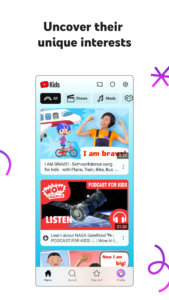
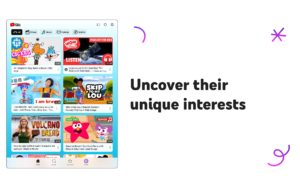
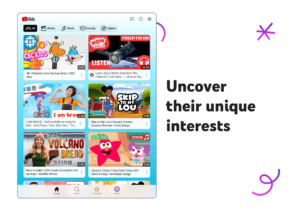
Inspire your kids to uncover their unique interests
Help your kids explore video content they love and parents trust, in an app made just for kids. With easy navigation tools and a suite of features, you can help your kids spend time online uncovering new interests, unleashing their imagination, and building their confidence in their own unique world.
Premium
Help your kids grow at their own pace
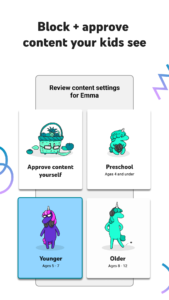
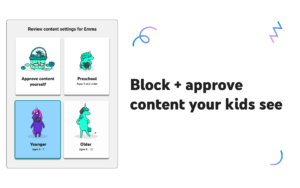
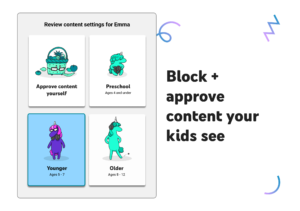
Your kids are unique, so they should only see content they're ready to explore. Decide what videos will help them make the most of their time online, then personalize individual profiles using custom content filters as they grow.
- Help your youngest kids learn their ABCs, nurture their curiosity, and more in the Preschool mode.
- Expand your kids interests to songs, cartoons, or DIY crafts in Younger mode.
- Give your older kids the freedom to search popular music and gaming videos in Older mode.
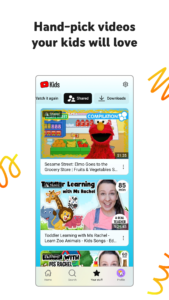
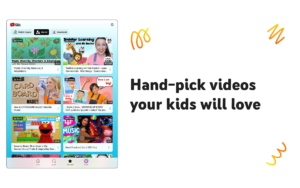
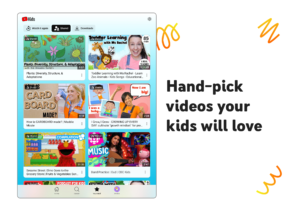
- Or hand-pick the videos, channels, and collections your kids can see in Approved Content Only mode.
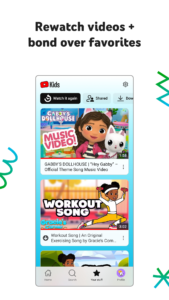
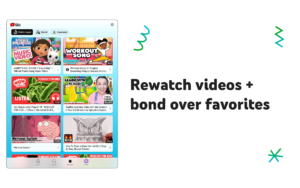
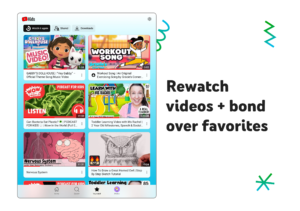
Rewatch videos and bond over favorites
Quickly find your kids’ favorite videos and the content you’ve shared with them in the Watch it Again tab.
Shape your kids’ viewing experience with Parental Controls
Parental Control features help you limit what your kids watch and better guide their viewing experience. Our blocking process aims to help keep videos on YouTube Kids family-friendly and safe – but each family's preferences are unique. Don't like a video or channel, or see inappropriate content? Flag it for our team to review.
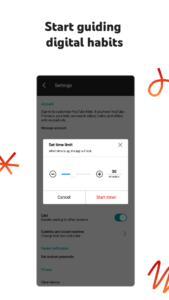
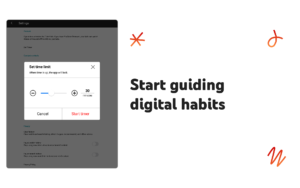
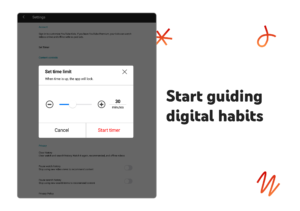
Set a screen-time limit
Encourage your kids to take a break in between exploring content. Use the Timer feature to freeze the app when screen time is up so your kids can apply their new skills to the real world.
See important information
- Parental setup is needed to ensure the best experience for your family.
- Kids may see commercial content from YouTube creators that are not paid ads.
- See The Privacy Notice for Google Accounts managed with Family Link for information on our privacy practices for signing in with a Google Account.
- If your kids use the app without signing in with their Google Account, the YouTube Kids Privacy Notice applies.
YouTube Kids 10.50.2 Play Store trailer
Download YouTube Kids 10.50.2
This release comes in several variants (we currently have 4). Consult our handy FAQ to see which download is right for you.
Known valid signatures: 24bb 4ba7.

Version:11.37.543
Uploaded:September 26, 2026 at 6:06AM UTC
File size:27.76 MB
Downloads:15
Version:11.38.481
Uploaded:September 26, 2026 at 6:06AM UTC
File size:27.89 MB
Downloads:77
Version:11.37.542
Uploaded:September 26, 2026 at 6:06AM UTC
File size:27.76 MB
Downloads:8
Version:11.36.544
Uploaded:September 26, 2026 at 6:06AM UTC
File size:27.68 MB
Downloads:8
Version:11.36.541
Uploaded:September 12, 2026 at 12:59AM UTC
File size:27.68 MB
Downloads:486
Version:11.35.540
Uploaded:September 4, 2026 at 9:11AM UTC
File size:27.62 MB
Downloads:384
Version:11.34.540
Uploaded:August 25, 2026 at 7:36PM UTC
File size:27.53 MB
Downloads:510
Version:11.33.542
Uploaded:August 25, 2026 at 7:36PM UTC
File size:27.44 MB
Downloads:48
Version:11.32.521
Uploaded:August 25, 2026 at 7:35PM UTC
File size:27.42 MB
Downloads:54
Version:11.33.541
Uploaded:August 25, 2026 at 5:09AM UTC
File size:27.44 MB
Downloads:187
Follow APK Mirror


