

 Premium
What's new in Samsung Browser Beta 13.0.1.7
v13.0.1.7
o Infinity Display features Hide status bar function
o Enhanced Smart Protection feature
o Additional Video Assistant gestures
About Samsung Browser Beta 13.0.1.7
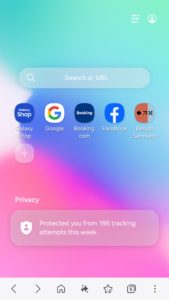
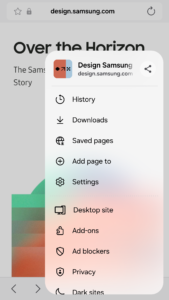
Samsung Internet Beta gives you early access to the newest features of our secure, private and optimized mobile web browser.
Premium
New Features for you
* Infinity Display features Hide status bar function
Infinity Display now supports Hide status bar.
When this function is enabled and you scroll up on a web page, the status bar, as well as the URL bar, will disappear.
* Enhanced Smart Protection feature
When a malicious web page requests permission for push notifications, an alert will be sent to the user.
* Additional Video Assistant gestures
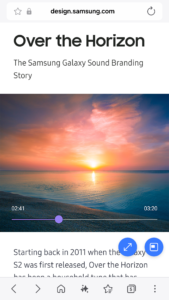
When Video Assistant plays a video in full screen, users can easily play / pause the video.
Just tap the middle area of the screen twice to play / pause it.
Users can also tap the left / right area of the screen twice to skip 10 seconds forward / backward.
Security & Privacy
Samsung Internet helps you protect your security and privacy while browsing the Internet.
* Smart Anti-Tracking
Intelligently identify domains which have cross-site tracking ability and block storage (cookie) access.
* Protected Browsing
We will warn you before you can view known malicious sites to prevent you from visiting web sites which may try to steal your data.
* Content Blockers
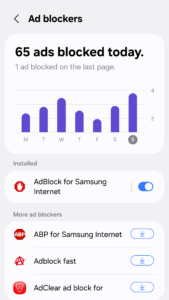
Samsung Internet for Android allows 3rd party apps to provide filters for content blocking, making browsing safer and more streamlined.
The following permissions are required for the app service.
For optional permissions, the default functionality of the service is turned on, but not allowed.
Required permissions
none
Optional permissions
Location: Used to provide location-based content requested by the user or location information requested by the webpage in use
Camera: Used to provide webpage shooting function and QR code shooting function
Microphone: Used to provide recording function on webpage
Contacts: Used to get the device account information for cloud sync
Storage: Used to store files when downloading from webpages
If your system software version is lower than Android 6.0, please update the software to configure App permissions.
Previously allowed permissions can be reset on Apps menu in device Settings after software update.
Download Samsung Browser Beta 13.0.1.7
This release comes in several variants (we currently have 2). Consult our handy FAQ to see which download is right for you.

Version:30.0.0.67
Uploaded:July 21, 2026 at 8:37PM UTC
File size:217.62 MB
Downloads:953
Version:30.0.0.63
Uploaded:May 31, 2026 at 1:42PM UTC
File size:217.62 MB
Downloads:820
Version:30.0.0.51
Uploaded:April 19, 2026 at 3:36PM UTC
File size:217.31 MB
Downloads:1,189
Version:30.0.0.37
Uploaded:March 17, 2026 at 7:03AM UTC
File size:216.95 MB
Downloads:2,101

Version:29.0.1.12
Uploaded:January 15, 2026 at 7:47AM UTC
File size:200.61 MB
Downloads:1,484
Version:29.0.0.59
Uploaded:October 22, 2025 at 9:38AM UTC
File size:199.32 MB
Downloads:1,256
Version:29.0.0.43
Uploaded:September 14, 2025 at 6:18AM UTC
File size:197.98 MB
Downloads:1,871
Version:29.0.0.36
Uploaded:August 18, 2025 at 1:24AM UTC
File size:138.11 MB
Downloads:1,357
Version:29.0.0.27
Uploaded:August 11, 2025 at 5:17PM UTC
File size:138.00 MB
Downloads:1,048
Version:28.0.4.59
Uploaded:July 17, 2025 at 3:24AM UTC
File size:140.03 MB
Downloads:1,236
Follow APK Mirror


