

 Premium
What's new in ConnectBot: SSH & Mosh client v1.11.1
• Mosh support for roaming, drop-resilient mobile connections
• You can now select and copy text from scrollback
• Better rendering for boxes and complex scripts (Arabic shaping, emoji)
• Inline image support for iTerm2 and Kitty graphics
• Advanced post-login automation (prompt, input, delay, port forwards)
• Full IME support with dedicated shortcut controls
• In-console session switching with optional swipe gesture
About ConnectBot: SSH & Mosh client v1.11.1
Take your remote terminal with you. ConnectBot lets you access your Linux servers, Raspberry Pi, and remote development machines from Android using SSH or Mosh.
Premium
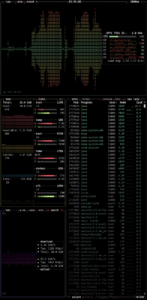
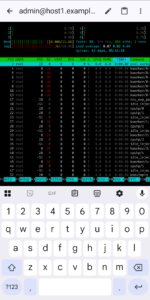
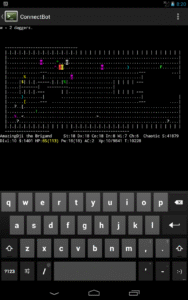
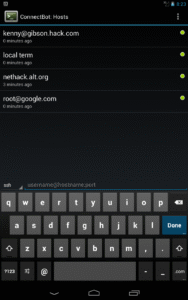
Check a service, run commands, or work in your server’s command-line tools wherever you have a connection. Keep multiple terminal sessions open and switch between them as you work.
BUILT FOR MOBILE USE
• Use Mosh to keep working through temporary network interruptions and changes between Wi-Fi and mobile data. Mosh requires mosh-server on the remote machine.
• Copy commands and terminal output, including scrollback, between ConnectBot and other apps.
• Use dedicated terminal controls for keyboard shortcuts.
• Customize your terminal with profiles.
SSH TOOLS FOR YOUR SERVERS
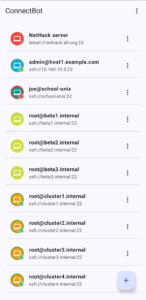
• Save connections for the servers you use regularly.
• Authenticate using passwords or SSH keys.
• Create local and remote SSH port forwards to access network services through your SSH connection.
• Automate tasks after logging in.
OPEN SOURCE
ConnectBot is an open-source Android app developed with contributions from the community. Explore the source code, find help, or contribute at connectbot.org.
GETTING STARTED
You’ll need a reachable server with SSH enabled, its address, and a username plus a password or SSH key. Add a connection in ConnectBot, verify the server’s host key, and sign in to open your terminal.
Download ConnectBot: SSH & Mosh client v1.11.1
This release comes in several variants (we currently have 3). Consult our handy FAQ to see which download is right for you.

Version:1.11.0-oss
Uploaded:October 12, 2026 at 6:51PM UTC
File size:12.31 MB

Version:v1.11.1
Uploaded:October 14, 2026 at 6:21AM UTC
File size:6.24 MB
Downloads:2
Version:git-v1.10.9-183-g45aa0b9b
Uploaded:October 6, 2026 at 5:15AM UTC
File size:6.44 MB
Downloads:4
Version:v1.10.9
Uploaded:October 6, 2026 at 5:14AM UTC
File size:5.60 MB
Downloads:122
Version:v1.10.7
Uploaded:May 10, 2026 at 8:42PM UTC
File size:5.52 MB
Downloads:56
Version:v1.10.6
Uploaded:April 27, 2026 at 4:57PM UTC
File size:6.47 MB
Downloads:23
Version:git-v1.10.5-16-g8ed97171
Uploaded:April 26, 2026 at 4:35PM UTC
File size:6.47 MB
Downloads:14
Version:v1.10.5
Uploaded:April 22, 2026 at 8:14PM UTC
File size:6.45 MB
Downloads:26
Version:v1.10.4
Uploaded:April 18, 2026 at 1:24PM UTC
File size:6.41 MB
Downloads:22
Version:v1.10.3
Uploaded:April 14, 2026 at 3:58PM UTC
File size:6.40 MB
Downloads:28
Version:v1.10.2
Uploaded:April 13, 2026 at 3:45AM UTC
File size:6.38 MB
Downloads:22
Follow APK Mirror


