

 Premium
What's new in Opera: Private Web Browser 32.0.1953.96473
* Add to Home screen
* Synced typed history
* Pull to refresh
* New pulsing animation for the progress bar
* High resolution images in the Discover feature
* A Chromium upgrade to version 45
* Various UI, stability and usability improvements
About Opera: Private Web Browser 32.0.1953.96473
Get the best mobile browser for Android. Opera looks great, loads pages super fast and keeps you safe on the web. Do more online with Opera for Android.
Premium
New features
● Add to home screen: Add any website directly to your home screen to access your favorite sites even faster.
● Pull-to-refresh: Swipe down on any webpage to reload it.
● Stay in sync: Sync your phone’s Speed Dial, tabs, bookmarks and now also typed history across all your devices. It’s never been easier to take all that you find fun, interesting or just plain entertaining on the web with you.
Other highlights
● Stay online: Opera’s revamped Opera Turbo helps you you browse faster, even on slow or congested networks. If you have a limited data plan, you can download more content, while staying within your plan’s limits.
● Keep it private: Use Opera’s private tabs to go anywhere on the internet without leaving a trace on your device.
● Stay up to date: The Discover feature brings you the latest news, tech, sports and other content from world-leading magazines and newspapers, right in the browser.
Navigation tips
● Search instantly, anywhere: Opera makes searching even simpler. Depending on your device, swipe up from the bottom edge in any app or long-press the home button to search the web with Opera. It’s a fast way to search the web.
● Organize your web: Speed Dial keeps the sites you love close at hand. Add your favorites pages to your Speed Dial or bookmarks simply by tapping the + symbol while you browse, and choose “Speed Dial”.
Do more with Opera: http://www.opera.com/about/products
Keep in touch:
Twitter – http://twitter.com/opera/
Facebook – http://facebook.com/opera/
Instagram – http://instagram.com/operabrowser/
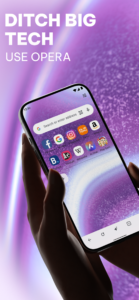
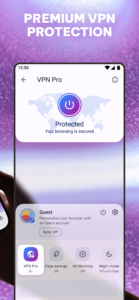
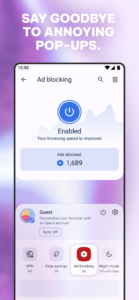
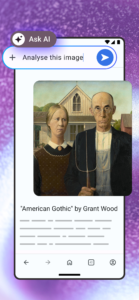
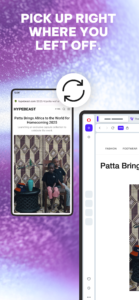
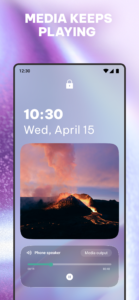
Opera: Private Web Browser 32.0.1953.96473 Play Store screenshots (8)
Screenshots from version 102.3.5206.90530

Opera: Private Web Browser 32.0.1953.96473 Play Store trailer
Download Opera: Private Web Browser 32.0.1953.96473
This release may come in several variants. Consult our handy FAQ to see which download is right for you.

Version:102.3.5206.90530
Uploaded:October 2, 2026 at 7:24PM UTC
File size:56.94 MB
Downloads:269
Version:102.2.5206.90449
Uploaded:September 28, 2026 at 4:16AM UTC
File size:56.98 MB
Downloads:724
Version:102.1.5206.90382
Uploaded:September 23, 2026 at 4:38PM UTC
File size:56.99 MB
Downloads:592
Version:101.6.5178.90208
Uploaded:September 15, 2026 at 10:20PM UTC
File size:55.57 MB
Downloads:959
Version:101.5.5178.90147
Uploaded:September 12, 2026 at 4:18PM UTC
File size:55.57 MB
Downloads:573
Version:101.4.5178.90106
Uploaded:September 9, 2026 at 4:24AM UTC
File size:55.57 MB
Downloads:347
Version:101.3.5178.90032
Uploaded:September 8, 2026 at 12:23AM UTC
File size:55.57 MB
Downloads:730
Version:101.2.5178.89973
Uploaded:September 1, 2026 at 7:45AM UTC
File size:55.57 MB
Downloads:584
Version:101.1.5178.89889
Uploaded:August 29, 2026 at 6:03PM UTC
File size:55.56 MB
Downloads:817
Version:101.0.5178.89840
Uploaded:August 25, 2026 at 8:47PM UTC
File size:55.55 MB
Downloads:329
Follow APK Mirror


