

 Premium
Download Quick Cursor: One-Hand Aid 1.25.6 APK
Target: Android 14 (API 34)

Quick Cursor: One-Hand Aid notes
Changelog 1.25.6 (version 207):
- add new configs for "Change brightness" and "Change volume" actions
- update dependencies and target Android 14
- update translations
- fix difference between Add new edge action and Add new tracker action
- fix tracker action tabs bug
- fix Automate action
- add swipe duration config on swipe action
- update "Change brightness", "Change volume", "Swipe", "Pinch", "Media volume" action config
- add "Screenshot to clipboard" action: Screenshot, Screenrecord
- improve tap behaviour action picker
- add "force rotation" mode on "Rotate screen" action
- add Search on "Launch app" and "Launch shortcut" actions
- add option for "windowed mode" in "Launch app" action
- fix dynamic shortcut bug
- add new experimental "vibration amplitude"
- rename "vibration intensity" to "vibration duration"
What's new in Quick Cursor: One-Hand Aid 1.25.6
1.24.4:
- fix "cursor action vibration" toggle not applying instantly
1.24.3:
- "toggle tracker actions always visible" action can be used inside tracker actions
1.24.2:
- "stop app" persistent after device restart
- add "flip" option to cursor designs
- update translations
1.24.1:
- add pinch in/out action
- add increase, decrease and mute volume action
- add rotate screen action
- add dynamic icons for launcher shortcuts
- add "app enabled on lockscreen" in debug settings
About Quick Cursor: One-Hand Aid 1.25.6
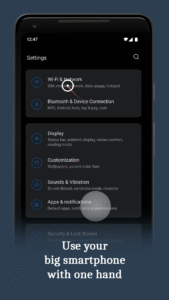
Makes it easier to use large smartphones with one hand by introducing a computer like cursor controlled with one finger by swiping from edge of the screen.
Premium
Easy to use:
1. Swipe from left or right margin from the bottom half of the screen.
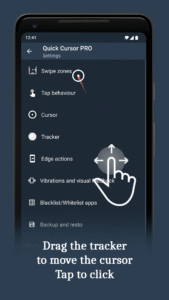
2. Reach the top half of the screen by dragging the tracker using one hand in the bottom half.
3. Touch the tracker to click with the cursor. The tracker will disappear on any action outside the tracker or after a period of time.
The app is free and without ads!
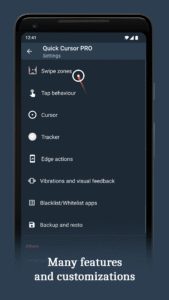
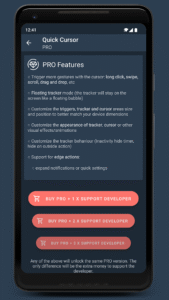
The PRO version is for advanced configurations and features:
○ Trigger more gestures with the cursor: swipe, scroll, drag and drop, etc
○ Floating tracker mode (the tracker will stay on the screen like a floating bubble)
○ Customize the triggers, tracker and cursor areas size and position to better match your device dimensions
○ Customize the appearance of tracker, cursor or other visual effects/animations
○ Customize the tracker behavior (inactivity hide timer, hide on outside action)
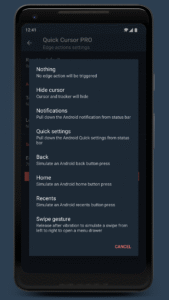
○ Support for edge actions:
• expand notifications or quick settings
• trigger home, back or recent button
• swipe from edge to open side menus
○ More options when the keyboard is open: move trigger above, keep the triggers over or disable them
○ Customize vibrations and visual feedback
○ Backup and restore all settings
● Support the developer of this free and without ads app
Privacy
The app does not collect or store any data from your smartphone.
The app does not use any internet connection, no data will be sent over network.
Quick Cursor requires you to enable its accessibility service before you can use it.
This app uses this service only to enable its functionality.
It needs the following permissions:
○ View and control screen
• is needed for trigger zones
○ View and perform actions
• is needed to perform touch actions
○ Observe your actions
• is needed for "temporarily disable" feature which pause Quick Cursor until you change your running app to another one
The usage of this accessibility features will never be used for something else.
No data will be collected or sent across network.
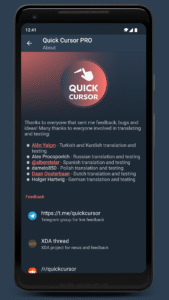
Feedback
Telegram group: t.me/quickcursor
XDA: forum.xda-developers.com/android/apps-games/app-quick-cursor-one-hand-mouse-pointer-t4088487
Reddit: reddit.com/r/quickcursor/
Email: support@quickcursor.app



Version:2.4.1
Uploaded:May 22, 2026 at 8:11PM UTC
File size:5.17 MB
Downloads:294
Version:2.3.3
Uploaded:May 22, 2026 at 8:11PM UTC
File size:5.08 MB
Downloads:6
Version:2.3.2
Uploaded:January 11, 2026 at 11:32PM UTC
File size:5.08 MB
Downloads:3
Version:2.3.1
Uploaded:January 10, 2026 at 11:32PM UTC
File size:5.08 MB
Downloads:1
Version:2.3.0
Uploaded:January 9, 2026 at 7:31PM UTC
File size:5.08 MB
Downloads:194
Version:2.2.1
Uploaded:June 6, 2025 at 9:26AM UTC
File size:5.02 MB
Downloads:143
Version:2.2.0
Uploaded:June 6, 2025 at 9:26AM UTC
File size:5.02 MB
Downloads:16
Version:2.1.1
Uploaded:May 19, 2025 at 7:06PM UTC
File size:5.02 MB
Downloads:19
Version:2.1.0
Uploaded:May 15, 2025 at 6:31PM UTC
File size:5.02 MB
Downloads:28
Version:2.0.1
Uploaded:January 23, 2025 at 4:48AM UTC
File size:5.00 MB
Downloads:81


