

 Premium
What's new in Samsung Browser Beta 10.1.00.10
(Notice) Video assistant is being developed and it will be notified when it's done
o Quick Access cloud sync
o Chromium web engine upgrade to M71
About Samsung Browser Beta 10.1.00.10
Samsung Internet Beta gives you early access to the newest features of our secure, private and optimized mobile web browser.
Premium
Security & Privacy
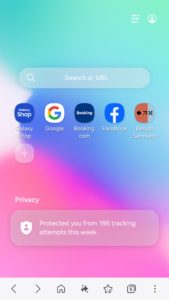
* Smart Anti-Tracking
Intelligently identify domains which have cross-site tracking ability and block storage (cookie) access.
* Protected Browsing
We will warn you before you can view known malicious sites to prevent you from visiting web sites which may try to steal your data.
* Content Blockers
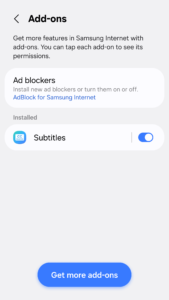
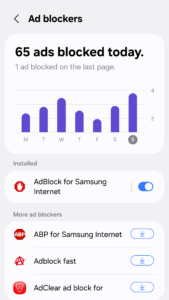
Samsung Internet for Android allows 3rd party apps to provide filters for content blocking, making browsing safer and more streamlined.
UI Improvements
* History Navigation
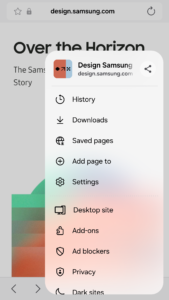
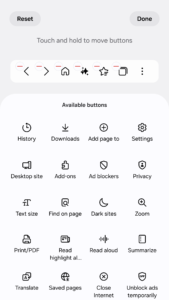
By long-pressing on back or forward button at bottom bar, you can easily launch a popup with the full history of the current tab, and click one of them to move the specific web page.
* Easy to see your notifications
We provide collection of notifications you've gotten from web pages at 'Notifications' menu in Settings, so that you can easily check notifications in one place.
* Save All Images
All images from a web page can be saved at once.
* Reader Mode
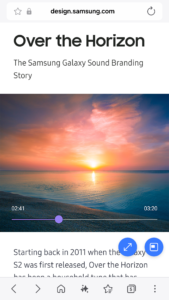
Reader Mode allows you to read articles clearly and comfortably. Now you can customize Reader Mode's appearance by choosing the font, font size and background.
* URL Bar
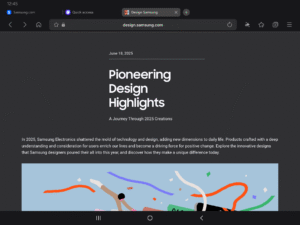
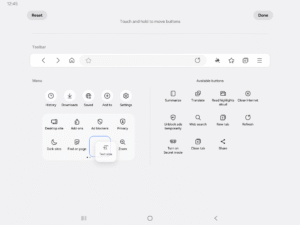
The URL bar shows a button for allowing quick access to Reader Mode. Also an Add To Homescreen button which allows installation of web apps in a single tap.
* Download Manager
Download files faster with our new optimised, parallel download system, with availability of pause, resume and cancel download.
* Tab Swipe
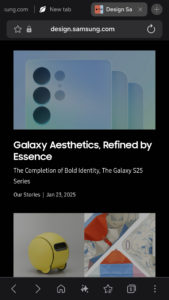
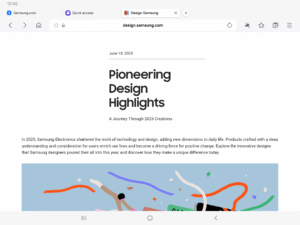
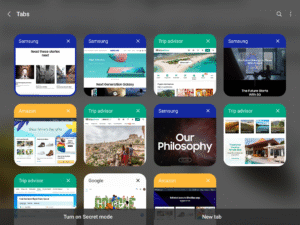
Swipe left or right in the URL bar or bottom toolbar, to navigate to your previous/next tab.
* High Contrast Mode
High Contrast Mode can be enabled in the settings of Samsung Internet, for those who require increased contrast to view webpages more comfortably like visually impaired.
More Comfortable
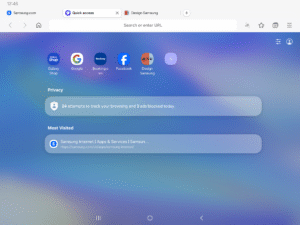
* Quick Access cloud sync
Quick Access data sync is available via Samsung Cloud among devices which have Samsung Internet Browser beta v10.1 or higher.
* Samsung Internet in Share panel
When you want to open a url or search a keyword which presents on android app, you can simply select it and click share menu, then you can find Samsung Internet in Share panel.
* Amazon Shopping Assistant
Amazon Shopping Assistant can be turned on to enable you to get the best deals when shopping on the web by comparing products with Amazon.
Better integrated with Samsung devices
Samsung Internet aims to provide a consistent and continuous user experience among various Samsung devices.
* You can use biometric authentication for website logins, web payments and accessing Secret Mode, on supported Samsung devices.
* Place the phone into a Gear VR headset when you are viewing a web page and it will open in immersive virtual reality.
* Optimized for desktop browsing with Samsung DeX.
* Transfer Quick Access items across devices (where each device has version 8.2+) using Smart Switch.
Engine Version
We are using Chromium 71 as the browser engine.
The following permissions are required for the app service.
For optional permissions, the default functionality of the service is turned on, but not allowed.
Required permissions
none
Optional permissions
Telephone: Used to check device-unique identification information for app analysis information
Location: Used to provide location-based content requested by the user or location information requested by the webpage in use
Camera: Used to provide webpage shooting function and QR code shooting function
Microphone: Used to provide recording function on webpage
Contacts: Used to get the device account information for cloud sync
Storage: Used to store files when downloading from webpages
If your system software version is lower than Android 6.0, please update the software to configure App permissions.
Previously allowed permissions can be reset on Apps menu in device Settings after software update.
Download Samsung Browser Beta 10.1.00.10
This release comes in several variants (we currently have 2). Consult our handy FAQ to see which download is right for you.

Version:31.0.0.64
Uploaded:October 6, 2026 at 6:54AM UTC
File size:316.83 MB
Downloads:205
Version:30.0.0.67
Uploaded:July 17, 2026 at 2:26AM UTC
File size:217.62 MB
Downloads:979
Version:30.0.0.63
Uploaded:May 31, 2026 at 1:42PM UTC
File size:217.62 MB
Downloads:821
Version:30.0.0.51
Uploaded:April 19, 2026 at 3:36PM UTC
File size:217.31 MB
Downloads:1,189
Version:30.0.0.37
Uploaded:March 17, 2026 at 7:03AM UTC
File size:216.95 MB
Downloads:2,103

Version:29.0.1.12
Uploaded:January 15, 2026 at 7:47AM UTC
File size:200.61 MB
Downloads:1,502
Version:29.0.0.59
Uploaded:October 22, 2025 at 9:38AM UTC
File size:199.32 MB
Downloads:1,256
Version:29.0.0.43
Uploaded:September 14, 2025 at 6:18AM UTC
File size:197.98 MB
Downloads:1,871
Version:29.0.0.36
Uploaded:August 18, 2025 at 1:24AM UTC
File size:138.11 MB
Downloads:1,357
Version:29.0.0.27
Uploaded:August 11, 2025 at 5:17PM UTC
File size:138.00 MB
Downloads:1,049
Follow APK Mirror


