

 Premium
About Pixlr AI Photo Editor 3.3.3
Unlock your creativity with Pixlr - the free photo editor! Capture any moment and make it beautiful with over 2 million combinations of free effects, overlays, and filters. Once you’re done, share your finished work directly to Instagram, Facebook, Twitter, or your other favorite social networks!
Follow Pixlr on Instagram (@pixlr) for tips, tricks, and daily inspiration to make cool photos. We have a fun new photo challenge for you every week.
Pixlr (formerly Pixlr Express) is the right photo editor for everyone: whether you have never edited a picture or are a pro, Pixlr has all the tools and effects you need.
Features:
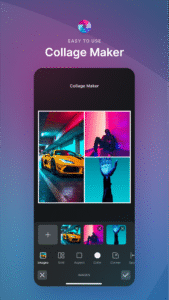
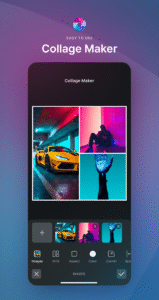
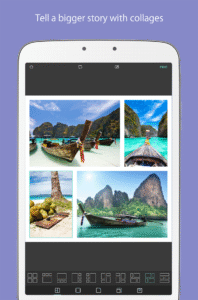
• Create photo collages with a variety of choices for layout, background, and spacing.
• Balance out color in one easy click with Auto Fix.
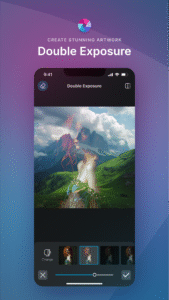
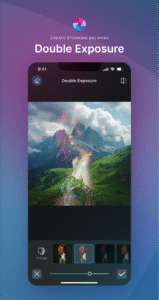
• Layer multiple photos and blend them together to get a unique look, using Double Exposure.
• Stylize your image to look like a pencil drawing, an ink sketch, a poster, and more.
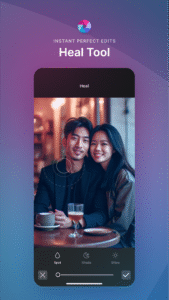
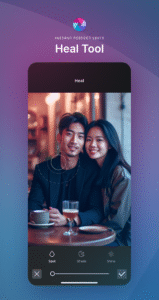
• Make your selfies beautiful with simple tools to remove blemishes and red-eyes or to whiten your teeth.
• Focus on one color with Color Splash or add impact with Focal Blur.
• Choose from a pool of effect packs to give your image the look and feel you want.
• Adjust the mood of the photo with overlays – amplify the tone, cool it down, or add surreal shades.
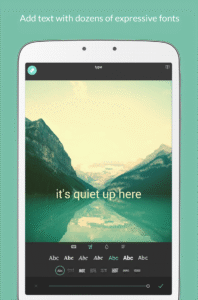
• Mask your picture with captions or overlay it with text. Choose from a variety of fonts.
• Finish off your editing process with the right border - pick a style that suit you.
• Keep things fresh with our growing catalog of additional effects, overlays, and border packs.
• Keep track of your favorite effects and overlays with the Favorites button.
• Resize images quickly and easily after editing.
• Share your photo directly with friends through Instagram, Facebook, Twitter, or email.
Please continue to tell us what you think about Pixlr by leaving a review here in Google Play or contacting us via Instagram (@Pixlr), Twitter (@Pixlr), or Facebook (/Pixlr).
Download Pixlr AI Photo Editor 3.3.3
This release may come in several variants. Consult our handy FAQ to see which download is right for you.

Version:3.8.2
Uploaded:December 15, 2025 at 7:27PM UTC
File size:48.89 MB
Downloads:74
Version:3.8.1
Uploaded:October 31, 2025 at 11:41AM UTC
File size:65.52 MB
Downloads:191
Version:3.8.0
Uploaded:August 18, 2025 at 9:36AM UTC
File size:65.51 MB
Downloads:23
Version:3.7.1
Uploaded:July 28, 2025 at 5:07PM UTC
File size:61.25 MB
Downloads:108
Version:3.6.9
Uploaded:March 28, 2025 at 9:14AM UTC
File size:62.54 MB
Downloads:117

Version:3.6.8
Uploaded:February 19, 2025 at 2:18AM UTC
File size:54.62 MB
Downloads:194
Version:3.6.7
Uploaded:January 10, 2025 at 1:17PM UTC
File size:53.92 MB
Downloads:81
Version:3.6.5
Uploaded:December 7, 2024 at 1:08AM UTC
File size:53.41 MB
Downloads:131
Version:3.6.4
Uploaded:October 28, 2024 at 10:43AM UTC
File size:50.89 MB
Downloads:71
Version:3.6.3
Uploaded:October 9, 2024 at 4:37PM UTC
File size:49.9 MB
Downloads:52
Follow APK Mirror


