

 Premium
What's new in AdGuard for Android 4.0.74
From version 3.6.41:
Disclaimer AdGuard for Android is not an open-source project. We use Github as an open bug tracker for users to see what developers are working on.
📲 Lately some of our users experienced discomfort — they couldn’t make voice calls in WhatsApp when AdGuard v3.6.6 for Android is enabled. The CoreLibs team managed to combat this problem.
📚 Besides, we’ve made several fixes to the scriptlets library. To recap, scriptlets are powerful blocking tools. In particular, they carry out a noble mission: to neutralize anti ad blockers. The previous version of AdGuard for Android had a scriptlet library that contained an incorrect fix for rules like #%#/scriptlet(“abort-current-inline-script”, ...), which could break some web pages; now the problem is solved.
Having dealt with all the issues, we’re ready to present a new version. Please meet v3.6.7, we’ve done our best for it to function smoothly.
Changelog
About AdGuard for Android 4.0.74
From version 4.14.38:
Premium
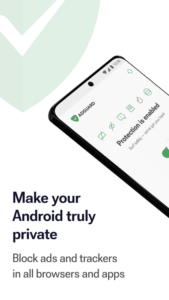
AdGuard is a unique no root ad blocker that removes ads in apps and browsers, protects your privacy and helps you manage your apps.
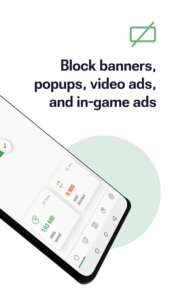
Install AdGuard to instantly block annoying ads on your mobile phone. This includes banners, video ads, ads in your favorite apps & games, and on any website you can imagine.
Enable dozens of ad filters. Receive regular updates, we guarantee the best-in-class filtering quality.
Stay focused on what matters most
Ads waste your time by making you watch irrelevant videos and painfully annoying banners every minute. You can remove them easily: all you need is to enable AdGuard filters once you install the app.
Save mobile traffic
More ads blocked means fewer ads loaded. Fewer ads loaded means more traffic saved.
Spend valuable mobile traffic on things you like instead of wasting it on voracious ads.
Protect your privacy
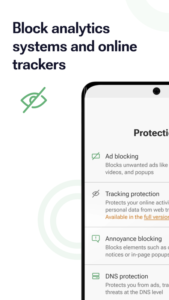
We value the privacy of your personal data above anything else. With AdGuard, you will be safe from online trackers and analytics systems that lurk on the web trying to steal your sensitive information.
Adjust the ad blocking intensity
Apps Management tool will help you customize the ad filtering rules to your liking. It is your device, after all, and you decide what gets filtered and what doesn’t. A wide range of settings — from basic to 'pro' — as well as an Apps Management tool will help you customize the filtering to your liking.
With AdGuard, you will not only be safe from online ads, but also from trackers and analytics systems that lurk on the web trying to steal your sensitive information.
Download AdGuard for Android 4.0.74
This release may come in several variants. Consult our handy FAQ to see which download is right for you.

Version:4.15.1
Uploaded:October 22, 2026 at 7:31PM UTC
File size:77.24 MB
Version:4.15.1
Uploaded:October 22, 2026 at 7:32PM UTC
File size:77.34 MB
Downloads:249
Version:4.15.0
Uploaded:October 10, 2026 at 1:43AM UTC
File size:76.12 MB
Downloads:683
Version:4.14.2
Uploaded:September 29, 2026 at 5:12AM UTC
File size:76.06 MB
Downloads:3,930
Version:4.14.0
Uploaded:September 18, 2026 at 4:40PM UTC
File size:73.30 MB
Downloads:3,353
Version:4.14.1
Uploaded:September 15, 2026 at 1:35PM UTC
File size:76.06 MB
Downloads:2,459
Version:4.13.2
Uploaded:August 27, 2026 at 5:30PM UTC
File size:58.85 MB
Downloads:3,596
Version:4.13.1
Uploaded:August 3, 2026 at 5:48PM UTC
File size:73.33 MB
Downloads:4,420
Version:4.13.0
Uploaded:July 28, 2026 at 2:59PM UTC
File size:73.28 MB
Downloads:1,046
Version:4.14.68
Uploaded:May 21, 2026 at 6:20AM UTC
File size:60.85 MB
Downloads:18,161
Version:4.14.38
Uploaded:March 2, 2026 at 4:38PM UTC
File size:60.48 MB
Downloads:1,355
Follow APK Mirror


