

 Premium
AdGuard for Android notes
AdGuard v4.3 for Android beta brings you something not only special, but unprecedented. It’s the same AdGuard you know and love, but now with a TV-sized twist – and we mean that quite literally: we’re glad to introduce the support for Android TV! Important updates and a new Developer tools section are also here to enhance your user experience with our app
Premium
Android TV support
To provide full support for Android TV, we’ve developed a simplified version of AdGuard for Android featuring the most essential features to enhance your browsing experience and content filtering on your TV. The new design, fully adapted for Android TV.
Hold on to your remote, what you are about to experience is a brand new app!
Note: Android TV support is a feature exclusive to users with an AdGuard license.
Developer tools
We invite our advanced users and filter developers who interact very actively with the app to explore our new Developer tools, a specialized section designed for quick navigation and switching between features. There you can quickly enable or disable custom filters, access logs, enable recording of different logs, and more. This feature can be enabled in Low-level settings.
CoreLibs and DnsLibs updates
The recent CoreLibs v1.13 update boosts your browsing experience with improved HTML filtering, while the update of DnsLibs to v2.4 makes your connection more secure with support for HTTP basic authentication.
AdGuard for Android direct download links:
AdGuard for Android TV direct download links:
Changelog
Features
- Fulguris browser added to the list of browsers #4969
- A list of Russian VoWiFi IPs to exclude #4992
- Android TV OS support added #3597
- Add a button to reset DNS Protection setting #4735
- Add support for Macedonian (mk) to AdGuard for Android #5086
- HTTPS filtering for com.kantarworldpanel.shoppix disabled by default #4706
- Click area for back arrow buttons increased #4789
- Sorting order for User rules improved #4779
- Parse 'Title' metadata from filter list subscriptions #4760
- Operating System name + version sent to ReportsWebApp #5025
Fixes
- "Slow work" notification disappears when enabling debug logging level #5017
- Product type and AdGuard version are incorrectly detected in the "Report incorrect blocking" form #4895
- Bootstrap upstreams setting doesn't reset after resetting low-level settings #4907
- Deleting website from blocklist doesn't work properly #4902
- In the free version, the status “Disabled Browsing security” appears as “Updated” when checking for updates #4844
- Filters can be found in the search only using English #5026
- Firewall works when it's disabled and there is no app usage access #5012
- Google Play:
com.gpn.azsapp doesn't work #4845 - Google Play: de.dkb.portalapp incorrect blocking #3734
- Importing settings with another language doesn't work correctly #5007
- Impossible so open and hear vocal messages in "Orange Téléphone" app #4777
- In the snack that appears in all settings, "Undo" is not translated into other languages #4880
- In tracking protection blinking at functions when pressing the switch #4879
- Incorrect tab is highlighted when redirected to the protection section by long tapping the icon #4860
- Infinite loader after tap on a snack from the Website allowlist/blocklist #4843
*It is possible to make a two-line rule via the clipboard #5009 - Keyboard lags and text cannot be entered in the search field after collapsing the top of the screen #4979
- License expiry date displayed incorrectly #4856
- Logs upload changes login and password for Proxy server #4884
- Long option names do not fit in the rule creation dialog #4764
- Non-relevant results are also displayed on the "Language-specific ad blocking" screen #4891
- Redirect from the assistant highlights the incorrect tab in the bar #5001
- The "Add userscript" popup does not appear when redirected to AdGuard by the userscript link #4913
- The cursor position in the search field resets after collapsing the top of the screen #4892
- The loader is displayed on the search field on the Recent activity screen #5035
- The same icon is used for unrelated purposes #4737
- Unable to send a bug report when the checkbox "Send app logs.." is marked #4894
- When adding a DNS filter from the system using a file, the input field is grayed out #4882
- When adding custom DNS filters or Userscripts, the "Browse" button is grayed out #4850
- When changing the setting of the disabled option the protection is restarted #4762
- When importing DNS user rules containing empty lines, these lines are added #4888
- When quickly switching switches in Firewall rules, the rule list lines glitch #4885
- Wi-Fi calling issue on Xiaomi: add com.qualcomm.qti.cne to routing exclusions #5029
- Clearing the statistics doesn't clear apps and companies sections only resets their counters to zero #4748
- Impossible to log in to the ONECTA-Daikin app with AdGuard enabled #4775
DnsLibs updated to v2.4.16
- On-the-fly filtering of DoH connections #198
- Basic auth for DoH endpoints #189
- Possible DoS attack against the local DNS proxy when it’s using a plain DNS upstream #202
127.0.0.1 localis incorrectly interpreted as being for all .local address, breaking mDNS #207- Allow C# comments in domain name rules #196
- DoH tries to use stale connection too much time #200
- Properly filter type=HTTPS requests #199
CoreLibs updated to v1.13.98
- Add
!#elsepre-processor directive support #1806 - Add
$extensionmodifier disabling specific userscript #1706 - Adopt new rule priority scheme #1768
- Change sec-ch-ua headers to match user-agent when Stealth Mode is active #1764
- Improve HTML filtering performance #1772
- Improve HTML filtering rules
$$-- allow CSS-like selectors #94 - Support for cap_html_filtering condition #1758
- $denyallow does not allow blocking documents #1809
- $stealth exceptions do not work on the TCP stack level where we block STUN/TURN #1737
- Websites using SXG have no cosmetic filtering when opening from Google search #1812
- socks5 proxy not working with AdGuard v4.0 #4812
- Content script is not injected into elements loaded in
objecttag #1769 - Detect website locale based on HTML "lang" attribute and language request HTTP headers #1736
- Increase limit for
$replacerules #1802 - Moving certificate is not an option anymore #277
- Properly use ECH retry_configs #1793
- Support anti-DPI feature for Korea Telecom #1789
- UDP timeout is too small in TcpIpStack #1796
What's new in AdGuard for Android 4.3.178
From version 4.2.118:
Premium
AdGuard Dynamics
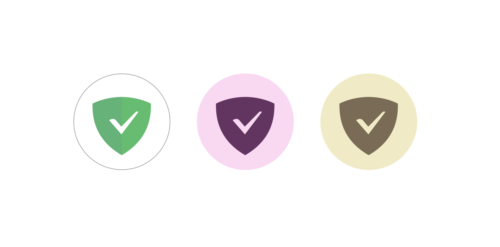
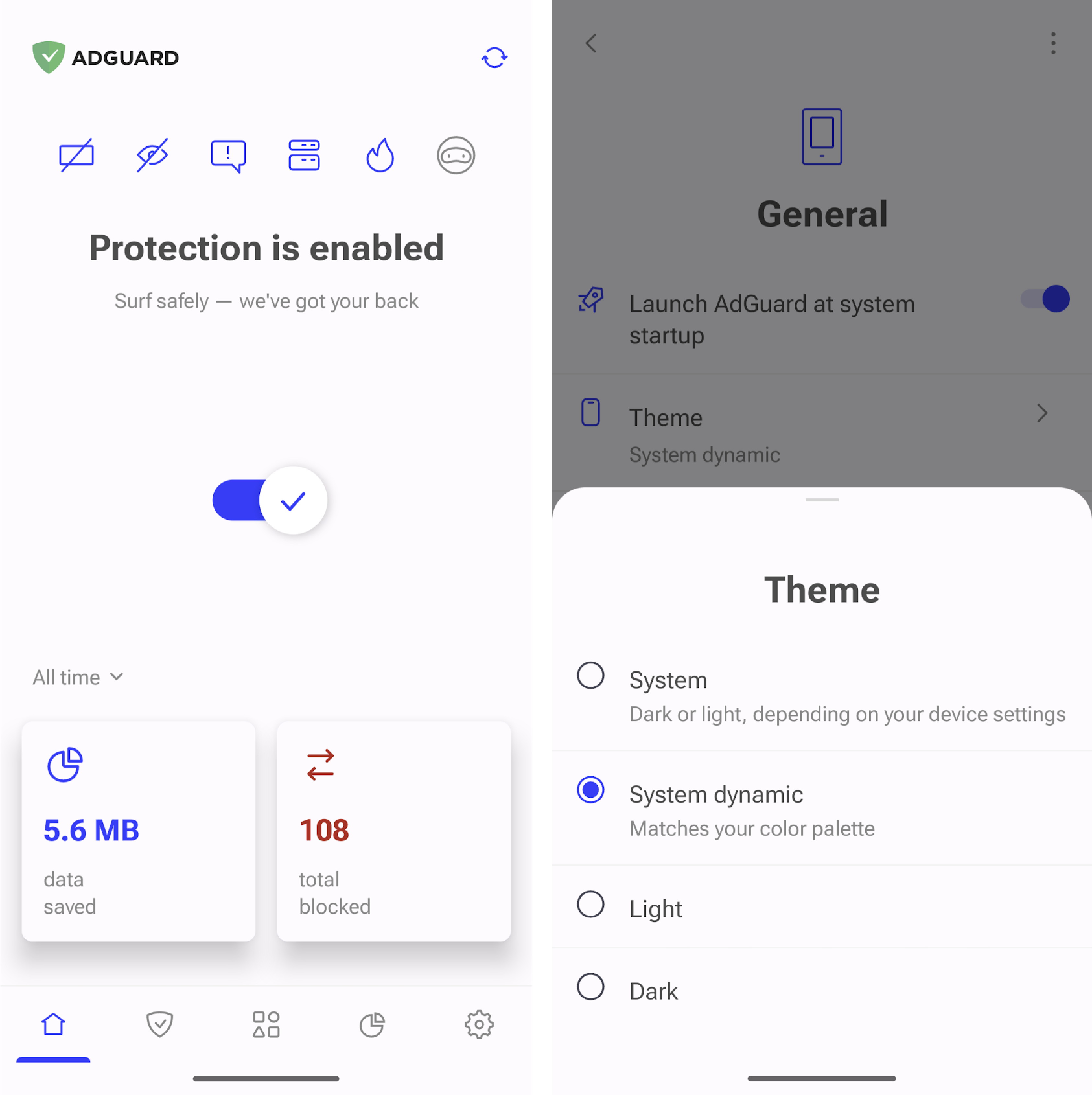
Get ready for a dynamic experience as AdGuard for Android makes its way to your screens with exciting new features! Now our app not only has dynamic icons, it also has a dynamic theme.
If you enable this option in the settings, the AdGuard app interface and icon will match the color of your smartphone interface.
Please note that these features are only available on Android devices running version 12 or higher.
HTTP/3 filtering support #487
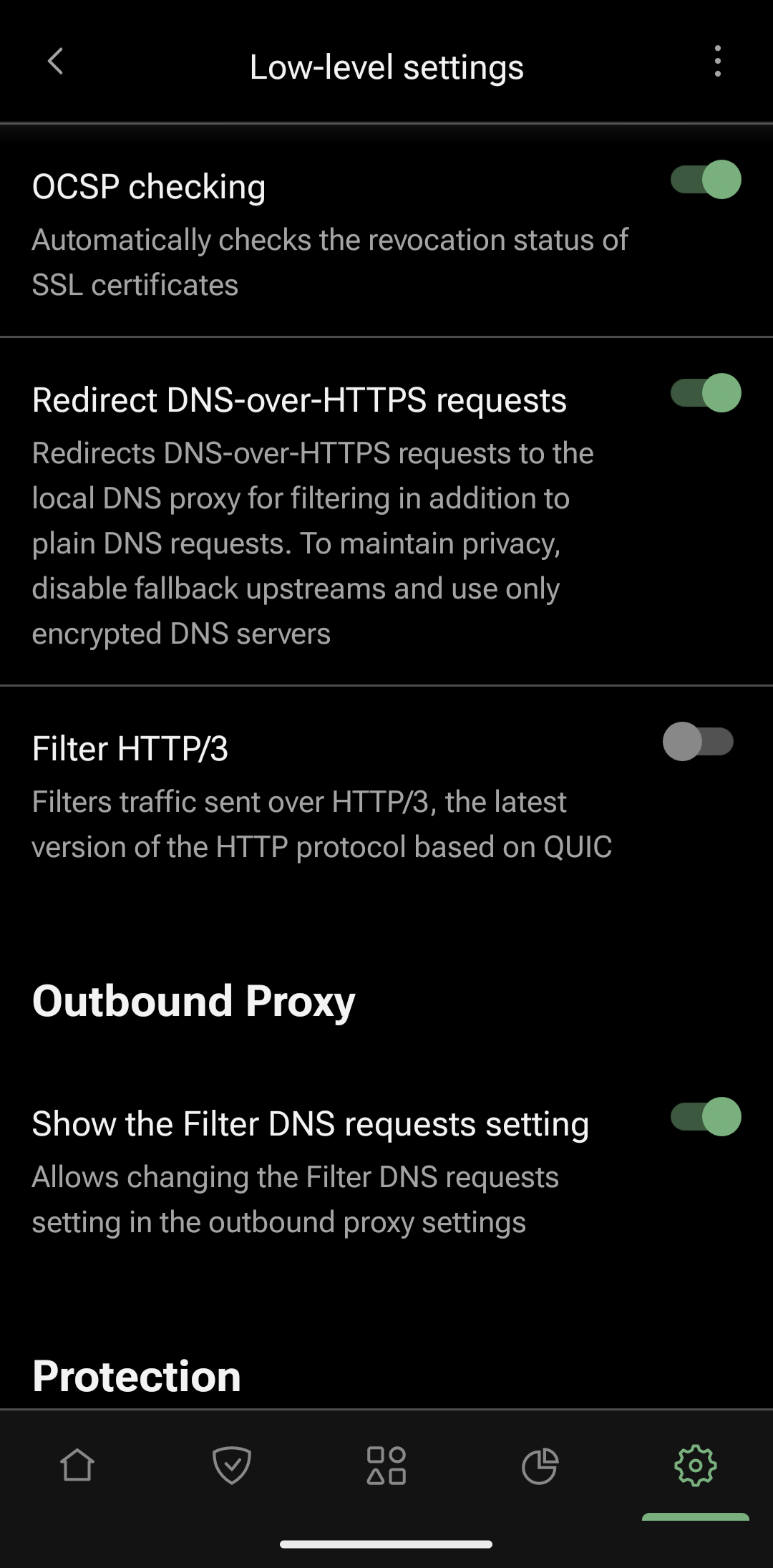
AdGuard now not only filters HTTP/1.1 and HTTP/2 traffic. In this release, we have added experimental support for HTTP/3 filtering. The HTTP/3 protocol, powered by the QUIC network protocol, provides better privacy and security, as well as a more stable and faster Internet connection. By enabling HTTP/3 filtering, you can take advantage of the QUIC protocol and effectively block ads and trackers.
To enable HTTP/3 filtering, go to Settings → General → Advanced → Low-level settings → Filter HTTP/3 and toggle the switch to the right.
Support for two HTTPS certificates
By implementing two HTTPS certificates, we have fixed an issue with HTTPS filtering in Chrome 100 and above on rooted devices. While the certificate in the system store will be responsible for filtering in most apps, the certificate in the user store will allow AdGuard to filter HTTPS traffic in Chromium-based browsers.
Installing certificates has also become easier: we’ve added step-by-step instructions.
To install the second certificate, go to Settings → Filtering → Network → HTTPS filtering → Security сertificates and follow the instructions.
Our filters have become even more powerful and we have also fixed a bunch of bugs to ensure stable performance of the app. Hurry up to update!
Changelog
Features
- Enabled HTTPS filtering by default for the Opera browser #4972
Fixes
- Exclude INETCOM.TV from routing by default #4723
- AdGuard cannot start protection due to HTTPS certificate expiration #4896
- Auto-update of custom filters doesn't work #4961
- AdGuard logs users out of their accounts #4959
- AdGuard notifications cause the locked screen to turn on while in sleep mode #4778
- HTTPS filtering is disabled for the app after relaunching AdGuard if the certificate has been moved to the system storage #5008
- Shadow around the main switch is missing on Android 8 #4858
- Some elements are not announced correctly by TalkBack #4809
- Switch sometimes disappears for 10-30 seconds, protection restarts for a long time #4862
- The space at the bottom of the "How to block ads on YouTube" screen is missing on devices with small screens #4866
- If the app is set to Traditional Chinese, the filters are displayed in Simplified Chinese after the update #4949
- Switching between firewall tabs causes AdGuard to crash #4999
- Importing settings with a different language does not immediately change the language #4984
- License is not imported when importing settings #4985
- Non-working button in the snack about disabled notifications #5002
- On the ‘Why filter HTTPS traffic’ screen, pressing Next again cancels the previous action #4993
- A cross button doesn't remove the text in the search bar on the Language-specific ad blocking screen #4978
- The text of imported/exported settings does not fit in the dialog box #4981
CoreLibs (Filtering engine) updated to v1.12.80 #4966
Improvements
- User Agent stripping Improved #1345
- TCP/IP: Added new reject mode - ICMP administratively prohibited #1774
- Added support for uBO media queries #1707
Fixes
- Connection is terminated by timer in have-result state #1180
- A few seconds delay when using ipTIME home routers #1756
- AdGuard slows down web page load time #1522
- Hide referrer with "Hide your search queries" option enabled when request is made by click #1766
- SOCKS5 proxy does not work with AdGuard 4.0 #4812
- Enabled ECH GREASE when ECH is enabled #1781
- Fixed a bug with removing HTTP headers when decrypting book text #1750
- Preparation for XPC #1675
- DNS fallback helper sometimes returns 127.0.0.1 instead of provider servers #1687
- UDP timeout is too small in TcpIpStack #1796
DnsLibs (DNS filtering engine) updated to v2.2.24 #4953
Fixes
- DoH tries to use stale connection for too long #200
- CoreDNS DoQ server cannot be used by DnsLibs #204
- sdns:// cert pinning is incorrect #205
Important for filter maintainers
- Added
$referral-policymodifier #135 - Added
$methodmodifier for basic rules #1713 - Allowed $stealth rules with an empty pattern #1762
- Added
$tomodifier #1714 $jsonprune,$replace, and$hlsdo not work with non-GET/POST HTTP methods #1743- Exception rules interfere with each other #1749
$pathmodifier does not work on path market.yandex.ru #1726$jsonprunemodifier should be able to handle quotes for jsonp #1734- Consider
:has(),:not(), and:is()as a standard pseudo-class if ExtendedCss usage is not forced by the#?#rule marker #1683 - Cosmetic rules do not work at mypikpak.com #1767
About AdGuard for Android 4.3.178
From version 4.14.38:
Premium
AdGuard is a unique no root ad blocker that removes ads in apps and browsers, protects your privacy and helps you manage your apps.
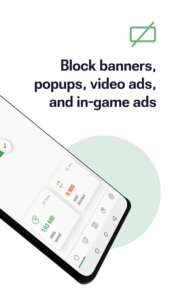
Install AdGuard to instantly block annoying ads on your mobile phone. This includes banners, video ads, ads in your favorite apps & games, and on any website you can imagine.
Enable dozens of ad filters. Receive regular updates, we guarantee the best-in-class filtering quality.
Stay focused on what matters most
Ads waste your time by making you watch irrelevant videos and painfully annoying banners every minute. You can remove them easily: all you need is to enable AdGuard filters once you install the app.
Save mobile traffic
More ads blocked means fewer ads loaded. Fewer ads loaded means more traffic saved.
Spend valuable mobile traffic on things you like instead of wasting it on voracious ads.
Protect your privacy
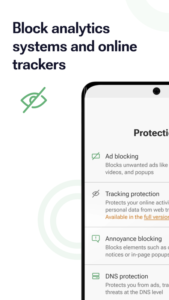
We value the privacy of your personal data above anything else. With AdGuard, you will be safe from online trackers and analytics systems that lurk on the web trying to steal your sensitive information.
Adjust the ad blocking intensity
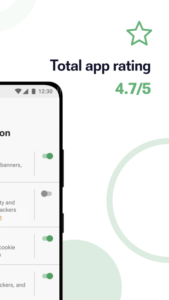
Apps Management tool will help you customize the ad filtering rules to your liking. It is your device, after all, and you decide what gets filtered and what doesn’t. A wide range of settings — from basic to 'pro' — as well as an Apps Management tool will help you customize the filtering to your liking.
With AdGuard, you will not only be safe from online ads, but also from trackers and analytics systems that lurk on the web trying to steal your sensitive information.
Download AdGuard for Android 4.3.178
This release may come in several variants. Consult our handy FAQ to see which download is right for you.

Version:4.15.0
Uploaded:October 10, 2026 at 1:43AM UTC
File size:77.17 MB
Version:4.15.0
Uploaded:October 10, 2026 at 1:43AM UTC
File size:76.12 MB
Downloads:371
Version:4.14.2
Uploaded:September 29, 2026 at 5:12AM UTC
File size:76.06 MB
Downloads:2,440
Version:4.14.0
Uploaded:September 18, 2026 at 4:40PM UTC
File size:73.30 MB
Downloads:3,333
Version:4.14.1
Uploaded:September 15, 2026 at 1:35PM UTC
File size:76.06 MB
Downloads:2,447
Version:4.13.2
Uploaded:August 27, 2026 at 5:30PM UTC
File size:58.85 MB
Downloads:3,567
Version:4.13.1
Uploaded:August 3, 2026 at 5:48PM UTC
File size:73.33 MB
Downloads:4,415
Version:4.13.0
Uploaded:July 28, 2026 at 2:59PM UTC
File size:73.28 MB
Downloads:1,042
Version:4.14.68
Uploaded:May 21, 2026 at 6:20AM UTC
File size:60.85 MB
Downloads:15,526
Version:4.14.38
Uploaded:March 2, 2026 at 4:38PM UTC
File size:60.48 MB
Downloads:1,353
Version:4.12.81
Uploaded:February 20, 2026 at 6:34PM UTC
File size:59.05 MB
Downloads:14,198
Follow APK Mirror


