

 Premium
What's new in Adobe Acrobat Reader: Edit PDF 11.1.1
19.3
NEW:
• Option to share documents with saved contacts in your address books.
• Clear Recents Files now includes recently shared files.
IMPROVED:
• Performance and stability.
About Adobe Acrobat Reader: Edit PDF 11.1.1
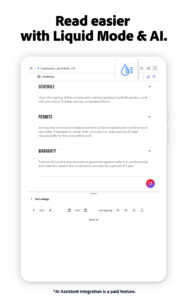
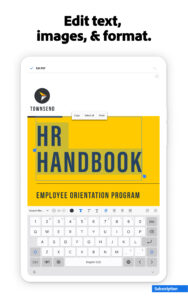
Adobe Acrobat Reader is the most reliable, free global standard document management system available. View, edit, sign, and annotate PDF documents by working directly on the text.
Premium
VIEW PDFs
• Quickly open and view PDF documents.
• Search, scroll, and zoom in and out.
• Choose Single Page or Continuous scroll mode.
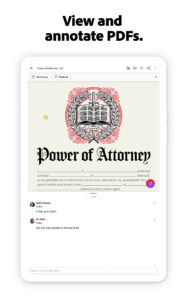
ANNOTATE PDFs
• Comment on PDFs directly using sticky notes and drawing tools.
• Annotate effectively with highlights and markup texts.
• View and respond to activity in the comments list.
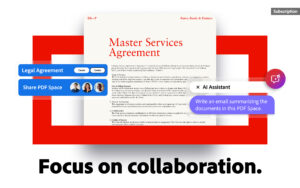
WORK WITH OTHERS AND SHARE PDFs
• Access shared documents quickly. Simply view, review, or sign.
• Collaborate with others by adding your comments to shared PDFs.
• Receive activity notifications for files you’ve shared.
• Track pending actions for documents shared with you.
• Sharing PDFs is made effortless. Create links you can send by email.
WORK WITH SCANNED DOCUMENTS
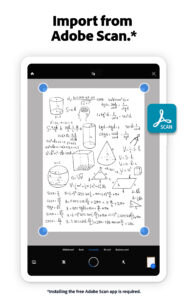
• Access scanned PDFs that you’ve captured using the free Adobe Scan app.
• Open your scans in Acrobat Reader to fill, sign, review, and share.
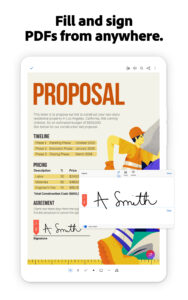
FILL AND SIGN FORMS
• Easily fill out PDF forms and other documents by typing text into fields.
• PDF filler feature lets you use your finger or stylus to e-sign any document.
STORE AND PRINT FILES
• Sign in to your free Adobe Document Cloud account to store and access files across devices.
• Connect to your Dropbox account and access other storage providers including Google Drive.
• Print documents from your device.
IN-APP PURCHASE
For even more PDF power, subscribe to Adobe Acrobat Pro DC, Adobe PDF Pack, or Adobe Export PDF. Subscriptions work across desktop, web, and mobile.
ACROBAT PRO DC
• Organize and edit PDFs (tablet only).
• Create PDFs using documents or pictures (like JPG).
• Convert PDFs into Microsoft Word, Excel, or PowerPoint versions of your documents.
• Merge multiple PDF files into one document.
• Send documents to others for review.
ADOBE PDF PACK
• Create PDFs using documents or pictures (like JPG).
• PDF viewer also lets you export PDF documents to Microsoft Word, Excel, PowerPoint or RTF.
• Organize and combine files.
• Send documents to others for review.
EXPORT PDF
• Export PDFs to Microsoft Word, Excel, PowerPoint, or RTF.
• Convert JPG or other picture files into PDF documents.
Terms & Conditions: Your use of this application is governed by the Adobe General Terms of Use (www.adobe.com/legal/terms.html and the Adobe Privacy Policy (www.adobe.com/privacy/policy.html)




Adobe Acrobat Reader: Edit PDF 11.1.1 Play Store trailer
Download Adobe Acrobat Reader: Edit PDF 11.1.1
This release may come in several variants. Consult our handy FAQ to see which download is right for you.

Version:26.10.0
Uploaded:October 28, 2026 at 12:29PM UTC
File size:91.07 MB
Downloads:50
Version:26.10.0.51102
Uploaded:October 27, 2026 at 2:17PM UTC
File size:94.77 MB
Downloads:41
Version:26.10.0.50924
Uploaded:October 25, 2026 at 5:07PM UTC
File size:94.39 MB
Downloads:68
Version:26.10.0.50639
Uploaded:October 17, 2026 at 6:38AM UTC
File size:92.79 MB
Downloads:206
Version:26.9.2
Uploaded:October 16, 2026 at 9:16AM UTC
File size:88.86 MB
Downloads:292
Version:26.10.0.50258
Uploaded:October 9, 2026 at 7:11PM UTC
File size:92.10 MB
Downloads:219
Version:26.9.1.49960
Uploaded:October 4, 2026 at 3:53PM UTC
File size:91.47 MB
Downloads:133
Version:26.9.1
Uploaded:October 3, 2026 at 7:45AM UTC
File size:87.79 MB
Downloads:420
Version:26.9.1.49938
Uploaded:October 2, 2026 at 7:40PM UTC
File size:91.43 MB
Downloads:29
Version:26.9.0
Uploaded:September 28, 2026 at 6:50PM UTC
File size:87.78 MB
Downloads:143
Follow APK Mirror


