

 Premium
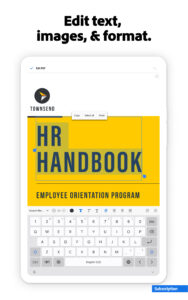
What's new in Adobe Acrobat Reader: Edit PDF 11
18.4.1
Bug Fixes
18.3
• Manage all your documents and tasks from Home.
• Access menus that ensure the right tools are always at your fingertips.
• Work with others by adding your comments to PDFs sent to you for review.
• Stay up-to-date with To Do cards highlighting your pending actions, and stay on top of your game with real-time notifications.
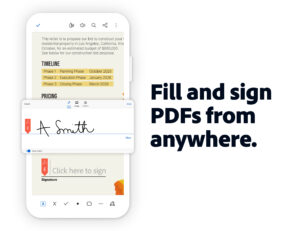
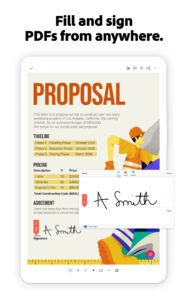
• Fill and sign forms directly in Adobe Acrobat Reader.
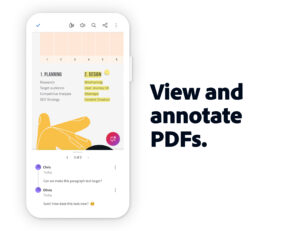
• Easily view and reply to all comments added to a PDF.
• Quickly find documents using Search.
About Adobe Acrobat Reader: Edit PDF 11
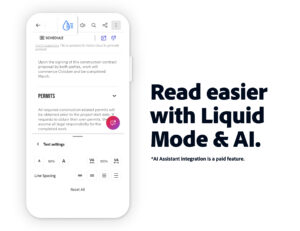
Adobe Acrobat Reader is the free global standard for reliably viewing, signing, and commenting on PDF documents.
Premium
VIEW PDFs
• Quickly open and view PDF documents.
• Search, scroll, and zoom in and out.
• Choose Single Page or Continuous scroll mode.
ANNOTATE PDFs
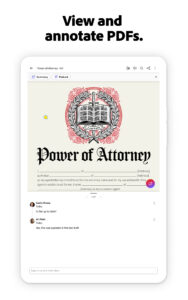
• Make comments on PDFs using sticky notes and drawing tools.
• Highlight and mark up text with annotation tools.
• View and respond to annotations in the comments list.
WORK WITH OTHERS AND SHARE PDFs
• Quickly access documents shared for viewing, review, or signature.
• Collaborate with others by adding your comments to PDFs sent to you for review.
• Receive activity notifications for files you’ve shared for viewing and review.
• Track pending actions for documents shared with you.
• Easily share PDFs with others by creating links you can send by email.
WORK WITH SCANNED DOCUMENTS
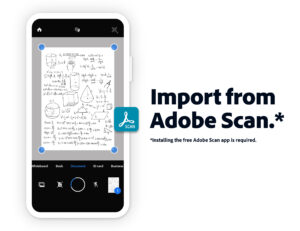
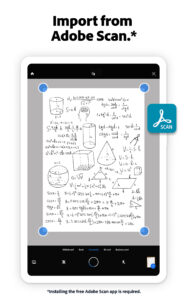
• Easily access scanned PDFs that you’ve captured using the free Adobe Scan app.
• Open your scans in Acrobat Reader to fill in, sign, review, and share.
FILL AND SIGN FORMS
• Quickly fill out PDF forms by typing text into fields.
• Use your finger or stylus to e-sign any PDF document.
STORE AND PRINT FILES
• Sign in to your free Adobe Document Cloud account to store and access files across devices.
• Connect to your Dropbox account and access other storage providers including Google Drive.
• Print documents from your device.
IN-APP PURCHASE
For even more PDF power, subscribe to Adobe Acrobat Pro DC, Adobe PDF Pack, or Adobe Export PDF. Subscriptions work across desktop, web, and mobile.
ACROBAT PRO DC
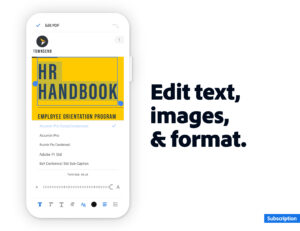
• Organize and edit (tablet only) PDFs.
• Create PDF files from documents or images.
• Export PDFs to Microsoft Word, Excel, or PowerPoint.
• Combine files into one PDF.
• Send documents to others for review.
ADOBE PDF PACK
• Create PDF files from documents or images.
• Export PDFs to Microsoft Word, Excel, PowerPoint or RTF.
• Organize and combine files.
• Send documents to others for review.
EXPORT PDF
• Export PDFs to Microsoft Word, Excel, PowerPoint, or RTF.
Terms & Conditions: Your use of this application is governed by the Adobe General Terms of Use (www.adobe.com/legal/terms.html and the Adobe Privacy Policy (www.adobe.com/privacy/policy.html)



Download Adobe Acrobat Reader: Edit PDF 11
This release may come in several variants. Consult our handy FAQ to see which download is right for you.

Version:26.5.0.45947
Uploaded:June 7, 2026 at 10:01PM UTC
File size:81.97 MB
Downloads:178
Version:26.5.0.45959
Uploaded:June 6, 2026 at 1:14AM UTC
File size:80.48 MB
Downloads:67
Version:26.5.0
Uploaded:June 5, 2026 at 8:35AM UTC
File size:78.66 MB
Downloads:295
Version:26.5.0.45906
Uploaded:June 2, 2026 at 2:45AM UTC
File size:81.92 MB
Downloads:51
Version:26.5.0.45723
Uploaded:May 29, 2026 at 7:37AM UTC
File size:81.83 MB
Downloads:83
Version:26.4.4
Uploaded:May 29, 2026 at 7:37AM UTC
File size:72.14 MB
Downloads:126
Version:26.5.0.45534
Uploaded:May 22, 2026 at 6:30AM UTC
File size:80.60 MB
Downloads:241
Version:26.5.0.45316
Uploaded:May 18, 2026 at 2:59PM UTC
File size:80.07 MB
Downloads:79
Version:26.4.3
Uploaded:May 18, 2026 at 2:58PM UTC
File size:71.98 MB
Downloads:203
Version:26.5.0.45078
Uploaded:May 12, 2026 at 8:47AM UTC
File size:79.17 MB
Downloads:200
Follow APK Mirror


