

 Premium
What's new in Adobe Acrobat Reader: Edit PDF 19.5.0
19.5
IMPROVED:
• Modify annotations in forms and add a signature while viewing a PDF.
• Performance and stability.
About Adobe Acrobat Reader: Edit PDF 19.5.0
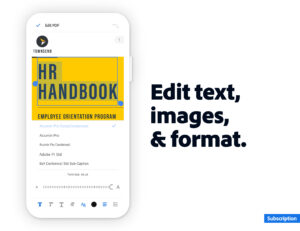
Adobe Acrobat Reader is the most reliable, free global standard document management system available. View, edit, sign, and annotate PDF documents by working directly on the text.
Premium
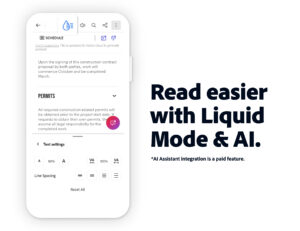
VIEW PDFs
• Quickly open and view PDF documents.
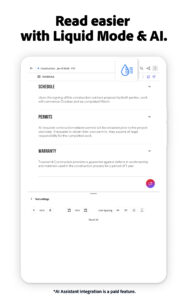
• Search, scroll, and zoom in and out.
• Choose Single Page or Continuous scroll mode.
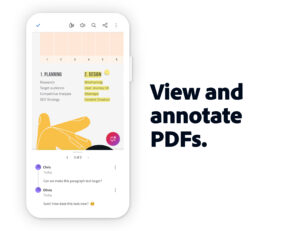
ANNOTATE PDFs
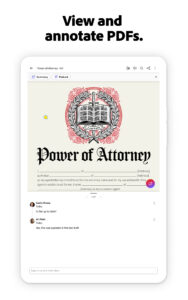
• Comment on PDFs directly using sticky notes and drawing tools.
• Annotate effectively with highlights and markup texts.
• View and respond to activity in the comments list.
WORK WITH OTHERS AND SHARE PDFs
• Access shared documents quickly. Simply view, review, or sign.
• Collaborate with others by adding your comments to shared PDFs.
• Receive activity notifications for files you’ve shared.
• Track pending actions for documents shared with you.
• Sharing PDFs is made effortless. Create links you can send by email.
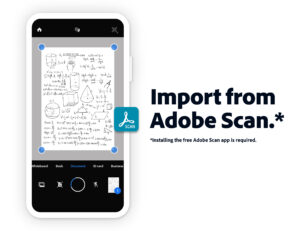
WORK WITH SCANNED DOCUMENTS
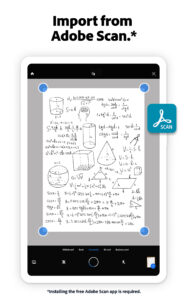
• Access scanned PDFs that you’ve captured using the free Adobe Scan app.
• Open your scans in Acrobat Reader to fill, sign, review, and share.
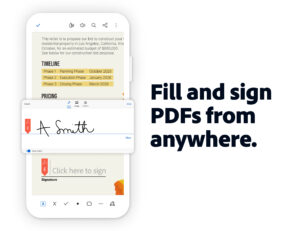
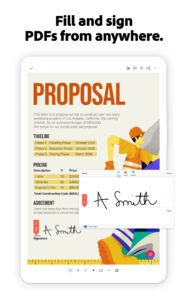
FILL AND SIGN FORMS
• Easily fill out PDF forms and other documents by typing text into fields.
• PDF filler feature lets you use your finger or stylus to e-sign any document.
STORE AND PRINT FILES
• Sign in to your free Adobe Document Cloud account to store and access files across devices.
• Connect to your Dropbox account and access other storage providers including Google Drive.
• Print documents directly from your device.
IN-APP PURCHASE
For even more PDF power, subscribe to Adobe Acrobat Pro DC, Adobe PDF Pack, or Adobe Export PDF. Subscriptions work across desktop, web, and mobile.
ACROBAT PRO DC
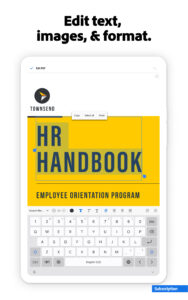
• Organize and edit PDFs (tablet only).
• Create PDFs using documents or pictures (like JPG).
• Convert PDFs into Microsoft Word, Excel, or PowerPoint versions of your documents.
• Merge multiple PDF files into one document.
• Send documents to others for review.
ADOBE PDF PACK
• Create PDFs using documents or pictures (like JPG).
• PDF viewer also lets you export PDF documents to Microsoft Word, Excel, PowerPoint or RTF.
• Organize and combine files.
• Send documents to others for review.
EXPORT PDF
• Export PDFs to Microsoft Word, Excel, PowerPoint, or RTF.
• Convert JPG or other picture files into PDF documents.
Terms & Conditions: Your use of this application is governed by the Adobe General Terms of Use
www.adobe.com/legal/terms.html and the Adobe Privacy Policy www.adobe.com/privacy/policy.html




Download Adobe Acrobat Reader: Edit PDF 19.5.0
This release comes in several variants (we currently have 3). Consult our handy FAQ to see which download is right for you.

Version:26.7.2
Uploaded:August 19, 2026 at 6:16AM UTC
File size:81.36 MB
Downloads:42
Version:26.8.0.47870
Uploaded:August 17, 2026 at 4:02PM UTC
File size:85.93 MB
Downloads:58
Version:26.8.0.47332
Uploaded:August 13, 2026 at 6:28AM UTC
File size:85.10 MB
Downloads:120
Version:26.8.0.47326
Uploaded:August 9, 2026 at 4:55AM UTC
File size:85.09 MB
Downloads:84
Version:26.7.1
Uploaded:August 7, 2026 at 7:49AM UTC
File size:80.82 MB
Downloads:1,091
Version:26.8.0.47257
Uploaded:August 6, 2026 at 5:59PM UTC
File size:84.99 MB
Downloads:23
Version:26.7.0
Uploaded:August 4, 2026 at 7:55AM UTC
File size:80.82 MB
Downloads:505
Version:26.7.0.47159
Uploaded:July 31, 2026 at 7:13PM UTC
File size:84.35 MB
Downloads:79
Version:26.7.0.47035
Uploaded:July 28, 2026 at 6:18PM UTC
File size:84.36 MB
Downloads:84
Version:26.6.3
Uploaded:July 20, 2026 at 12:07PM UTC
File size:78.19 MB
Downloads:338
Follow APK Mirror


