

 Premium
What's new in Lightroom Photo & Video Editor 2.0.1
Update: Bug Fixes
• New: Capture amazing moments with the in-app Adobe camera. Apply Photoshop magic before you capture with one of five new, specially formulated presets. Photos can be captured in DNG raw format on devices that provide DNG capture capabilities.
• Enhanced: Tone Curve – Point Curve Mode.
• New: Split Tone adjustments.
• New: Dehaze adjustment tool.
• New: Full resolution output. Now, export and share photos taken through the in-app Adobe camera at full resolution.
About Lightroom Photo & Video Editor 2.0.1
Bring beautiful images to light with Adobe Lightroom. Powered by the magic of Adobe Photoshop technology, Lightroom for mobile enables you to craft and share professional-quality images from your smartphone or tablet.
Premium
Winner of the 2015 Professional Photographer Hot One Awards in the Photo App category
The tools you need to tell your story.
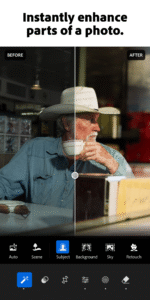
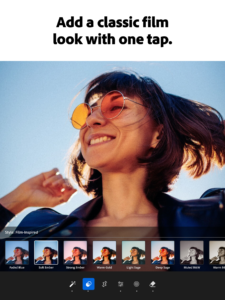
• Create stunning images in seconds with tools that range from simple one-tap presets to powerful advanced adjustments.
• Experiment freely with edits, and revert to the original at any time, with just one tap.
• Capture amazing moments with the in-app Adobe camera, streamlining shoot to share. Apply Photoshop magic with five specially formulated shoot-through presets, which can be previewed and applied at capture, and adjusted afterward with full non-destructive capabilities. *
• Simplify your editing process and get consistent looks in your photos by copying your favorite edits across photos.
Stories need to be shared.
• Share photos any way you want: Instagram, Facebook, Twitter, Flickr, and more. Join the community by using #lightroom.
Ready to take your photos to the next level? Check out our time-limited trial of the Adobe Creative Cloud Photography plan.
Creative Cloud Photography plan member benefits:
Take your photography further.**
• Access your photos anywhere: Organize, edit and share Lightroom photos across mobile devices, desktop and the web.
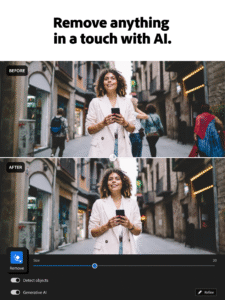
• Transform photos beyond your imagination with Photoshop CC, the world’s best tool for combining multiple images, removing objects, and retouching your photos.
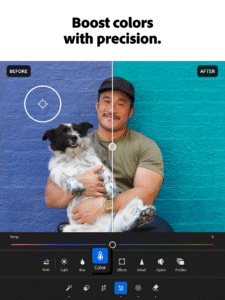
• Get precise control over the color and tone of your photos with selective local adjustments, and more, with the Lightroom desktop app.
• Seamlessly sync photo edits, metadata, and more—from smartphone photos or raw images from DSLRs—across Lightroom enabled devices.
• Share your photo collections in beautiful web galleries and get feedback from family and friends.
• Craft amazing video stories with your photos, with direct access to Adobe Premiere Clip.
*Shoot-through presets require OpenGL ES 3.0 and later support. The in-app camera is supported on Android smartphones.
**Available only as a time limited trial or with a Creative Cloud Photography plan subscription.




Download Lightroom Photo & Video Editor 2.0.1
This release may come in several variants. Consult our handy FAQ to see which download is right for you.

Version:11.5.22
Uploaded:September 4, 2026 at 9:15AM UTC
File size:104.46 MB
Downloads:2,335
Version:11.5.21
Uploaded:September 2, 2026 at 8:45PM UTC
File size:104.78 MB
Downloads:378
Version:11.5.20
Uploaded:September 1, 2026 at 8:41AM UTC
File size:104.42 MB
Downloads:482
Version:11.5.10
Uploaded:August 26, 2026 at 4:20PM UTC
File size:100.81 MB
Downloads:1,220
Version:11.5.01
Uploaded:August 13, 2026 at 12:36PM UTC
File size:99.67 MB
Downloads:5,888
Version:11.5.0
Uploaded:August 6, 2026 at 3:21PM UTC
File size:101.00 MB
Downloads:2,190
Version:11.4.5
Uploaded:July 15, 2026 at 2:30PM UTC
File size:97.25 MB
Downloads:8,045
Version:11.4.4
Uploaded:July 9, 2026 at 7:03AM UTC
File size:99.06 MB
Downloads:1,053
Version:11.4.3
Uploaded:June 25, 2026 at 2:59PM UTC
File size:96.92 MB
Downloads:4,117
Version:11.4.2
Uploaded:June 22, 2026 at 3:28PM UTC
File size:96.78 MB
Downloads:500
Follow APK Mirror


