

 Premium
About Photoshop Express Photo Editor 3.1.144
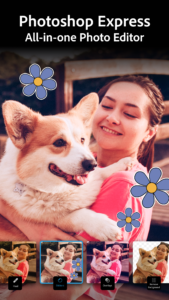
Snap. Edit. Share. Smile. Photo magic at your fingertips.
On-the-go photo editing was never so fun, fast, and cool. Touch your way to better-looking pictures with automatic fixes and filters. Get your pictures to pop! And after sharing, you’ll be the the talk of your friends.
Photography features of Photoshop Express:
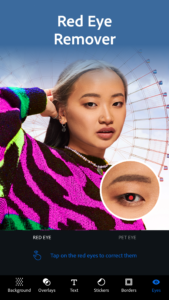
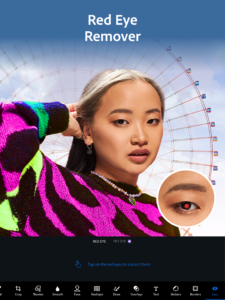
- Basics: Crop, straighten, rotate, and flip your photos. Remove red eye and pet eye.
- Auto-Fix: A one-touch adjustment for contrast, exposure, and white balance.
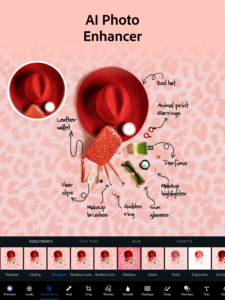
- Blemish removal: With one touch, remove spots, dirt, and dust from your photos.
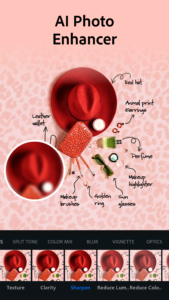
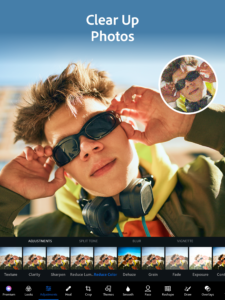
- Color: Slide controls for clarity, contrast, exposure, highlights, shadows, temperature, tint, sharpen, and vibrance.
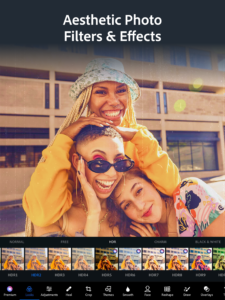
- One touch filters or Looks: Choose from more than 20 eye-catching effects! And control the intensity of your looks.
- Custom Looks: Create and save your own Looks.
- Image Rendering Engine: Improves performance, and enables handling of large files, like panoramic photos.
- Borders: Add a distinctive personal touch to your photos with 15 borders and frames. Express yourself!
- Raw photo support: Import and edit photos in raw format.
- Share: Easily share to all your favorite social sites: Facebook, Twitter, Tumblr, and more.
- Access Premium Features when you sign in with an Adobe ID:
o One-touch Filters or Looks: Get an additional 20 filters for fun, fresh looks!
o Noise Reduction: Minimize unwanted grain and speckling in night photos and other low light photos.
o Defog: Reduce fog and haze in photos.
View Adobe's Privacy Policy: www.adobe.com/privacy/policy.html
Photoshop Express is brought to you by Adobe, proud makers of the Photoshop family of products.
Photoshop Express supports the following file formats:
- Photo: JPG, PNG
- Raw files: arw (SONY), cr2 (CANON), crw (CANON), dng, erf (EPSON), raf (FUJI), 3fr & fff (HASSELBLAD), dcr (KODAK), mrw (KONICA), mos (LEAF), rwl (LEICA), nef & nrw (NIKON), orf (OLYMPUS), rw2 (PANASONIC), pef (PENTAX), srw (SAMSUNG)
While we aim to provide support for raw files from the latest camera models from most camera manufacturers, we cannot guarantee universal raw support




Download Photoshop Express Photo Editor 3.1.144
This release comes in several variants (we currently have 2). Consult our handy FAQ to see which download is right for you.

Version:18.4.40
Uploaded:August 26, 2026 at 7:43AM UTC
File size:27.44 MB
Downloads:79
Version:18.3.39
Uploaded:August 18, 2026 at 7:13AM UTC
File size:27.40 MB
Downloads:106
Version:18.2.38
Uploaded:August 10, 2026 at 6:13AM UTC
File size:27.40 MB
Downloads:77
Version:18.1.35
Uploaded:July 13, 2026 at 5:54AM UTC
File size:51.72 MB
Downloads:138
Version:18.0.25
Uploaded:April 10, 2026 at 8:46AM UTC
File size:27.33 MB
Downloads:724
Version:17.9.22
Uploaded:April 1, 2026 at 9:06PM UTC
File size:27.33 MB
Downloads:453
Version:17.8.20
Uploaded:January 19, 2026 at 7:09AM UTC
File size:27.42 MB
Downloads:277
Version:17.8.14
Uploaded:January 9, 2026 at 7:25PM UTC
File size:27.42 MB
Downloads:336
Version:17.7.12
Uploaded:August 5, 2025 at 12:24PM UTC
File size:27.40 MB
Downloads:1,328
Version:17.7.8
Uploaded:April 7, 2025 at 12:26PM UTC
File size:45.36 MB
Downloads:1,534
Follow APK Mirror


