

 Premium
What's new in AIO Launcher: Productivity 5.2.2
* Add ChatGPT suggestions to Expenses widget (for subscribers)
* Ability to open app widget settings by pressing the "cog" icon
* Updated Rich UI API (see the docs)
* Bug fixes
About AIO Launcher: Productivity 5.2.2
Enhance your smartphone's functionality with AIO Launcher. Experience a sleek, minimalist interface that efficiently displays crucial information without unnecessary embellishments. AIO Launcher prioritizes privacy and security, offering a sophisticated and streamlined user experience.
Premium
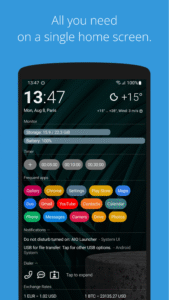
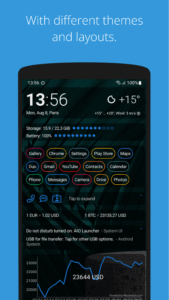
AIO Launcher can display the following information on the screen:
* Weather - current weather and forecast for 10 days;
* Notifications - standard android notifications;
* Dialogs - your messenger conversations;
* Player - when you turn on the music, playback control buttons appear;
* Frequent apps - frequently used applications buttons;
* Your apps - the icons of the selected applications;
* Contacts - quick contacts;
* Dialer - numpad for quick calls;
* Timer - timer start buttons;
* Mail - list of received emails;
* Notes - list of your notes;
* Tasks - list of tasks;
* Telegram - last messages (paid);
* RSS - latest news;
* Calendar - upcoming events in the calendar;
* Exchange rates - currency exchange rates;
* Bitcoin - the bitcoin price;
* Finance - stocks, precious metals, cryptocurrencies etc (paid);
* Calculator - simple calculator;
* Audio Recorder - record, play and share audio;
* System monitor - RAM and NAND usage, percentage of battery power;
* Control panel - toggles for WiFi/BT/GPS etc;
* Traffic - shows current download/upload rates and connection type;
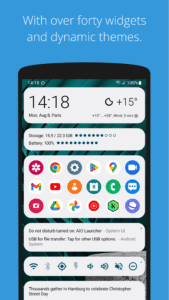
* Android widget - standard app widgets (paid).
Other features:
* Several different themes;
* Icon packs support;
* Multiple icon shapes;
* Ability to change font size;
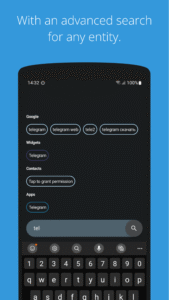
* Advanced search system for applications, contacts, files and information on the Internet;
* Ability to rename applications;
* Widgets and plugins support;
* Tasker integration;
* Gestures;
* Very customizable.
Usage:
* Swipe on search button opens quick menu with phone, camera and market;
* To add the Android widget, long press search button and select the "+" icon;
* To resize the widget, hold the finger on the widget, then use the up and down buttons;
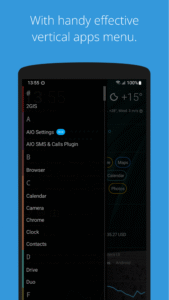
* To access the list of all applications, drag from the left edge of the screen;
* Hold finger on various elements of the screen to open menu;
* To open settings, hold your finger on the search button, and then click the gear icon;
* Hold the title of the widget to move it around;
* You can minimize/maximize the widget by clicking on its name;
* If the title are disabled, the widget can be minimized by clicking in the upper right corner of the widget;
* To remove an application, open the application menu, hold your finger on the desired application, and drag it to the recycle bin icon.
How to set as default launcher on a Huawei smartphone:
Settings - Applications - Settings - Default applications - Settings - Manager - AIO Launcher
If notification widget don't work on MIUI:
Settings - Battery & performance - Manage apps' battery usage - Choose apps - AIO Launcher - No restrictions
If app widgets don't work on MIUI or you can't open notification via built-in Notifications widget:
Go to the application settings on your phone, find the application that owns the widget, click "Other permissions" and enable "Display pop-ups when running in the background" option.
If the application restarts every time you return to the desktop - add the launcher to the power saving mode exceptions (you can read how to do this here: dontkillmyapp.com).
This app uses the Device Administrator permission.
AIO Launcher uses the Accessibility Service to perform actions such as turning off the screen, taking a screenshot, and displaying the screen of recent apps.
Email: zobnin@gmail.com
Telegram: @aio_launcher
AIO Launcher: Productivity 5.2.2 Play Store trailer
Download AIO Launcher: Productivity 5.2.2
This release may come in several variants. Consult our handy FAQ to see which download is right for you.

Version:7.6.0
Uploaded:October 9, 2026 at 5:15AM UTC
File size:26.34 MB
Downloads:74
Version:7.5.0
Uploaded:September 5, 2026 at 9:27PM UTC
File size:25.51 MB
Downloads:56
Version:7.5.0-beta2
Uploaded:August 28, 2026 at 6:48AM UTC
File size:25.41 MB
Downloads:14
Version:7.4.2
Uploaded:August 25, 2026 at 2:45PM UTC
File size:25.24 MB
Downloads:523
Version:7.4.1
Uploaded:August 13, 2026 at 2:18AM UTC
File size:24.97 MB
Downloads:62
Version:7.4.0
Uploaded:July 29, 2026 at 12:54AM UTC
File size:24.94 MB
Downloads:29
Version:7.3.0
Uploaded:July 18, 2026 at 2:43AM UTC
File size:23.53 MB
Downloads:83
Version:7.3.0-beta19
Uploaded:July 4, 2026 at 6:22PM UTC
File size:23.53 MB
Downloads:33
Version:7.2.3
Uploaded:June 25, 2026 at 12:40AM UTC
File size:23.36 MB
Downloads:29
Version:7.2.2
Uploaded:June 18, 2026 at 11:40PM UTC
File size:23.33 MB
Downloads:20
Follow APK Mirror


