

 Premium
What's new in PDF Reader & Editor: Xodo 9.0.0
- Design Update: Refreshed home screens with the latest Xodo design system to improve user experience
- Performance Improvement : App crash fix, File Share bug fix, Xodo account sign in fix
About PDF Reader & Editor: Xodo 9.0.0
Looking for a simple and secure all-in-one PDF editor and reader so you can maximise your workflow? Is business requiring you to view, annotate or sign PDFs on a daily basis, or school exam season demanding more efficient note-taking? Xodo is the all-in-one PDF tool for you.
Premium
Designed for all types of users, business big or small, Xodo app offers over 30+ features to boost efficiency across all platforms. Optimise your workflow by safely storing and syncing your files on Xodo Drive, Dropbox, Google Drive, and OneDrive so you can easily view, add comments, edit, convert, sign, redact, compress, and merge your files anytime, anywhere on your device.
Edit PDFs on any platform:
Enhance business efficiency with Xodo’s fully featured, easy-to-use PDF editor where you can create PDFs from scratch or edit directly.
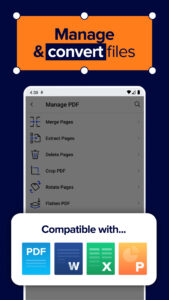
• Flatten PDF: All annotations in PDF like fillable forms will be locked and merged into a single layer for protection
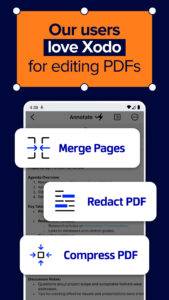
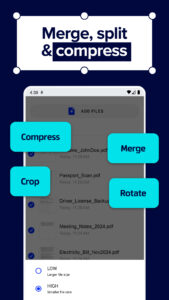
• Compress PDF: Quickly reduce PDF file size for ease of sharing
• Merge PDF: Easily combine multiple documents to a single PDF
• Rotate PDF: Add, remove, rearrange, rotate, crop PDF pages with ease
• Split & extract PDF: iInstantly split PDF or extract pages to a new PDF file
View & print PDFs for efficient document handling:
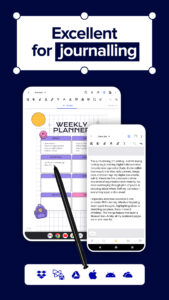
Convenient PDF reader for e-books, reports, digital planner, and more even when you're offline.
• Viewing mode: Single and double page viewing modes, Dark Modes for comfortable reading, Reflow Reading Mode tailors the PDF text size of your choice
• Multiple tabs: Use tabs to work across multiple PDF documents
• Bookmark feature: Tag your favorite PDF pages
• Print PDFs directly from your device
• Fully searchable text: Show detailed list of search results for maximum efficiency
Scan & Convert PDFs:
Convert files to PDF accurately in seconds.
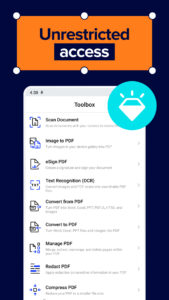
• Optimise your workflow with PDF scanner: Scan image with your camera or open an existing image and save as a new PDF
• PDF converter: Convert any files from MS Office (Word, Excel, PowerPoint) to PDF
• Text recognition (OCR): Convert images and PDFs into searchable text files
• Additional file formats: Convert PDF to PDF/A, JPG or PNG to PDF, PDF to JPG or PNG
Add comments, Annotate & Draw PDFs:
Optimize your annotations with Xodo's versatile tools:
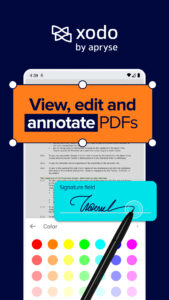
Mark-up suite for highlighting, stamping, and note-taking on PDFs
Page arrangement with a thumbnail browser for deletion, reordering, and blank page insertion
Scrolling mode to view all annotations at a glance and navigate pages with two-finger gestures
Stylus-friendly design for optimal use with S Pen and other styluses.
Fill & Sign PDF Forms:
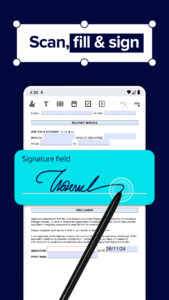
Fill out, sign, and share your PDF forms and sync them with online storage like Xodo Drive, Google Drive, Dropbox or OneDrive.
• Create your e-signature: E-sign your documents by hand or type in your signature, and save to reuse for later
Store & Manage Files Securely:
Efficiently manage and access your PDF documents:
Built-in file manager for easy organization (rename, copy, move, delete)
Protected features, including password encryption and removal tool
Grid view mode for thumbnail previews and quick access to file details.
Upgrade to Xodo Pro Subscription:
Unlimited access to 30+ tools
Shared subscription for mobile, desktop, and web
Free trial available in supported regions
Bulk document processing
Smart pen tool for streamlined note taking
PDF to MS Office conversion (Word, Excel, PowerPoint), PDF to HTML
High compression file size
Advanced annotation filtering
Annotation in reading mode
Customizable toolbar for bookmarking favorite tools
Selection of app themes for different viewing environments
Advanced options for image to PDF tool, including OCR and file compression
PDF Redaction tool to remove sensitive content
Flexible monthly and annual subscription options
Cancel anytime
For Support and Feedback:
support@xodo.com
Visit Homepage:
xodo.com
Xodo is powered by Apryse | apryse.com
PDF Reader & Editor: Xodo 9.0.0 Play Store trailer
Download PDF Reader & Editor: Xodo 9.0.0
This release comes in several variants (we currently have 4). Consult our handy FAQ to see which download is right for you.

Version:11.3.0
Uploaded:September 27, 2026 at 7:34AM UTC
File size:107.99 MB
Downloads:84
Version:11.2.0
Uploaded:September 27, 2026 at 7:34AM UTC
File size:82.26 MB
Downloads:580
Version:11.1.0
Uploaded:September 9, 2026 at 7:15AM UTC
File size:81.81 MB
Downloads:230
Version:11.0.1
Uploaded:August 23, 2026 at 3:31PM UTC
File size:81.52 MB
Downloads:347
Version:11.0.0
Uploaded:August 8, 2026 at 7:18AM UTC
File size:81.52 MB
Downloads:2,068
Version:10.17.2
Uploaded:July 26, 2026 at 6:34AM UTC
File size:81.42 MB
Downloads:219
Version:10.17.1
Uploaded:July 16, 2026 at 4:56PM UTC
File size:81.74 MB
Downloads:614
Version:10.17.0
Uploaded:July 8, 2026 at 8:35PM UTC
File size:81.74 MB
Downloads:159
Version:10.16.1
Uploaded:June 29, 2026 at 11:03PM UTC
File size:81.73 MB
Downloads:233
Version:10.15.0
Uploaded:June 13, 2026 at 12:30PM UTC
File size:81.18 MB
Downloads:1,654
Follow APK Mirror


