

 Premium
What's new in WordPress – Website Builder 5.4.1
5.4
Your wish is our command: now, you can update your Gravatar from the app by tapping your profile picture on the Me screen. Select an image from your library, or take a new photo.
Logged into WordPress on your computer in the Chrome browser? Google’s Smart Lock for Passwords now pre-fills your username and password in the app.
A few bugs and wonky display issues in the Reader and the Comment List are all spruced up.
About WordPress – Website Builder 5.4.1
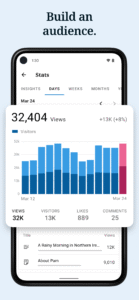
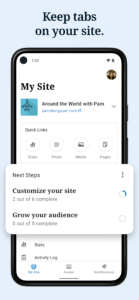
WordPress for Android puts the power of publishing in your hands, making it easy to create and consume content. Write, edit, and publish posts to your site, check stats, and get inspired with great posts in the Reader. What’s more? It’s open source.
WordPress for Android supports WordPress.com and self-hosted WordPress.org sites running WordPress 3.5 or higher.
Visit the forums to get help with the app: http://android.forums.wordpress.org





Download WordPress – Website Builder 5.4.1
This release may come in several variants. Consult our handy FAQ to see which download is right for you.

Version:27.4
Uploaded:September 29, 2026 at 1:20PM UTC
File size:86.93 MB
Downloads:12
Version:27.3
Uploaded:September 24, 2026 at 12:50PM UTC
File size:53.05 MB
Downloads:17
Version:27.2
Uploaded:September 18, 2026 at 8:05PM UTC
File size:85.65 MB
Downloads:35
Version:27.1
Uploaded:August 27, 2026 at 5:11PM UTC
File size:85.23 MB
Downloads:12
Version:27.0
Uploaded:July 29, 2026 at 9:39PM UTC
File size:84.93 MB
Downloads:18
Version:26.9
Uploaded:July 5, 2026 at 12:59AM UTC
File size:84.37 MB
Downloads:27
Version:26.8
Uploaded:June 18, 2026 at 3:43AM UTC
File size:52.85 MB
Downloads:26
Version:26.8-rc-7
Uploaded:June 14, 2026 at 9:56PM UTC
File size:84.01 MB
Downloads:6
Version:26.7
Uploaded:March 23, 2026 at 11:12AM UTC
File size:78.93 MB
Downloads:38
Version:26.6
Uploaded:March 5, 2026 at 9:37AM UTC
File size:77.95 MB
Downloads:9
Follow APK Mirror


