

 Premium
What's new in Mi Fitness (Xiaomi Wear) 3.59.1i
1.Improved the display experience in split-screen mode
2.Improved text display when editing watch faces
3.Fix some bugs
About Mi Fitness (Xiaomi Wear) 3.59.1i
Depending on the device model you’ve paired and the specific usage scenario, the app may request the following device permissions.
Required Permissions
These permissions are essential for app functionality. Denying any of them will prevent the app from performing its core functions.
None
Optional Permissions
These permissions enable additional features. Refusing them will not affect your ability to use the app’s other features and services.
Phone:
Display phone call information on your wearable device
Access the current call status on your phone and show incoming calls on your wearable device
SMS: Display SMS messages on your wearable device
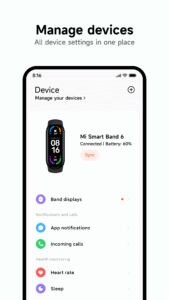
Nearby Devices: Find and connect to Bluetooth devices for pairing and binding with your wearable device
Calendar: Synchronize calendar events on your phone and display them on your wearable device
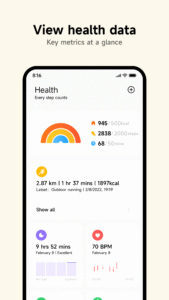
Physical Activity: Store and show your physical activity data on your wearable device
Notifications: Synchronize push notifications from your phone to your wearable device
Call Logs: Read and synchronize call history on your phone for display on your wearable device
Contacts: Synchronize contact information (such as names) from your phone to your wearable device
Location:
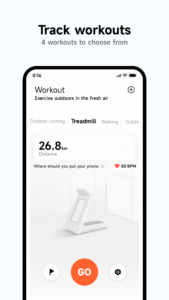
Track and calibrate your activity route and distance
Provide weather information using your location
Send your location to your emergency contact when the Emergency SOS feature is activated
Camera: Scan QR codes when pairing or binding your wearable device
Microphone:
Record video and audio for the Sports Vlog feature
Record snoring during sleep for snoring monitoring
Music and Audio: Manage local audio files imported from your phone
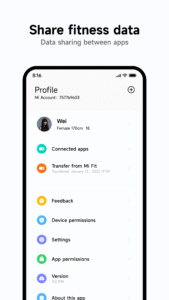
Health Connect: Synchronize your fitness and health data to Google Health Connect
The app will request the above permissions when you use the corresponding functions, and you can choose whether to grant them. If your phone's system version is earlier than Android 6.0, you may be unable to enable or disable permissions manually. We recommend updating your phone system. Note: Updating your operating system will not automatically change the permission settings of the installed app. To reset these permissions, uninstall and reinstall the app.

Version:1.0.39
Uploaded:January 25, 2023 at 10:20PM UTC
File size:6.55 MB
Premium

Version:3.59.1i
Uploaded:September 20, 2026 at 2:36PM UTC
File size:134.88 MB
Downloads:256
Version:3.57.0i
Uploaded:August 5, 2026 at 6:41AM UTC
File size:129.92 MB
Downloads:1,468
Version:3.56.1i
Uploaded:June 28, 2026 at 3:24AM UTC
File size:127.59 MB
Downloads:1,292

Version:3.55.1i
Uploaded:May 28, 2026 at 1:11PM UTC
File size:129.76 MB
Downloads:1,183
Version:3.55.0i
Uploaded:May 19, 2026 at 2:46PM UTC
File size:129.73 MB
Downloads:574
Version:3.53.1i
Uploaded:April 23, 2026 at 1:03PM UTC
File size:130.14 MB
Downloads:1,062
Version:3.53.0i
Uploaded:April 2, 2026 at 7:51AM UTC
File size:130.01 MB
Downloads:1,202
Version:3.52.0i
Uploaded:February 2, 2026 at 1:16PM UTC
File size:131.29 MB
Downloads:2,810
Version:3.47.1i
Uploaded:December 29, 2025 at 3:38AM UTC
File size:125.82 MB
Downloads:2,268
Version:3.47.0i
Uploaded:October 30, 2025 at 5:42PM UTC
File size:125.80 MB
Downloads:2,729


