

 Premium
What's new in CapCut - Video Editor 12.2.0
"- New glow settings added to the caption templates tool.
- Template Lite Editor supports Undo and Redo.
- Fixed some known issues - improved the editing experience."
About CapCut - Video Editor 12.2.0
CapCut is a free, all-in-one video editing tool. It's packed with everything necessary to create high-quality, visually appealing videos and graphics.
Premium
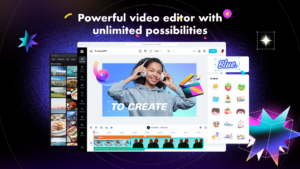
Offering both app and online version, CapCut satisfies all video production needs. Beyond fundamental video editing, styling and music, it includes advanced features like keyframe animation, buttery smooth slow-motion, smart stabilization, cloud storage, and multi-member editing - all free of charge.
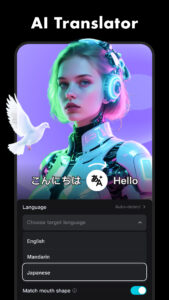
Create stunning, easy to share videos with CapCut's unique features: trending styles, auto captions, text-to-speech, motion tracking, and background remover. Reveal your uniqueness and become a hit on TikTok, YouTube, Instagram, WhatsApp, and Facebook!
FEATURES(available on both app and online versions):
Basic Video Editing
- Trim, split, and merge videos with ease
- Control video speed, rewind, or play in reverse
- Infuse life into video clips with dynamic transitions and effects
- Access unlimited creative video and audio assets
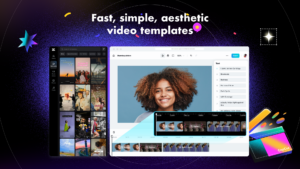
- Personalize videos with diverse fonts, styles, and text templates
Advanced Video Editing
- Animate videos with keyframe animation
- Achieve smooth slow-motion effects for your videos
- Use Chroma key to eliminate specific video colors
- Layer and splice videos using Picture-in-Picture (PIP)
- Ensure smooth, steady footage with smart stabilization
Special Features
- Auto captions: Automate video subtitles with speech recognition
- Background removal: Automatically exclude people from videos
- Choose from thousands of templates for quick video output
Trending Effects & Filters
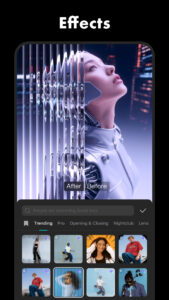
- Apply hundreds of trending effects to your videos, including Glitch, Blur, 3D, and more
- Enhance your videos with cinematic filters and color adjustments
Music & Sound Effects
- Enrich videos with a vast library of music clips and sound effects
- Sync your favorite TikTok music by signing in
- Extract audio from video clips and recordings
Effortless Sharing & Collaboration
- Chromebook users can edit videos seamlessly with the online version, or use the app for editing on-the-go
- Export custom resolution videos, including 4K 60fps and smart HDR
- Adjust format for easy video sharing on TikTok and other platforms
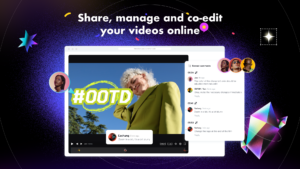
- Enable online multi-member editing for collaborative video projects
The Graphic Design Tool
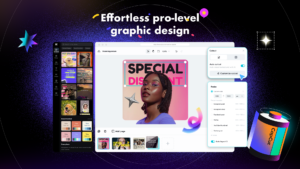
- Edit business visuals, commercial graphics, and social media thumbnails with ease
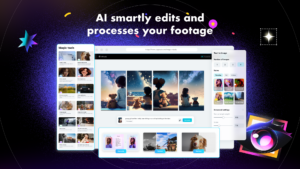
- Leverage pro-level templates and AI-powered features for graphic design purposes
Cloud Storage
- Easy backup and storage for various video and audio formats
- Upgrade your plan for additional storage space, as needed
CapCut is a free, all-in-one video editing app. It has everything you need to create stunning and high-quality videos. Offering both app and online version, CapCut satisfies all video production needs. Beyond fundamental editing, styling and music, it includes advanced features like keyframe animation, buttery smooth slow-motion, chroma key, Picture-in-Picture (PIP), and stabilization - all free of charge.
Any questions about CapCut (Video Maker with Music & Video Editing app)? Please contact us at capcut.support@bytedance.com.
Facebook: CapCut
Instagram: CapCut
YouTube: CapCut
TikTok: CapCut






Download CapCut - Video Editor 12.2.0
This release comes in several variants (we currently have 2). Consult our handy FAQ to see which download is right for you.

Version:16.5.0
Uploaded:January 16, 2026 at 3:58PM UTC
File size:102.41 MB
Downloads:10,152

Version:16.4.0
Uploaded:January 14, 2026 at 3:09AM UTC
File size:102.32 MB
Downloads:4,786
Version:16.3.0
Uploaded:January 7, 2026 at 8:08AM UTC
File size:93.28 MB
Downloads:31,768
Version:16.2.0
Uploaded:December 30, 2025 at 11:03PM UTC
File size:103.15 MB
Downloads:34,324
Version:16.0.0
Uploaded:December 24, 2025 at 7:39AM UTC
File size:102.13 MB
Downloads:22,390
Version:15.8.0
Uploaded:December 3, 2025 at 7:07AM UTC
File size:109.81 MB
Downloads:27,244
Version:15.6.0
Uploaded:November 19, 2025 at 6:24PM UTC
File size:109.57 MB
Downloads:17,308
Version:15.5.0
Uploaded:November 19, 2025 at 6:24PM UTC
File size:107.88 MB
Downloads:27,540
Version:15.4.0
Uploaded:October 24, 2025 at 8:29AM UTC
File size:109.18 MB
Downloads:31,993
Version:15.3.0
Uploaded:October 20, 2025 at 5:50AM UTC
File size:108.84 MB
Downloads:77,546
Follow APK Mirror


