

 Premium
What's new in Total Commander - file manager 2.91b3
2018-06-08 Release v 2.91 beta 3
2018-06-08 Fixed: Media Player: Stream title was cut off at first ' character on servers with invalid name encoding, e.g. StreamTitle='It's music'; instead of StreamTitle='It''s music';
2018-06-08 Added: New language: Thai
2018-06-08 Added: Media player: Tap on elapsed time on the left to switch to remaining time
2018-06-08 Fixed: Made progress bar in media player higher, it was very difficult to move without touching above or below
2018-05-20 Fixed: Create shortcut via launcher - add widget on Android Oreo (API 26): set Total Commander class in intent, otherwise icon disappears on Huawei device when moved to subfolder
2018-05-07 Added: "Save As" dialog: in ACTION_SEND intent, use EXTRA_SUBJECT extra parameter as the default for the file name
2018-05-07 Added: Keep scroll position when reloading current file list with button command 115
2018-05-07 Fixed: Scroll position in file list was lost after opening a file and returning to TC
2018-05-01 Release v 2.91 beta 2
2018-04-30 Fixed: Crash when trying to hide some items in the home folder
2018-04-27 Fixed: Disable "OK" button in dialog asking to scan fingerprint until the fingerprint has been scanned successfully
2018-04-27 Fixed: Media player: Dialog to save play list had title "Open File" instead of "Save File As:"
2018-04-27 Fixed: .m3u8 files could no longer be opened from Total Commander
2018-04-25 Release v 2.91 beta 1
2018-04-25 Fixed: Resolve .aac extension to MIME type "audio/aac" on Android 3.1 or newer if the type is missing, e.g. for click to queue mode
2018-04-25 Fixed: Hide mount points starting with "/var/run/arc" as used on ChromeOS
2018-04-25 Fixed: Progress bar when copying from plugin wrong: Update second bar only when no subfolders are selected, otherwise the total size is unknown
2018-04-25 Added: Separate translations "Serbian Cyrillic" and "Serbian Latin"
2018-04-24 Added: Resolve .heic extension to MIME type "image/heic" to open such files in viewers which support this type
2018-04-24 Added: Show thumbnails for .heic files on Android P preview
2018-04-19 Fixed: Bottom buttons didn't react to mouse clicks on Android 8.0, may also be a bug of the device used (Huawei MediaPad M5)
2018-04-17 Fixed: Reduced redrawing/resizing controls when resizing window in free form mode (floating windows)
2018-04-12 Added: Use own code for crash reports instead of Acra, to add agreement checkbox to send data, and button to view crash data
2018-04-10 Fixed: Some minor crashes reported by users
2018-04-08 Fixed: Show "Open with" context menu entry also for files with only one Android association if the user has defined an internal association for it
2018-04-06 Added: Android 7.1 or newer: Show launcher icon menu with entries "Home", "Internal memory", "SD-Card" and "USB-Device", if available, to go directly to those locations
2018-04-06 Fixed: changed parameter of queryIntentActivities to MATCH_ALL
2018-04-05 Fixed: No write error reported when copying from plugin to secondary storage (USB/SD-Card), and the disk was full
2018-04-02 Added: Two new internal commands: 156 to swap panels, 157 to equalize panels (show same directory in both)
2018-04-02 Added: Handle intent urls starting with content://com.android.externalstorage.documents/tree/, convert to file system path (primary->/storage/emulated/0, or secondary storage -> /storage/1234-5678)
2018-04-01 Fixed: Button bar: resize button icons if they were created on a different device with different scale factor
2018-03-30 Fixed: When loading a plugin fails due to an app optimizer, and the "LoadingActivity" is started in the plugin, wait 0.5 seconds before retrying to access the plugin to avoid "Cannot load" error
2018-03-30 Added: When we cannot access folder "/", just list known subdirectories, e.g. /etc, /mnt, /proc, /storage, /system, ...
2018-03-30 Fixed: When going up one directory within /storage, do not show warning if a directory couldn't be accessed. Go to home folder instead
2018-03-29 Fixed: Couldn't access any folders outside of /storage/emulated/0 when TC was migrated to a new, not rooted device, the old device was rooted, and the option "root functions everywhere" was enabled
2018-03-18 Added: Optionally save master password with fingerprint on Android 6 or newer
2018-03-18 Added: 1x1 widget to open Media Player activity with last playlist
2018-03-16 Fixed: Android 8: Adaptive icons in file lists were wider (like photos) than normal icons, except for apk files
2018-03-16 Fixed: Properties dialog for a single file (nothing selected) -> Apply button worked like Recursive button
About Total Commander - file manager 2.91b3
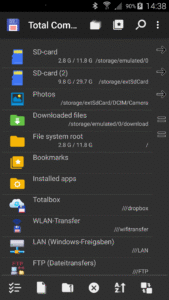
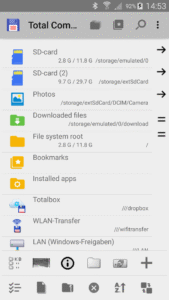
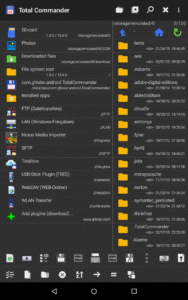
Android version of the desktop file manager Total Commander (www.ghisler.com).
Important note: This app does NOT contain any ads. However, it contains a link "Add plugins (download)" in the home folder. This is treated as an ad by the Play Store because it links to our other apps (plugins).
Main features:
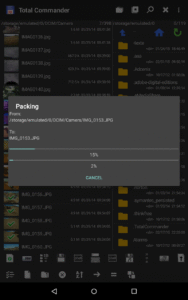
- Copy, Move whole subdirs
- Drag & Drop (long press on file icon, move icon)
- Inplace rename, create directories
- Delete (no recycle bin)
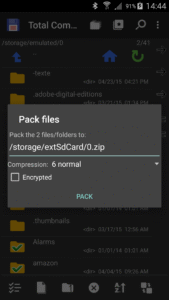
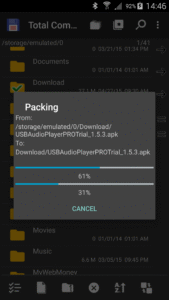
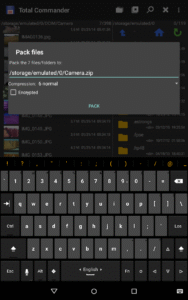
- Zip and unzip, unrar
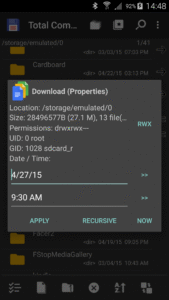
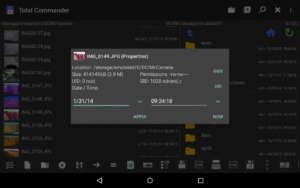
- Properties dialog, change permissions
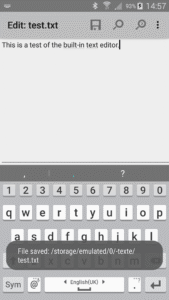
- Built-in text editor
- Search function (also for text)
- Select/unselect groups of files
- Select by tapping on file icons
- Select range: Long tap+release on icon
- List of installed Apps (built-in plugin)
- FTP and SFTP client (plugin)
- WebDAV (Web folders) (plugin)
- LAN access (plugin)
- Plugins for cloud services: Google Drive, Microsoft Live, Dropbox
- Root support for the main functions (optional)
- Send files via Bluetooth (OBEX)
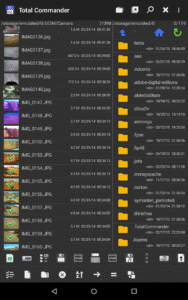
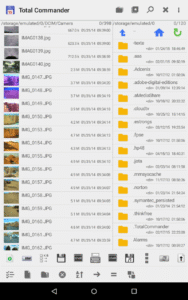
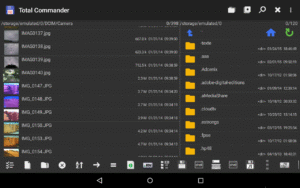
- Thumbnails for pictures
- Two panels side by side, or virtual two panel mode
- Bookmarks
- Directory history
- Media player which can stream directly from LAN, WebDAV and cloud plugins
- Configurable button bar for changing directories, internal commands, launching apps, and sending shell commands
- Simple help function in English, German, Russian, Ukrainian and Czech
- Optimizations for visually impaired, like text for icons
- Supported languages of the main program: English, German, Bulgarian, Croatian, Czech, Danish, Dutch, French, Greek, Hebrew, Hungarian, Indonesian, Italian, Japanese, Korean, Polish, Portuguese, Romanian, Russian, Serbian, Simplified Chinese, Slovak, Slovenian, Spanish, Swedish, Traditional Chinese, Turkish, Ukrainian and Vietnamese.
- Public translation via crowdin.net/project/total-commander
About the new permission "SuperUser":
This permission is now requested to make Total Commander work better on rooted devices. It tells the SuperUser app that Total Commander suports root functions. It has no effect if your device is not rooted. Root functions allow Total Commander to write to system folders like /system or /data. You will be warned before anything is written if the partition is write protected.
You can find some more information here:
su.chainfire.eu/#updates-permission
Download Total Commander - file manager 2.91b3
This release may come in several variants. Consult our handy FAQ to see which download is right for you.

Version:3.41d
Uploaded:July 31, 2023 at 11:43PM UTC
File size:4.54 MB
Version:3.62d
Uploaded:March 9, 2026 at 2:23PM UTC
File size:2.74 MB
Downloads:6,115
Version:3.62
Uploaded:February 16, 2026 at 3:46PM UTC
File size:2.81 MB
Downloads:1,003
Version:3.62b2d
Uploaded:February 15, 2026 at 8:34PM UTC
File size:5.34 MB
Downloads:132
Version:3.61d
Uploaded:February 15, 2026 at 8:34PM UTC
File size:2.84 MB
Downloads:566
Version:3.62b2
Uploaded:February 6, 2026 at 8:05AM UTC
File size:2.87 MB
Downloads:196
Version:3.62b1d
Uploaded:February 6, 2026 at 8:05AM UTC
File size:5.34 MB
Downloads:48
Version:3.62b1
Uploaded:January 31, 2026 at 5:43PM UTC
File size:2.87 MB
Downloads:164
Version:3.61
Uploaded:December 31, 2025 at 8:41AM UTC
File size:2.92 MB
Downloads:1,189
Version:3.61b1d
Uploaded:December 21, 2025 at 7:03AM UTC
File size:5.44 MB
Downloads:282
Version:3.61b1
Uploaded:December 18, 2025 at 4:31AM UTC
File size:2.98 MB
Downloads:110
Follow APK Mirror


