

 Premium
What's new in Total Commander - file manager 3.40b6
3.33:
- media player control via headset buttons was faulty
3.32:
- prevent installation of all apk files due to Google Play policies
3.30 (including beta versions):
- Use new permission for file managers on Android 11
- Thumbnails: RAW image support
- File picker can now return multiple files
- Quick search in media player
- Bugfixes
About Total Commander - file manager 3.40b6
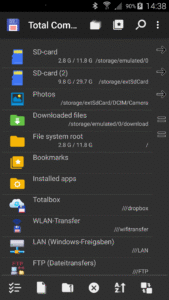
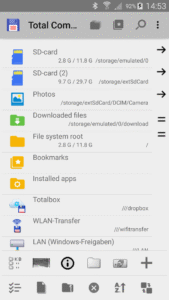
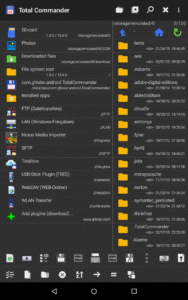
Android version of the desktop file manager Total Commander (www.ghisler.com).
Important note: This app does NOT contain any ads. However, it contains a link "Add plugins (download)" in the home folder. This is treated as an ad by the Play Store because it links to our other apps (plugins).
Main features:
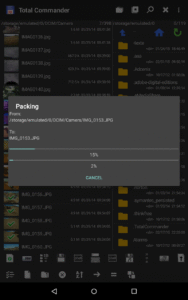
- Copy, Move whole subdirs
- Drag & Drop (long press on file icon, move icon)
- Inplace rename, create directories
- Delete (no recycle bin)
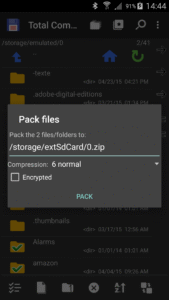
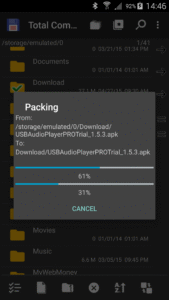
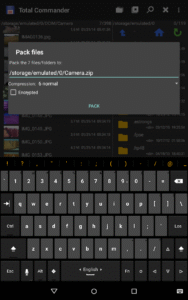
- Zip and unzip, unrar
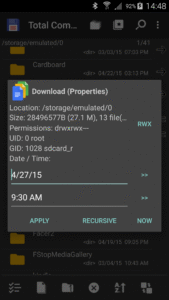
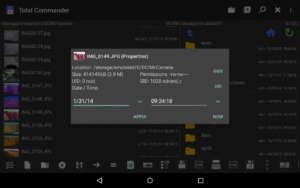
- Properties dialog, change permissions
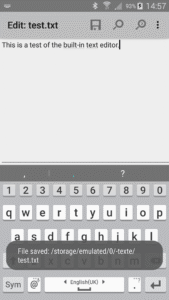
- Built-in text editor
- Search function (also for text)
- Select/unselect groups of files
- Select by tapping on file icons
- Select range: Long tap+release on icon
- List of installed Apps (built-in plugin)
- FTP and SFTP client (plugin)
- WebDAV (Web folders) (plugin)
- LAN access (plugin)
- Plugins for cloud services: Google Drive, Microsoft Live, Dropbox
- Root support for the main functions (optional)
- Send files via Bluetooth (OBEX)
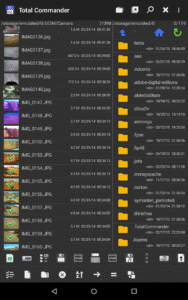
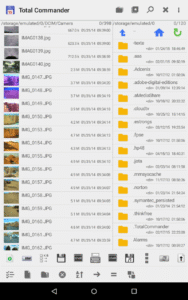
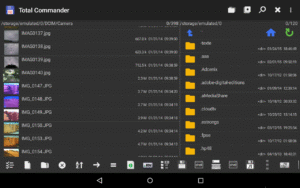
- Thumbnails for pictures
- Two panels side by side, or virtual two panel mode
- Bookmarks
- Directory history
- Media player which can stream directly from LAN, WebDAV and cloud plugins
- Configurable button bar for changing directories, internal commands, launching apps, and sending shell commands
- Simple help function in English, German, Russian, Ukrainian and Czech
- Optimizations for visually impaired, like text for icons
- Supported languages of the main program: English, German, Bulgarian, Croatian, Czech, Danish, Dutch, French, Greek, Hebrew, Hungarian, Indonesian, Italian, Japanese, Korean, Polish, Portuguese, Romanian, Russian, Serbian, Simplified Chinese, Slovak, Slovenian, Spanish, Swedish, Traditional Chinese, Turkish, Ukrainian and Vietnamese.
- Public translation via crowdin.net/project/total-commander
About the new permission "SuperUser":
This permission is now requested to make Total Commander work better on rooted devices. It tells the SuperUser app that Total Commander suports root functions. It has no effect if your device is not rooted. Root functions allow Total Commander to write to system folders like /system or /data. You will be warned before anything is written if the partition is write protected.
You can find some more information here:
su.chainfire.eu/#updates-permission
Download Total Commander - file manager 3.40b6
This release may come in several variants. Consult our handy FAQ to see which download is right for you.

Version:3.41d
Uploaded:July 31, 2023 at 11:43PM UTC
File size:4.54 MB
Version:3.62d
Uploaded:March 9, 2026 at 2:23PM UTC
File size:2.74 MB
Downloads:5,911
Version:3.62
Uploaded:February 16, 2026 at 3:46PM UTC
File size:2.81 MB
Downloads:991
Version:3.62b2d
Uploaded:February 15, 2026 at 8:34PM UTC
File size:5.34 MB
Downloads:127
Version:3.61d
Uploaded:February 15, 2026 at 8:34PM UTC
File size:2.84 MB
Downloads:557
Version:3.62b2
Uploaded:February 6, 2026 at 8:05AM UTC
File size:2.87 MB
Downloads:196
Version:3.62b1d
Uploaded:February 6, 2026 at 8:05AM UTC
File size:5.34 MB
Downloads:48
Version:3.62b1
Uploaded:January 31, 2026 at 5:43PM UTC
File size:2.87 MB
Downloads:164
Version:3.61
Uploaded:December 31, 2025 at 8:41AM UTC
File size:2.92 MB
Downloads:1,188
Version:3.61b1d
Uploaded:December 21, 2025 at 7:03AM UTC
File size:5.44 MB
Downloads:282
Version:3.61b1
Uploaded:December 18, 2025 at 4:31AM UTC
File size:2.98 MB
Downloads:109
Follow APK Mirror


