

 Premium
What's new in Clip Studio Paint 2.1.0
[Ver.2.1.0]
・The size of Clip Studio format files (extension: .clip) has been decreased when Record timelapse is turned on.
・The Information palette now displays the time spent on a project.
・Improved performance when changing the pose and body shape of 3D drawing figures.
・Added a font keyword search function to the Text tool in the Tool Property palette and in the Font list settings dialog.
・Other issues have also been fixed.
About Clip Studio Paint 2.1.0
Get up to 3 months free! Or get 1 hr free every day on your Android smartphone.* To go beyond the 1-hr daily limit, purchase a plan (details below).
Premium
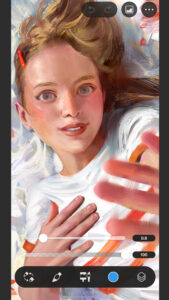
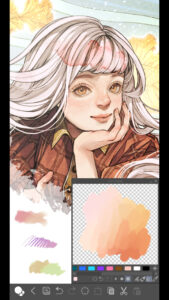
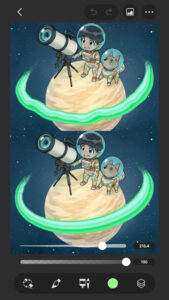
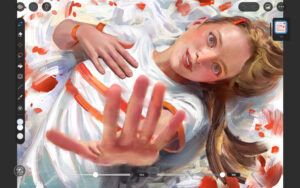
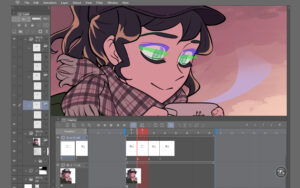
Whether you want to sketch, make a full illustration, publish a webcomic, or even animate, Clip Studio Paint is the app for any artist!
●Get the most out of digital tools with CSP
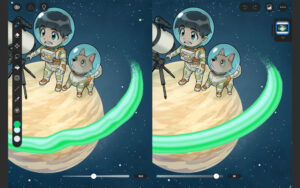
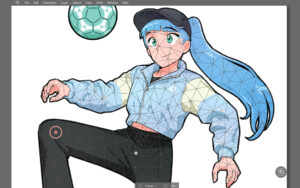
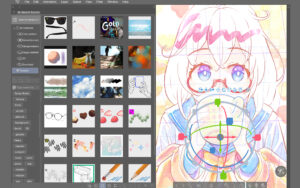
Packed with more than just brushes, drawing is easier and more fun from start to finish with our unique features. Create art faster while taking it to the next level!
・Use over 50,000 free/premium brushes by creators worldwide
・Create up to 10,000 layers, perfect for making your next masterpiece! No worries about layer limits like other apps
・Create layer masks to hide parts of your drawing without erasing, even on multiple layers
・Even if you're new to digital art you can draw smooth lines with Line Stabilization
・Use your fingers to adjust lines after you've drawn them - no need to redraw over and over!
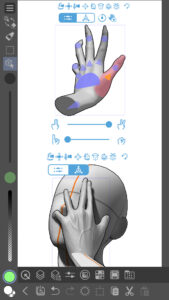
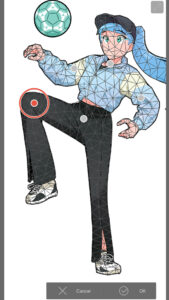
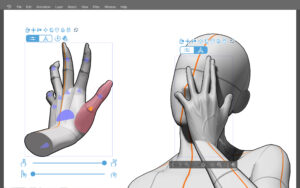
・Pose 3D models to help you draw people, animals, and objects at tricky angles, great help if you have trouble with anatomy!
・Capture tricky hand poses with live video and apply to 3D models
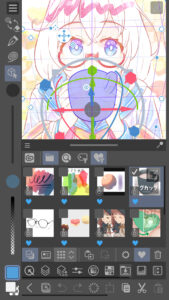
・Mold and save your character faces with the 3D customizable head model
・Shading Assist helps you add or figure out where to add shadows and set lighting direction
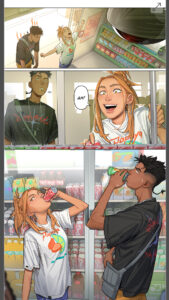
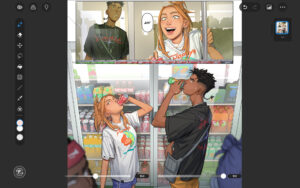
・Comic creation features bring your ideas to life in a way only Clip Studio Paint can
New features constantly added to the app!
・First time to the app?
Use Simple mode to easily navigate countless brushes and necessary illustration tools.
・Enjoyed it on your computer and want to have the same setup on your tablet?
Use Studio mode and have all the features of Clip Studio Paint at your fingertips!
Get the most out of CSP:
We recommend the device specs below to use advanced features such as 3D tools & edit large files with ease. If you are unsure, try the free trial or contact Support.
●Supporting your growth as an artist
・Free tutorials on the Clip Studio Paint website & YouTube channel to build your skills
・Thousands of user tips available on everything imaginable
・Download 160,000+ free/premium materials made by other creators
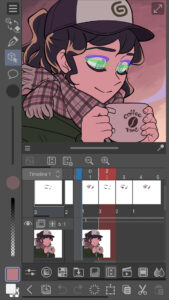
・Share your work on social media - record a timelapse of your process
● Unmatched lineart + coloring control
・Pencils, pens, markers, pastels, watercolor, ink, oil brushes, and more, so you can draw in any traditional style
・Customize brush texture, shape, dual brush setting, edge, spray effect, and more to make your perfect brush
・Set reference layers like your line art layer to fill effectively
・Draw correct perspective just by snapping your lines to the guides to create amazing backgrounds
・28 different layer effects to apply instantly to add depth to your piece
・Align and distribute multiple selected objects at once
●Bring your comic or webtoon to life with the app that is loved by pro comic creators
・Create speech bubbles, frames, and action lines instantly
・Various comic/webtoon templates so you don't have to deal with settings
*Clip Studio account needed to buy a plan.
● Recommended Devices + Specifications
Smartphones/Tablets
・Android 9 or later (ARM32/ARM64)
・Min. free storage space: 6GB
・Min. memory: 3GB required, 6GB+ recommended
・Internet connection is required to authenticate the app
・Recommended display size: 6"+ (smartphones), 10.4"+ (tablets)
Chromebook
・ChromeOS supporting Android 9 (ARM32/x86/x86_64)
・Min. memory: 4GB required, 8GB+ recommended
・Recommended display: WXGA (1280x768) or higher
● In-app purchases
・Needed to save the canvas and export it to various file formats on Android tablets and Chromebooks.
・Needed to use all the features of the app on a smartphone with no time limit.
Note:
The smartphone plan does not offer pen pressure sensitivity.
To use pen pressure using DeX mode and the Samsung Galaxy S Pen, sign up for any plan besides the smartphone plan.
Terms of Service
www.celsys.com/en/information/csp/

Clip Studio Paint 2.1.0 Play Store trailer
Download Clip Studio Paint 2.1.0
This release may come in several variants. Consult our handy FAQ to see which download is right for you.

Version:5.1.4
Uploaded:September 8, 2026 at 1:44AM UTC
File size:48.97 MB
Downloads:480
Version:5.1.1
Uploaded:July 30, 2026 at 8:21AM UTC
File size:48.96 MB
Downloads:282
Version:5.1.0
Uploaded:July 28, 2026 at 1:48AM UTC
File size:48.96 MB
Downloads:34
Version:5.0.4
Uploaded:April 21, 2026 at 1:21AM UTC
File size:46.57 MB
Downloads:769
Version:5.0.2
Uploaded:March 30, 2026 at 1:50AM UTC
File size:46.51 MB
Downloads:242
Version:5.0.1
Uploaded:March 13, 2026 at 6:27AM UTC
File size:46.51 MB
Downloads:231
Version:5.0.0
Uploaded:March 11, 2026 at 1:52AM UTC
File size:46.51 MB
Downloads:205

Version:4.2.7
Uploaded:February 4, 2026 at 7:01PM UTC
File size:45.31 MB
Downloads:307
Version:3.0.4
Uploaded:May 28, 2024 at 1:32AM UTC
File size:608.68 MB
Downloads:5,437
Version:3.0.3
Uploaded:May 9, 2024 at 2:00AM UTC
File size:608.61 MB
Downloads:287
Follow APK Mirror


