

 Premium
What's new in Facer Watch Faces 7.0.53_11132403_mobile_receiver.phone
From version 7.0.48_1111590.phone:
- Misc bug fixes and optimizations
About Facer Watch Faces 7.0.53_11132403_mobile_receiver.phone
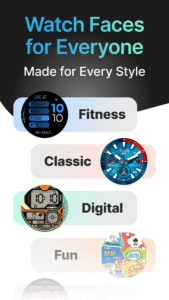
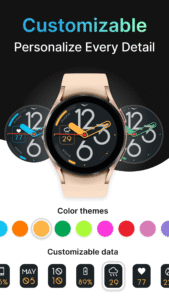
Don’t be default! Customize your watch face and personalize your style!
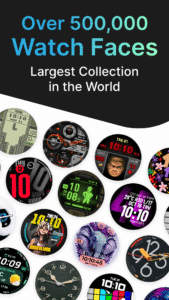
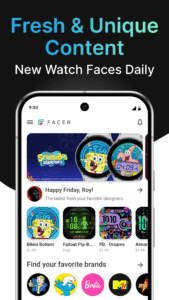
500,000+ free and premium watch faces from leading brands and independent artists!
Get free faces, buy amazing ones, or subscribe for unlimited access!
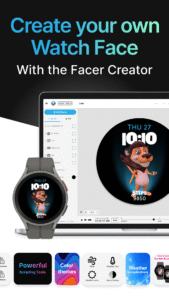
Make your own faces and share them with the world using our Facer Creator tool too!
Premium
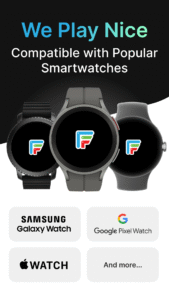
Supports Wear OS, Tizen, AppleWatch - If you change your watch, your faces go with you!
Important Set Up Steps!
1. Install Facer on both your phone AND your watch
2. Select the Facer watch face on your watch
3. Select new faces in the Facer app on your phone
Check our help for more details: help.facer.io/hc/en-us/articles/360001249734-Sync-your-first-watch-face-on-Facer-WearOS-Tizen-smartwatches
Note for new WearOS watches (Galaxy7, Ultra, OnePlus Watch3)! Upgrades to Facer are on the way! Get a taste of what’s coming soon and try out a few faces! For these watches, our phone app has a curation of faces that when selected will direct you to download them individually on Google Play (there is no single “Facer” app for your watch yet). When you download these, they will appear in the list of faces on your watch.
FACER IS COMPATIBLE WITH ALL YOUR FAVORITE SMARTWATCHES
Samsung Galaxy Watch5 and Galaxy Watch 5 Pro
Samsung Galaxy Watch4/Watch4 Classic
Samsung Tizen-based smartwatches: Samsung Galaxy Watch3 and older
Fossil smartwatches
Mobvoi Ticwatch Series
Oppo Watch
Montblanc Summit Series
Asus Gen Watch 1, 2, 3
CASIO Series
Guess Wear
Huawei Watch 2 Classic/Sport
Huawei Watch
Hublot Big Bang e
LG Watch Series
Louis Vuitton Smartwatch
Moto 360 Series
Movado Series
New Balance Run IQ
Nixon The Mission
Polar M600
Skagen Falster
Sony Smartwatch 3
SUUNTO 7
TAG Heuer Connected
ZTE Quartz
Installation tips for Tizen users (Galaxy Watch 3 and older):
Download & Install “Facer” app from the Google Play App store
Make sure your Samsung watch is connected with your smartphone through the “Galaxy Wearable” app & bluetooth is turned on for both your phone and smartwatch
Download & Install “Facer Companion for Samsung Watch” from the Samsung Galaxy App Store
Long press on your Samsung smartwatch and scroll to select “Facer” as your chosen watchface. That's it!
FEEDBACK & TROUBLESHOOTING
If you’re having any issues using our app & watch faces or are dissatisfied in any way, please give us a chance to fix it for you before expressing dissatisfaction through ratings.
You can contact us at help.facer.io/hc/en-us/requests/new
If you are enjoying our watch faces, we always appreciate a positive review
TOP BRANDS
Find hundreds of premium faces from the world’s leading brands like Tetris™, Star Trek, Garfield, Ghostbusters, American Dad and more. There are new brands being added all the time so keep an eye out for new watch faces.
ORIGINAL DESIGNS
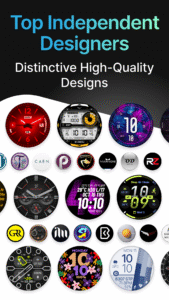
Facer curates collections of original designs from talented watch face designers to bring you the most beautiful and dynamic faces available for your smartwatch.
PUBLISH YOUR WATCH FACE DESIGNS WITH FACER!
Want to create your own watch face designs & publish them through Facer, reaching thousands of smartwatch users? If so, we’re looking for talented artists to join our growing community of Facer-certified designers. Find out more by contacting us at hello@facer.io
MAKE YOUR OWN WATCH FACE
Make your own watch faces with our powerful web-based editor at www.facer.io/creator (note: view on your laptop or desktop for full functionality).
Permissions needed (all optional)
Location: Needed to show weather data based on your location
Fitness/Health: Needed to show step counter, heart rate, and other health and fitness related information
CONNECT
Facebook: www.facebook.com/groups/facercommunity/
Facer Creator & Community: www.facer.io
Instagram: instagram.com/getfacer/
Twitter: twitter.com/GetFacer
Facer Watch Faces 7.0.53_11132403_mobile_receiver.phone Play Store screenshots (8)
Screenshots from version 7.0.79_11171873_mobile_receiver.phone

Facer Watch Faces 7.0.53_11132403_mobile_receiver.phone Play Store trailer
Download Facer Watch Faces 7.0.53_11132403_mobile_receiver.phone
This release may come in several variants. Consult our handy FAQ to see which download is right for you.

Version:7.0.79_11171874_wear_receiver.watch
Uploaded:September 24, 2026 at 10:22PM UTC
File size:23.56 MB

Version:7.0.79_11171873_mobile_receiver.phone
Uploaded:September 24, 2026 at 10:21PM UTC
File size:91.61 MB
Downloads:29
Version:7.0.78_11171753_mobile_receiver.phone
Uploaded:September 16, 2026 at 7:11PM UTC
File size:87.02 MB
Downloads:40
Version:7.0.76_11171343_mobile_receiver.phone
Uploaded:August 18, 2026 at 10:38AM UTC
File size:86.71 MB
Downloads:122
Version:7.0.76_11171123_mobile_receiver.phone
Uploaded:August 7, 2026 at 3:00AM UTC
File size:86.51 MB
Downloads:65
Version:7.0.74_11170863_mobile_receiver.phone
Uploaded:July 15, 2026 at 4:36PM UTC
File size:85.67 MB
Downloads:91
Version:7.0.73_11170733_mobile_receiver.phone
Uploaded:July 7, 2026 at 5:56PM UTC
File size:85.65 MB
Downloads:41
Version:7.0.73_11170683_mobile_receiver.phone
Uploaded:July 5, 2026 at 11:13PM UTC
File size:85.65 MB
Downloads:90
Version:7.0.72_11170593_mobile_receiver.phone
Uploaded:July 5, 2026 at 11:13PM UTC
File size:85.59 MB
Downloads:13
Version:7.0.71_11170323_mobile_receiver.phone
Uploaded:June 10, 2026 at 9:51PM UTC
File size:52.24 MB
Downloads:73
Version:7.0.70_11161103_mobile_receiver.phone
Uploaded:May 19, 2026 at 4:24PM UTC
File size:52.54 MB
Downloads:130
Follow APK Mirror


