

 Premium
What's new in Magnific - AI Video & Image 5.1
Welcome to a new era. Version 5 is here — a major upgrade packed with power. We’ve supercharged video generation and unlocked the full potential of your tools. Everything is now faster, smarter, and more inspiring than ever. Your creativity has no limits. Let it flow.
About Magnific - AI Video & Image 5.1
Welcome to Freepik, your go-to app for all your design and editing needs!
Create professional content with easy-to-use AI tools like the Freepik AI Image Generator on your Android smartphone or tablet. Discover the extensive Freepik stock content library, including photos, templates, vectors, videos, PSDs, and mockups. Make your content pop with must-try editing tools like the Background Remover and Retouch. Here’s a list of our most popular ones:
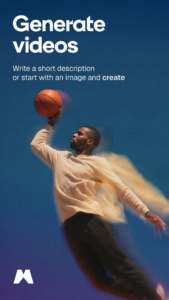
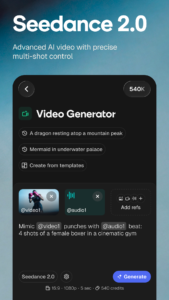
- AI Video Generator: Use images or type prompts to describe your scenes and create stunning videos. Choose from multiple generation modes — including cinematic, animated, realistic, and Veo 2 for high-fidelity video generation.
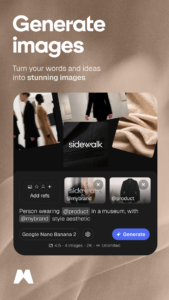
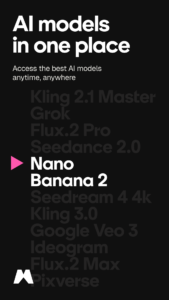
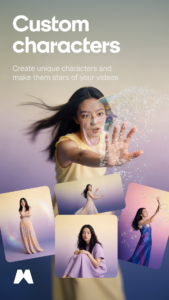
- AI Image Generator: Create images instantly from a prompt with our AI-powered text-to-image tool. Experiment with a variety of modes, like Flux, Mystic, and Imagen 3. Customize your visuals even further with Custom Styles, ensuring a unique aesthetic every time, or bring consistency to your creations with Custom Characters that stay the same across different images.
- Freepik Designer: Your online editor to create or edit your designs with top AI tools and features. Perfect for personalizing logos, posts, invitations, business cards, posters, and templates with your unique touch.
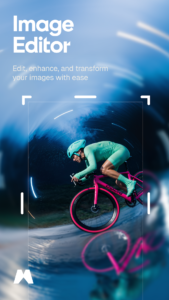
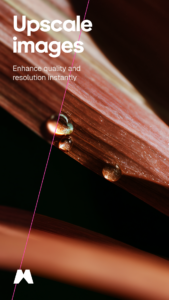
- AI Editing Tools: Enhance your images with AI-powered tools. Use Retouch to refine details, add elements, and remove imperfections, Upscale to boost resolution without losing quality, and Expand to extend your visuals. Adjust colors, apply filters, and make every image look its best—all in one intuitive online app.
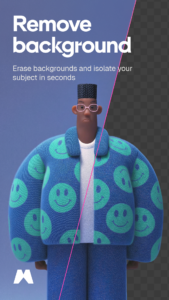
- Background remover: Remove backgrounds in a snap and get your photos ready for any project. Just take a photo or pick one from your gallery. With one click, the background is gone. Then, you can add a new background with AI or download the image as a PNG file instantly.
- Reimagine: Generate multiple variations of any image in real time and explore different styles to match your creative vision. You can recreate an image as many times as you want and even customize it with a prompt while preserving the composition.
- Sketch to image: Turn doodles into detailed images in real time. Upload your drawing or create one on a blank canvas, and our AI will bring it to life, turning your ideas into reality.
Download the APP today, and let’s make something beautiful together!
Download Magnific - AI Video & Image 5.1
This release may come in several variants. Consult our handy FAQ to see which download is right for you.

Version:6.3.1
Uploaded:September 9, 2026 at 10:37AM UTC
File size:34.44 MB
Downloads:23
Version:6.3.0
Uploaded:August 24, 2026 at 6:50PM UTC
File size:53.13 MB
Downloads:56
Version:6.2.1
Uploaded:August 5, 2026 at 8:01AM UTC
File size:52.04 MB
Downloads:70
Version:6.1.0
Uploaded:July 2, 2026 at 10:04AM UTC
File size:33.31 MB
Downloads:85
Version:6.0.3
Uploaded:May 28, 2026 at 9:32AM UTC
File size:33.77 MB
Downloads:78
Version:6.0.1
Uploaded:May 5, 2026 at 7:48AM UTC
File size:51.61 MB
Downloads:100

Version:6.0.0
Uploaded:April 29, 2026 at 5:57AM UTC
File size:33.48 MB
Downloads:101

Version:5.6.6
Uploaded:April 16, 2026 at 9:32AM UTC
File size:50.27 MB
Downloads:79
Version:5.6.4
Uploaded:March 30, 2026 at 11:29AM UTC
File size:50.21 MB
Downloads:58
Version:5.6.3
Uploaded:March 24, 2026 at 6:44PM UTC
File size:37.93 MB
Downloads:39
Follow APK Mirror


