

 Premium
What's new in Speech Recognition & Synthesis googletts.google-speech-apk_20251124.00_p1.840498478
From version googletts.google-speech-apk_20250929.02_p0.812991394:
Your app has a new name: “Speech Recognition and Synthesis from Google”. The Speech Recognition and Synthesis from Google app not only provides text-to-speech but also empowers applications with speech-to-text functionality to convert your voice to text. Read more in the “About this app” section.
About Speech Recognition & Synthesis googletts.google-speech-apk_20251124.00_p1.840498478
Power your device with the magic of Google’s text-to-speech and speech-to-text technology. Google Speech-to-Text functionality
Speech Recognition provides speech-to-text functionality to Google and other third party apps to convert what you say to text. For example, it can be used by:
• Google Maps when you use your voice to search places
• Recorder App to transcribe your recordings on device
• Phone App Call Screen feature to get a real-time transcription of your caller
• Accessibility apps like Voice Access for operating your device through voice
• Dictation or keyboard apps you might use to dictate text messages through voice
• Apps that contain a search by voice feature so that you can quickly search for your favorite shows or songs
• Language learning apps that recognize what you say as you practice a new language
• …and many other applications in Play Store
To use Google Speech-to-Text functionality on your Android device, go to Settings > Apps & notifications > Default apps > Assist App. Select Speech Recognition and Synthesis from Google as your preferred voice input engine.
Google Text-to-Speech functionality
Speech Services powers applications to read the text on your screen aloud. For example, it can be used by:
• Google Play Books to “Read Aloud” your favorite book
• Google Translate to speak translations aloud so you can hear the pronunciation of a word
• Talkback and accessibility applications for spoken feedback across your device
• …and many other applications in Play Store
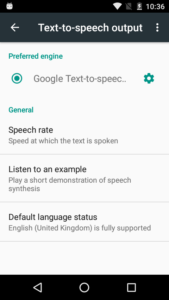
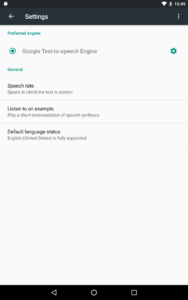
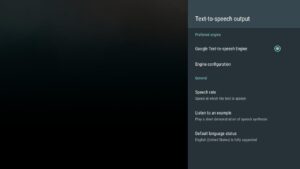
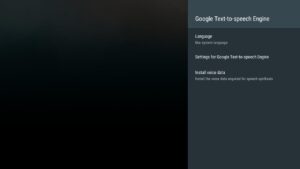
To use Google Text-to-Speech functionality on your Android device, go to Settings > Languages & Input > Text-to-Speech output. Select Speech Recognition and Synthesis from Google as your preferred engine.
Note, on many Android devices, Speech Recognition and Synthesis from Google is already available, but you can update to the latest version here.
 Premium

Version:googletts.google-speech-apk_20251124.00_p1.840498478
Uploaded:December 16, 2025 at 12:53AM UTC
File size:24.94 MB
Downloads:670
Version:googletts.google-speech-apk_20251028.02_p3.841938861
Uploaded:December 11, 2025 at 9:38PM UTC
File size:24.85 MB
Downloads:205
Version:googletts.google-speech-apk_20251028.02_p2.827711934
Uploaded:December 9, 2025 at 5:19AM UTC
File size:24.85 MB
Downloads:184
Version:googletts.google-speech-apk_20251007.02_p1.829012519
Uploaded:December 5, 2025 at 12:13AM UTC
File size:24.78 MB
Downloads:162
Version:googletts.google-speech-apk_20250804.02_p3.800153222
Uploaded:December 4, 2025 at 8:25AM UTC
File size:23.7 MB
Downloads:342
Version:speech.tts.android.wear_20240722_RC00.654970973
Uploaded:November 16, 2025 at 9:27PM UTC
File size:57.09 MB
Downloads:337
Version:googletts.google-speech-apk_20251007.02_p0.816430913
Uploaded:November 6, 2025 at 8:54PM UTC
File size:24.78 MB
Downloads:780
Version:googletts.google-speech-apk_20250929.02_p1.823582972
Uploaded:November 1, 2025 at 2:25PM UTC
File size:24.77 MB
Downloads:118
Version:googletts.google-speech-apk_20250915.01_p0.807253573
Uploaded:October 22, 2025 at 9:19PM UTC
File size:24.73 MB
Downloads:650
Version:googletts.google-speech-apk_20250929.02_p0.812991394
Uploaded:October 20, 2025 at 4:21PM UTC
File size:24.77 MB
Downloads:697


