

 Premium
What's new in Google Fi Wireless I.2.1.18
- Easily keep track of your data usage right from your home screen. Just long press an empty space on the home screen, navigate to "Widgets", and scroll to Project Fi's data usage widget to add.
- You can now easily enable/disable call forwarding with a simple on/off toggle in the app.
- Bug fixes and performance improvements.
About Google Fi Wireless I.2.1.18
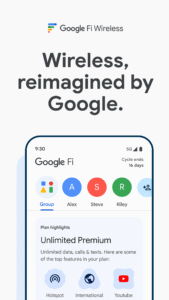
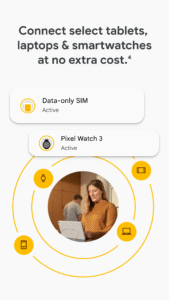
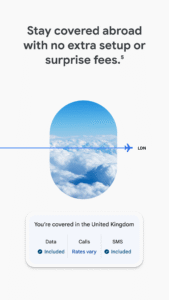
Project Fi is a new wireless experience from Google designed to help you get the highest-quality connection, enable easy communication across networks and devices, and make the service experience as simple as possible. For more information about Project Fi and how to sign up, visit fi.google.com.
If you're a user of Project Fi, use this app to:
• Activate your Project Fi service
• Manage your account and settings
• Check your data usage
• See your monthly statements
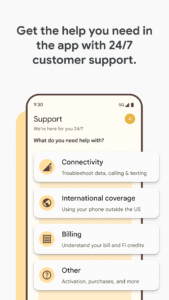
• Get in touch with support 24/7
Note: You'll need to sign up for Project Fi at fi.google.com before this app can be used.



Download Google Fi Wireless I.2.1.18
This release may come in several variants. Consult our handy FAQ to see which download is right for you.

Version:V154
Uploaded:August 19, 2026 at 6:23AM UTC
File size:413.42 KB
Downloads:262
Version:V163
Uploaded:July 14, 2026 at 12:07AM UTC
File size:413.42 KB
Downloads:141
Version:V162
Uploaded:July 14, 2026 at 12:07AM UTC
File size:413.42 KB
Downloads:68
Version:V161
Uploaded:July 12, 2026 at 3:34AM UTC
File size:413.42 KB
Downloads:113
Version:V160
Uploaded:June 22, 2026 at 6:38PM UTC
File size:413.42 KB
Downloads:115
Version:V159
Uploaded:June 9, 2026 at 9:54AM UTC
File size:413.42 KB
Downloads:92
Version:V158
Uploaded:May 20, 2026 at 6:19AM UTC
File size:413.42 KB
Downloads:147
Version:V157
Uploaded:May 4, 2026 at 11:40PM UTC
File size:413.42 KB
Downloads:102
Version:V156
Uploaded:April 23, 2026 at 8:44PM UTC
File size:413.42 KB
Downloads:80
Version:V155
Uploaded:April 11, 2026 at 1:12AM UTC
File size:413.42 KB
Downloads:128
Follow APK Mirror


