

 Premium
What's new in Voice Access 3.1.236003719
- Support for Spanish, French, German, and Italian
- New setting to control activation when you receive a phone call
- Improved support for devices with notches
- Bug fixes
About Voice Access 3.1.236003719
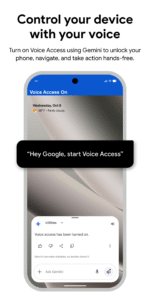
Voice Access is an accessibility service that lets you control your device with spoken commands. Voice Access can be useful for people who have difficulty using a touchscreen due to paralysis, tremor, temporary injury, or other reasons.
Premium
For help using Voice Access, visit Voice Access help.
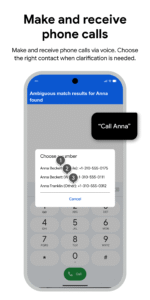
Voice Access provides voice commands (currently English only) in three categories:
- Basics and navigation from any screen (e.g. “Go back”, “Go home”)
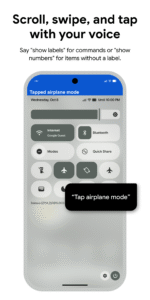
- Gestures to interact with elements on the current screen (e.g. “Click next”, “Scroll down”)
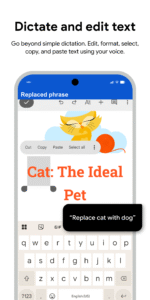
- Text editing and dictation (e.g. “Type hello”, “Replace coffee with tea”)
You can view on-screen help by saying “What can I say?” within Voice Access. You can also see the full list of voice commands by going to Voice Access Settings and selecting “Show all commands.”
Steps to turn on Voice Access:
1. Go to Settings > Accessibility.
2. Select “Voice Access.”
3. Turn on the switch.
4. Complete the setup and tutorial to set up and learn how to use Voice Access.
The tutorial introduces the most common voice commands, such as starting Voice Access, clicking, scrolling, basic text editing, and getting to the “What can I say?” menu.
To use Voice Access completely hands-free, it's necessary to turn on “Ok Google” from any screen. Then just say “Ok Google” when you want Voice Access to start listening for commands. You may need to update the Google app to be able to start Voice Access by saying “Ok Google.” If you choose not to turn on “Ok Google” from any screen, or if your device does not support it, a blue Voice Access button appears on your screen. You can press the button, then say a voice command. You can also press, hold, and drag the button to move it to a different location on your screen.
To stop Voice Access, say “Stop listening”. To turn off Voice Access completely, go to Settings > Accessibility > Voice Access, then turn off the switch.
Permissions Notice
Microphone: Voice Access uses the microphone to let you speak voice commands.
Phone: Voice Access observes the phone state so it can operate during phone calls.
Accessibility Service: Because this app is an accessibility service, it can observe your actions, retrieve window content, and observe text that you type.


Download Voice Access 3.1.236003719
This release may come in several variants. Consult our handy FAQ to see which download is right for you.
Known valid signatures: 9dda b4ec.

Version:17.0.911421684
Uploaded:June 30, 2026 at 9:50AM UTC
File size:15.97 MB
Downloads:351
Version:17.0.896515536
Uploaded:June 30, 2026 at 9:50AM UTC
File size:13.23 MB
Downloads:522
Version:17.0.899536673
Uploaded:May 13, 2026 at 6:16PM UTC
File size:15.97 MB
Downloads:267
Version:16.2.829506306
Uploaded:April 22, 2026 at 7:42PM UTC
File size:12.75 MB
Downloads:372
Version:17.0.888876001
Uploaded:April 14, 2026 at 9:30PM UTC
File size:13.23 MB
Downloads:332
Version:16.2.852851101
Uploaded:January 7, 2026 at 7:22PM UTC
File size:12.75 MB
Downloads:402
Version:16.1.804460814
Uploaded:December 7, 2025 at 6:43AM UTC
File size:13.26 MB
Downloads:408
Version:6.5.747531153
Uploaded:September 14, 2025 at 5:11PM UTC
File size:10.49 MB
Downloads:526
Version:16.0.772996896
Uploaded:July 8, 2025 at 7:40AM UTC
File size:10.66 MB
Downloads:381
Version:16.0.766257754
Uploaded:July 8, 2025 at 6:40AM UTC
File size:15.66 MB
Downloads:24
Follow APK Mirror


