

 Premium
What's new in Digital Ruler: Tape Measure 1.2.1
* One-time, Pro version purchase option
* Some optimizations, UI improvements
* Bug fixes
About Digital Ruler: Tape Measure 1.2.1
ARuler - the first and the best free Augmented Reality measurement app for Android!
Premium
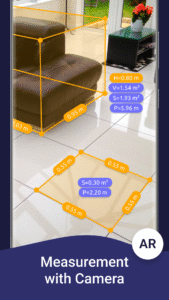
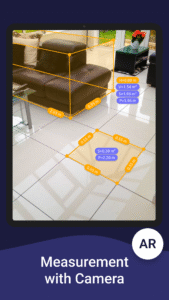
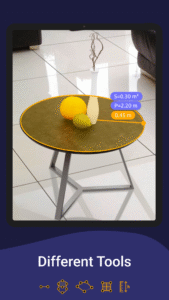
AR Ruler app uses augmented reality technology (AR) to measure different things in the real world with your smartphone’s camera. Simply target aim on the detected horizontal or vertical surface and start measuring!
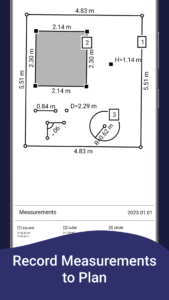
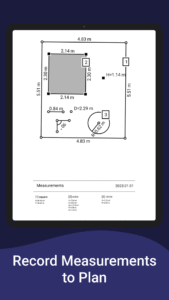
ARuler also let you to create room plans: just pull the tab placed on the top of the screen to see special planview. Clicking on it, plan will be generated.
Just some of the many amazing features:
1) AR Ruler - measure linear sizes in cm, m, mm, inches, feet, yard
2) Distance meter - measure distance from device camera to a fixed point on the detected 3D plane
3) Angle - measure corners on 3D planes
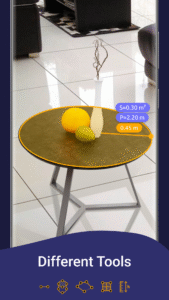
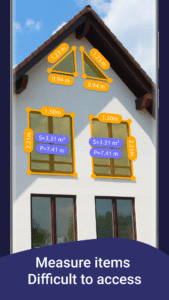
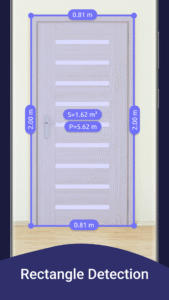
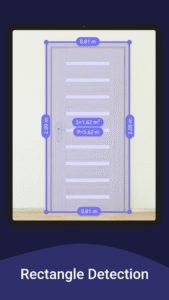
4) Area and Perimeter - Want to measure the area of your room? Then choose Area -> N-angle and set nodes alternately, so that they coincide with the corners of the room. AR Ruler will calculate area and perimeter automatically. When you interrupt the drawing before closing the contour, you will see the AR polyline together with its length. In addition, we made several primitives like Circle, Rectangle and N-gon with automatic knots for objects of complex shape to simplify the measurement process
5) Volume – allows to measure size of 3D objects. Draw the perimeter of the measured object and adjust upper plane position by moving aim up or down.
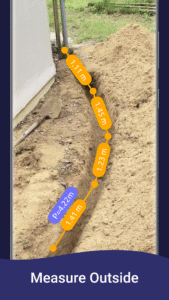
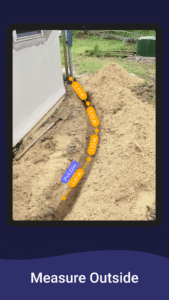
6) Way - calculate the length of the path. A convenient tool for measuring distances "on the ground" - just hold the phone in your hands and move along the planned route - AR Ruler measures the distance traveled and, in addition, shows the trajectory of your movement in three-dimensional space using AR technology
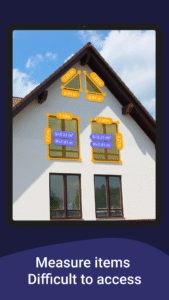
7) Height - to measure height relative to the recognized surface. Do you need to measure the height of the doorway, windows, furniture, a person's height? target aim on the base (bottom) point and start to measure by turning the smartphone up – you’ll see the AR arrow in 3D with the appropriate measurement directly in front of you!
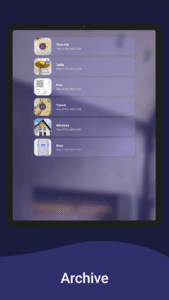
8) Plan – generate plan for drawn object and export it to PDF format. It can be really helpful when you measure e.g. room or other areas - to see the plan projection, what sometimes is more readable that 3D scene.
9) On-screen Ruler – accurate measurements for small objects directly on the smartphone’s screen
Note:
Please note that AR Ruler requires an ARCore library produced by Google. At the moment, ARCore is constantly improving, which, in turn, positively affects the quality of AR Ruler's work. We do our best to make process of using AR technology for measurements more useful and pleasant
Accuracy:
The measurements obtained with AR Ruler are approximate, but fairly accurate in most everyday situations. We draw your attention to the fact that the accuracy of AR measurements is determined by the ARCore, in the development and improvement of which we believe. To increase the accuracy, you can carry out 3 or more measurements in a row, using then the averaged value.
P.S.
We hope that AR Ruler will be a useful tool and will help you in various everyday situations. We, in turn, will work on further development of the functional, the app UI and improving the quality of its work. Describe your experience of using AR Ruler, leave comments, write to us on the mail, stay with us!


Download Digital Ruler: Tape Measure 1.2.1
This release may come in several variants. Consult our handy FAQ to see which download is right for you.

Version:3.3.6
Uploaded:August 31, 2026 at 4:19PM UTC
File size:41.17 MB
Downloads:51
Version:3.3.5
Uploaded:August 27, 2026 at 8:46AM UTC
File size:41.17 MB
Downloads:15
Version:3.3.4
Uploaded:August 4, 2026 at 12:20PM UTC
File size:41.68 MB
Downloads:34
Version:3.3.0
Uploaded:July 6, 2026 at 6:32PM UTC
File size:44.25 MB
Downloads:29
Version:3.2.3
Uploaded:February 26, 2026 at 10:47AM UTC
File size:40.52 MB
Downloads:264
Version:3.2.2
Uploaded:February 4, 2026 at 7:15AM UTC
File size:40.50 MB
Downloads:57
Version:3.2.1
Uploaded:January 28, 2026 at 8:44AM UTC
File size:40.50 MB
Downloads:21
Version:3.2
Uploaded:January 14, 2026 at 7:51AM UTC
File size:40.50 MB
Downloads:32
Version:3.1.7
Uploaded:December 25, 2025 at 8:09AM UTC
File size:40.62 MB
Downloads:55
Version:3.1.6
Uploaded:November 26, 2025 at 6:41PM UTC
File size:38.39 MB
Downloads:40
Follow APK Mirror


