

 Premium
What's new in @Voice: Text to Speech Reader 35.9.5
Ver. 35.9.5
* Fix for extracting text from some PDF files, which do have a valid table of content for example, but in @Voice this table does not appear correctly, and the navigation by page numbers was then also not available
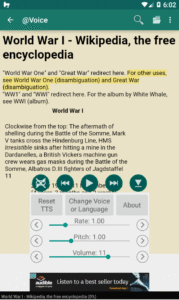
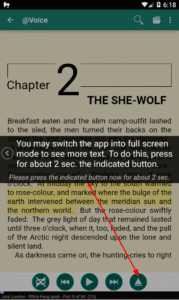
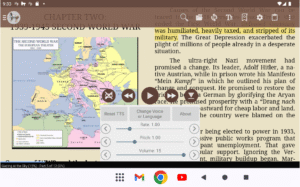
* Modified the PDF view, when you are reading a PDF file and presses the PDF view button at the bottom left, the currently read aloud lines, which are highlighted in yellow, will auto-scroll into view, if you have zoomed in and these lines are outside of the visible area.
About @Voice: Text to Speech Reader 35.9.5
Transform your reading experience with @Voice Aloud Reader - the ultimate accessibility and productivity app that lets you listen to any text in any language while you multitask!
🎧 PERFECT FOR: • Busy professionals reading emails and documents during commutes • Language learners listening to foreign texts with translation • Students listening to textbooks and research papers while exercising
• Accessibility users who need audio content • Multitaskers who want to consume content hands-free • Anyone with reading difficulties or eye strain
📚 READS EVERYTHING: ✓ PDFs, Word docs, ePub eBooks, HTML, RTF ✓ Web pages and news articles (built-in browser) ✓ Long emails and text messages ✓ Clipboard content from any app ✓ 50+ file formats supported
🌍 TRANSLATION & MULTILINGUAL: • Real-time Translation - Translate and listen to foreign content • 100+ Languages supported for reading and translation • Auto Language Detection - Seamlessly switches between languages • Perfect for Language Learning - Hear pronunciation while reading
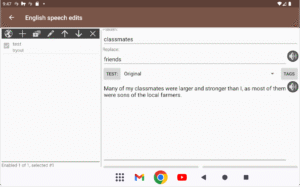
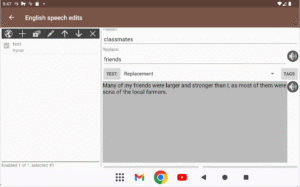
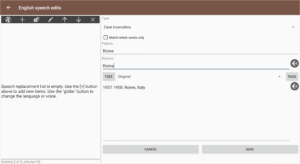
🎭 ADVANCED VOICE FEATURES: • Multiple Voice Characters - Change voices for different speakers/dialog • Voice Definitions - Assign specific voices to characters in stories • Smart Voice Management - Local, cloud, and premium voices • Dialog Enhancement - Perfect for audiobook-style listening • Custom Pronunciation - Edit how words are spoken
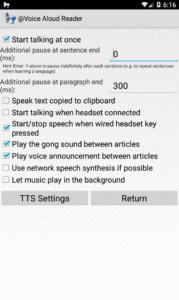
🚀 PRODUCTIVITY FEATURES: • Background Reading - Listen while using other apps • Customizable Speech - Adjust speed, pitch, and pronunciation • Sleep Timer - Perfect for bedtime listening • Bookmarks & Navigation - Never lose your place • Cloud Integration - Google Drive, Dropbox sync
⭐ HIGHLY RATED by users for:
- Excellent translation and multilingual support
- Unique voice changing capabilities for dialog
- Reliable performance for long documents
- Great multitasking capabilities
- Intuitive interface design
🔒 PRIVACY FIRST: No user data collection, secure local processing
💎 Premium Features: Remove ads, advanced voice controls, pronunciation editor, dialog voice management
Turn any text into engaging multilingual audio content. Perfect for language learning, accessibility, and hands-free productivity!
Download @Voice and experience the freedom of listening to the world's content in your preferred language and voice!











@Voice: Text to Speech Reader 35.9.5 Play Store trailer
Download @Voice: Text to Speech Reader 35.9.5
This release may come in several variants. Consult our handy FAQ to see which download is right for you.

Version:40.9.4
Uploaded:October 28, 2026 at 5:53PM UTC
File size:23.89 MB
Downloads:13
Version:40.9.2
Uploaded:October 25, 2026 at 2:08AM UTC
File size:40.34 MB
Downloads:51
Version:40.9.1
Uploaded:October 24, 2026 at 12:24AM UTC
File size:43.73 MB
Downloads:10
Version:40.9.0
Uploaded:October 20, 2026 at 5:27AM UTC
File size:27.50 MB
Downloads:24
Version:40.8.3
Uploaded:October 12, 2026 at 3:30AM UTC
File size:27.16 MB
Downloads:35
Version:40.8.1
Uploaded:October 9, 2026 at 1:12AM UTC
File size:27.13 MB
Downloads:19
Version:40.7.7
Uploaded:October 6, 2026 at 3:35AM UTC
File size:27.07 MB
Downloads:24
Version:40.7.6
Uploaded:October 5, 2026 at 5:02PM UTC
File size:27.07 MB
Downloads:10
Version:40.7.5
Uploaded:October 4, 2026 at 11:12PM UTC
File size:27.06 MB
Downloads:19
Version:40.7.4
Uploaded:October 1, 2026 at 8:01PM UTC
File size:27.00 MB
Downloads:20
Follow APK Mirror


