

 Premium
What's new in @Voice: Text to Speech Reader 28.0.6
Ver. 28.0.6
* Text search in case insensitive mode uses now the native search of WebView control/Google Chrome, which has relaxed rules to find e.g. some Arabic words written with or without extra diacritic marks.
* Enabled media style notifications on older versions of Android, down to 5.1. Change the style under the T+/- button on top - MODE tab.
* Export of edit speech files uses first the app file interface, press folder with cloud icon if system interface needed
* Stability improvements
About @Voice: Text to Speech Reader 28.0.6
Discover the ultimate app for multitaskers: @Voice Aloud Reader, designed to read aloud web pages, news articles, lengthy emails, TXT, PDF, DOC, DOCX, RTF, OpenOffice documents, EPUB, MOBI, PRC, AZW, and FB2 eBooks. Whether you want to read on-screen or listen when your eyes are occupied, this versatile app caters to your every need.
Top Features:
• Read and listen to web pages and various local files, including text, PDF, DOC, DOCX, RTF, OpenOffice documents, and HTML files.
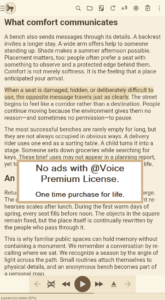
• Enjoy clutter-free web pages, with menus, navigation, ads, and other distractions removed.
• OCR (Optical Character Recognition) extracts text from PDFs where standard text extraction fails.
• Effortlessly share content from other apps or copy and paste text into @Voice Aloud Reader for seamless listening.
• Export and listen to WhatsApp chats.
• Create and customize listening lists with multiple articles for continuous, uninterrupted playback.
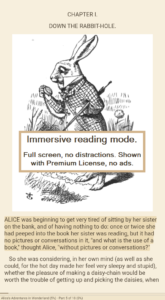
• Experience eBooks with original formatting and images, either on-screen or by listening with headphones.
• Supports Chinese and Japanese vertical text (right-to-left mode) and horizontal mode.
• Easily import saved Pocket articles to your @Voice reading list.
• Record spoken articles as sound files in WAV (uncompressed) or OGG (compressed) formats.
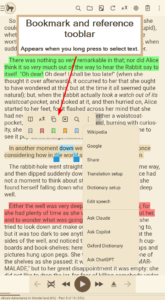
• Access dictionaries, translations, Wikipedia, and web search with a long-press on any word or phrase.
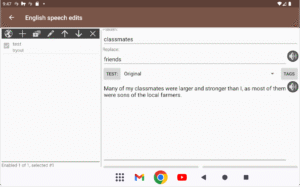
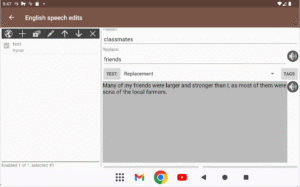
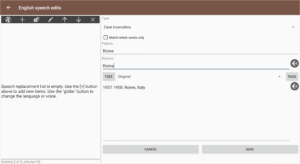
• Enhance speech with TTS correction, including optional use of Regular Expressions (RegEx).
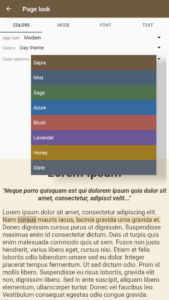
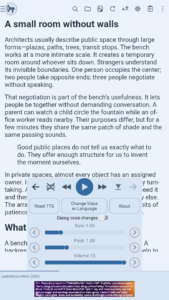
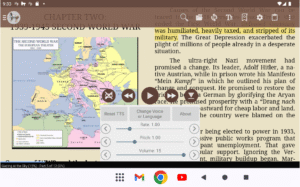
• Adjust speech generator volume, pitch, and speech rate to your preference.
• Conveniently pause, resume, or skip through content using wired or Bluetooth headset buttons.
Upgrade your reading and listening experience with @Voice Aloud Reader – the all-in-one solution for busy individuals on the go. Download now and unlock the full potential of multitasking!











Download @Voice: Text to Speech Reader 28.0.6
This release may come in several variants. Consult our handy FAQ to see which download is right for you.

Version:40.2.8
Uploaded:August 9, 2026 at 6:32PM UTC
File size:43.13 MB
Downloads:2
Version:40.2.7
Uploaded:August 4, 2026 at 3:51PM UTC
File size:43.06 MB
Downloads:10
Version:40.1.0
Uploaded:July 13, 2026 at 4:07AM UTC
File size:35.74 MB
Downloads:34
Version:40.0.5
Uploaded:July 11, 2026 at 2:28AM UTC
File size:35.73 MB
Downloads:17
Version:40.0.4
Uploaded:July 10, 2026 at 5:57PM UTC
File size:35.72 MB
Downloads:12
Version:38.7.1
Uploaded:June 10, 2026 at 10:35PM UTC
File size:35.65 MB
Downloads:71
Version:38.7.0
Uploaded:June 8, 2026 at 3:49PM UTC
File size:35.64 MB
Downloads:12
Version:38.5.0
Uploaded:May 20, 2026 at 3:45PM UTC
File size:35.59 MB
Downloads:51
Version:38.4.0
Uploaded:May 17, 2026 at 5:55PM UTC
File size:35.87 MB
Downloads:21
Version:38.3.6
Uploaded:May 14, 2026 at 5:10AM UTC
File size:37.13 MB
Downloads:15
Follow APK Mirror


