

 Premium
What's new in Pixlr AI Photo & Video Editor 3.4.54
We're constantly working to improve your experience with Pixlr Express.
We have also fixed the photo quality after applying crop and other minor tweaks.
Reach out to us at info@pixlr.com if you have suggestions or need any help!
About Pixlr AI Photo & Video Editor 3.4.54
⚠️We’re giving 30% off Pixlr annual subscription 👑 so you can create 🔥 edits 😎while you’re at home.
Premium
🧍🏠 Stay home and help flatten the curve.
Unleash your creativity with Pixlr (formerly Pixlr Express) – a free and easy photo editor.
No account creation required, just download and start editing.
Capture any moment and edit with over 2 million combinations of FREE effects, overlays, and filters.
Share of your photos seamlessly with friends or followers through email, Instagram, Facebook, Twitter, or any social network.
Follow us on Instagram (@pixlr) for daily inspiration, tips, and tricks to make cool photo edits.
Show us your awesome edits, #madewithpixlr for a chance to be featured on our feed!
Features:
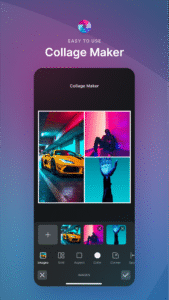
• Create photo collages easily with a variety of preset collages, grid style, customized ratio, and background.
• Instantly adjust the color of your photo in one easy click using Auto Fix.
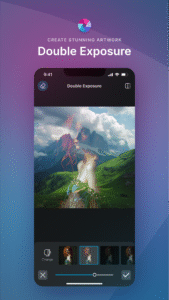
• Use Double Exposure to create an array of effects easily with layers and adjustable transparency.
• Create cool photo effects using Stylize (pencil sketch, poster, watercolor and more).
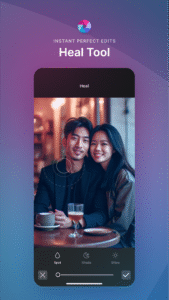
• Effortlessly remove blemishes, red-eye, smoothen skin, or whiten teeth with simple tools.
• Bring out the color with Color Splash effect or add impact with Focal Blur.
• Choose from a range of effect packs to give your image the look and feel you want.
• Adjust the tone of the photo with overlays – amplify the tone, cool it down, or add surreal shades.
• Easily add text to your photos with a variety of fonts to choose from.
• Finish off your editing process with the right border - pick a style that suits you.
• Keep things fresh with our growing release of additional effects, overlays, and border packs.
• Keep track of your favorite effects and overlays with the Favorites button.
• Crop and resize images quickly and easily before saving.
We love hearing your ideas and feedback.
Follow us on Instagram (@pixlr), Twitter (@pixlr) or Facebook (/Pixlr).
For support or bug reporting, please reach out to us at info@pixlr.com.
Download Pixlr AI Photo & Video Editor 3.4.54
This release may come in several variants. Consult our handy FAQ to see which download is right for you.

Version:3.9.2
Uploaded:September 15, 2026 at 11:55AM UTC
File size:68.62 MB
Downloads:15
Version:3.9.1
Uploaded:September 12, 2026 at 11:34PM UTC
File size:67.57 MB
Downloads:76
Version:3.9.0
Uploaded:August 13, 2026 at 5:03AM UTC
File size:70.65 MB
Downloads:110
Version:3.8.4
Uploaded:July 22, 2026 at 4:54PM UTC
File size:56.73 MB
Downloads:316
Version:3.8.3
Uploaded:March 7, 2026 at 9:55PM UTC
File size:54.98 MB
Downloads:121
Version:3.8.2
Uploaded:December 15, 2025 at 7:27PM UTC
File size:48.89 MB
Downloads:194
Version:3.8.1
Uploaded:October 31, 2025 at 11:41AM UTC
File size:65.52 MB
Downloads:240
Version:3.8.0
Uploaded:August 18, 2025 at 9:36AM UTC
File size:65.51 MB
Downloads:49
Version:3.7.1
Uploaded:July 28, 2025 at 5:07PM UTC
File size:61.25 MB
Downloads:140
Version:3.6.9
Uploaded:March 28, 2025 at 9:14AM UTC
File size:62.54 MB
Downloads:147
Follow APK Mirror


