

 Premium
What's new in Automate 1.35.1
• The “execute shell command” privilege now enforced by Shell command blocks
• Battery charging and properties blocks
• Image crop, flip, load, rescale, rotate, sample color, unload and write blocks
• App installed block got APK paths output variable
• Assist request block got Intent and Web URL output variables
• Interact block got “Show audio volume UI” action
• Media tag read block got Orientation output variable
• colorRecode function support CMYK, Grayscale, YCbCr and YCCK color spaces
About Automate 1.35.1
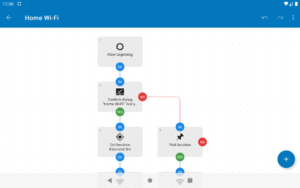
Create flowcharts that make your device perform tasks automatically. Easy to understand automation, just add blocks, and connect them.
Premium
Automate your daily or repetitive tasks, for example:
• create a daily backup of a folder on your device and upload it to Google Drive or an FTP server;
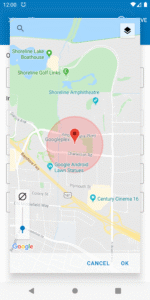
• send an SMS or e-mail when reaching a GPS location (geofencing);
• change audio volume or screen brightness when opening an app;
• toggle Wi-Fi or Bluetooth at a specific time of day;
• scan an NFC tag to turn on Do-Not-Disturb;
• rotate, resize and send all images in a folder as MMS; or
• download and display some online content as a notification every morning
Almost every feature of your device can be automated using the 360+ building blocks included, and if that’s not enough, Locale/Tasker plug-ins are also supported:
llamalab.com/automate/doc/block/
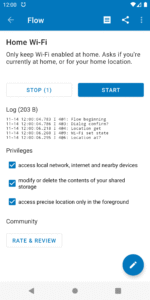
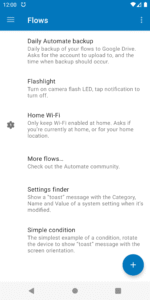
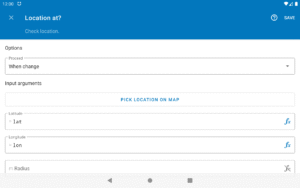
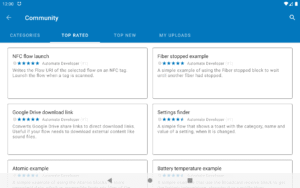
Creating device automation “flows” is as simple as adding and connecting blocks, novices can then configure them with predefined options, while experienced users may use expressions, variables and functions. Or, just download ready-made “flows” that other users have shared through the in-app community:
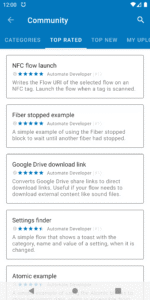
llamalab.com/automate/community/
Automatic file backup
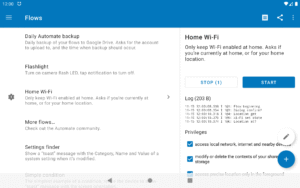
It’s easy to make an automation “flow” to backup your files or app APKs to a specific folder on the device, an SD card, external USB drive, FTP server, or even Google Drive.
File transfer
If made to do so, a “flow” can send app APK, pictures, videos or any other kind of file as e-mail, Gmail or MMS attachment, or through the built-in “cloud messaging”, at the click of a button or automatically.
Documentation
llamalab.com/automate/doc/
Support & Feedback
Reddit: www.reddit.com/r/AutomateUser/
Forum: groups.google.com/g/automate-user
E-mail: info@llamalab.com
Please don't report problems or ask for support though Google Play store review comment, use the Help & feedback menu or links above.
This app uses Accessibility services.
This app uses the Device Administrator permission.
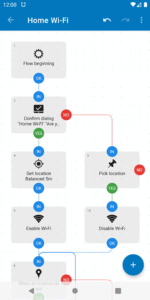
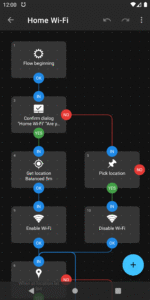
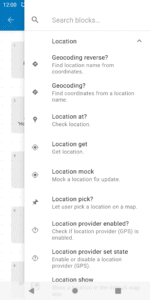
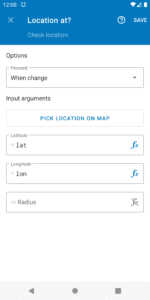



Automate 1.35.1 Play Store trailer
Download Automate 1.35.1
This release may come in several variants. Consult our handy FAQ to see which download is right for you.

Version:1.51.1
Uploaded:April 26, 2026 at 5:46AM UTC
File size:8.78 MB
Downloads:2,729
Version:1.51.0
Uploaded:April 26, 2026 at 5:46AM UTC
File size:8.80 MB
Downloads:36
Version:1.50.0
Uploaded:February 14, 2026 at 12:03PM UTC
File size:8.78 MB
Downloads:11
Version:1.49.1
Uploaded:December 31, 2025 at 6:04AM UTC
File size:8.77 MB
Downloads:1,010
Version:1.49.0
Uploaded:November 19, 2025 at 7:31AM UTC
File size:8.77 MB
Downloads:397
Version:1.48.2
Uploaded:October 17, 2025 at 1:23PM UTC
File size:8.76 MB
Downloads:397
Version:1.48.1
Uploaded:September 17, 2025 at 5:33PM UTC
File size:8.76 MB
Downloads:310
Version:1.48.0
Uploaded:September 5, 2025 at 3:32PM UTC
File size:8.76 MB
Downloads:157
Version:1.47.3
Uploaded:August 8, 2025 at 3:00PM UTC
File size:8.65 MB
Downloads:312
Version:1.47.2
Uploaded:June 9, 2025 at 2:12PM UTC
File size:8.56 MB
Downloads:549
Follow APK Mirror


