

 Premium
What's new in LastPass Password Manager 4.6.2801
We’ve been working hard to improve the LastPass app on Android! This release features: improved Android Pie support, including autofill for Chrome; a couple of security updates, to mitigate issues reported through our Bugcrowd bug bounty program; fixes for the user interface language selection; and stability improvements.
Keep the feedback coming! You can contact us through the Settings page in the app, by selecting Help and Support.
About LastPass Password Manager 4.6.2801
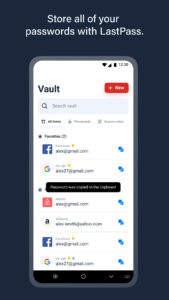
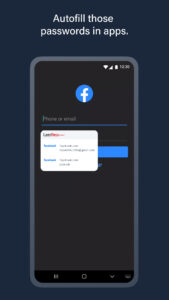
LastPass is a password manager and password generator that locks your passwords and personal information in a secure vault. LastPass autofills web browser and app logins for you, and generates new, secure passwords instantly.
Premium
One password is all you need with LastPass – your LastPass master password handles the rest. Store passwords and logins, create online shopping profiles, generate strong passwords, track personal information in photo & audio notes, and more.
NEW TO LASTPASS?
Download LastPass now and get the protection you need completely for free. You can use LastPass across all your devices, including phones, tablets, and personal computers, for free.
LastPass simplifies online life:
Password manager – Secure vault keeps your passwords safe
- Password storage - save and autofill personal info for all of your online accounts
- Secure vault holds all passwords – login with one password instead of dozens
- Anything you save on one device is instantly available on all your other devices
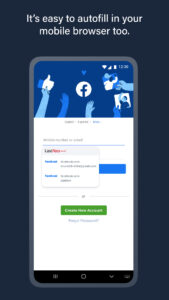
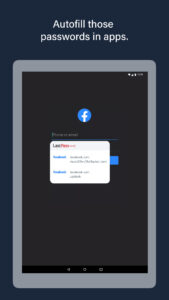
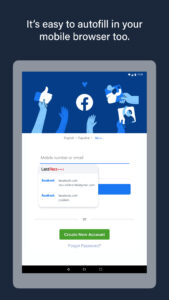
Password Autofill - Autofill passwords & personal info with Form Fill Profiles
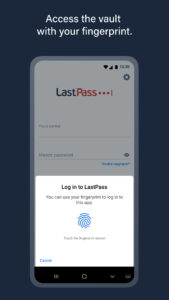
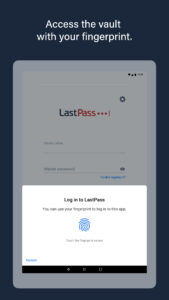
- One password is all you need to manage your accounts. Sign in using your LastPass master password or fingerprint
- Autofill passwords in Chrome or Opera to make them into a private browser
Private notes – Secure safe info like credit cards, photos & more
- Vault keeps health insurance, credit card info & more safe
- Photo vault – attach photos to any note to lock them
- Audio notes – set custom voice memos that lock in the secure vault
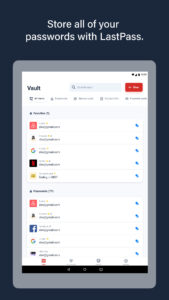
Password Vault - Store & search logins & notes from your vault
- Password manager makes it easy to store, save & search passwords from all your sites & apps
Finger Scan Lock – Finger print lock secures passwords
- Fingerprint password activation – Scan your fingerprint and unlock your vault
- Autofill with fingerprint password fills
Data manager - Organize passwords in secure folders
- Store passwords in custom folders locked behind your LastPass password
- Sort into categories like Social, Shopping & more
Password Sharing - Share with friends and family
- Password, photo vault & note info can be easily shared
- Share login data for individual sites, or send secure notes to contacts
Secure Password Vault - Multifactor authentication secures your password vault
- Lock down your LastPass account further with multiple forms of authentication
- Choose from top apps like Google Authenticator, YubiKey & Duo Security
Emergency Access
- Plan ahead and give trusted family or friends a way to access your vault in case of an emergency.
- Add security and require a waiting period during which you can decline an Emergency Access request to your vault.
- Once access is granted, your vault syncs as a folder to their vault.
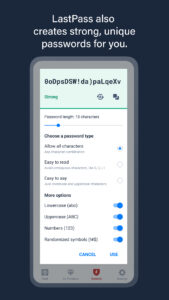
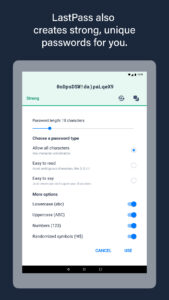
Password Generator – Generate secure, customized passwords
- Generate new passwords for all of your logins and apps
Password Audits - Audit the strength of passwords with the LastPass Security Challenge
- Test the strength of your passwords using our advanced auditing system
- Generate new passwords to replace weak logins
Secure vault makes data available offline
- Secure password storage available online or off
LastPass never has the key to your encrypted data, so your information remains safe. Your vault is encrypted with bank-level, AES 256-bit encryption.
For $24 a year, LastPass Premium offers:
- Unlimited sharing of passwords, items and notes
- 1GB encrypted file storage
- Secure Vault With Authentication - Premium multifactor authentication like YubiKey
- Priority support
- Ad free
- Desktop fingerprint authentication
LastPass is the easiest way to keep your password safe. Lock passwords, notes & photos with award-winning security.
Download LastPass and browse safer today!

Download LastPass Password Manager 4.6.2801
This release may come in several variants. Consult our handy FAQ to see which download is right for you.

Version:6.51.0.24547
Uploaded:May 16, 2026 at 7:20AM UTC
File size:39.12 MB
Downloads:23
Version:6.51.0.24476
Uploaded:May 14, 2026 at 6:20PM UTC
File size:39.12 MB
Downloads:10
Version:6.50.0.24051
Uploaded:May 14, 2026 at 6:20PM UTC
File size:38.84 MB
Downloads:2
Version:6.49.0.23649
Uploaded:April 22, 2026 at 8:38AM UTC
File size:38.70 MB
Downloads:64
Version:6.48.0.23104
Uploaded:April 13, 2026 at 8:43AM UTC
File size:37.71 MB
Downloads:18
Version:6.47.0.23103
Uploaded:April 2, 2026 at 2:56PM UTC
File size:37.65 MB
Downloads:33
Version:6.47.0.22558
Uploaded:March 24, 2026 at 9:23AM UTC
File size:37.65 MB
Downloads:32
Version:6.46.0.21457
Uploaded:February 23, 2026 at 10:09AM UTC
File size:37.73 MB
Downloads:88
Version:6.45.0.20950
Uploaded:February 11, 2026 at 8:54AM UTC
File size:37.63 MB
Downloads:41
Version:6.44.0.20450
Uploaded:February 2, 2026 at 9:15AM UTC
File size:37.54 MB
Downloads:26
Follow APK Mirror


