

 Premium
What's new in Managed Home Screen 1.16.0.60751
In this update we have fixed a crash issue and added two new features:
1) A dark theme for the home screen. You can enable it by adding "theme_color" to app configuration policy's JSON. Set it to "light" for the default light theme or set it to "dark" for the new dark theme.
2) EAP Wi-Fi support. You can now use a username and password to sign into a Wi-Fi network from within Managed Home Screen. If you have Wi-Fi configurations already enabled, then this support will automatically show up.
About Managed Home Screen 1.16.0.60751
The Managed Home Screen app, for corporate-owned devices in organizations subscribed to Microsoft Intune, enables the Multi App Kiosk mode for specific, locked down use. This app should only be deployed by your organization. It helps your organization remotely configure and customize the home screen on the device(s) to deliver a highly productive single use experience. This app replaces the default home screen or launcher to restrict device activities and access based on remotely configurable settings.
Features:
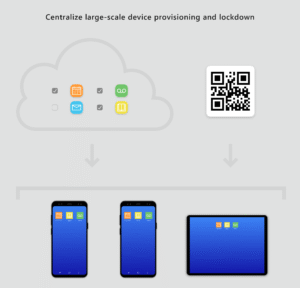
• Centralized large-scale device deployment and lockdown
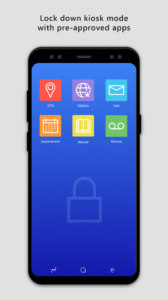
• Locked down kiosk mode with pre-approved apps
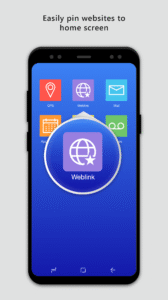
• Easily pin websites to home screen
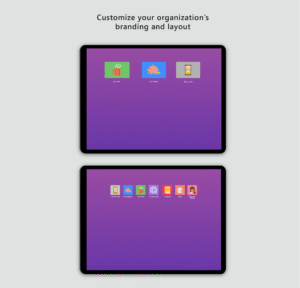
• Customize home screen experience and layout
Important: This app is for organizational use only and works only with devices managed by organizations subscribed to Microsoft Intune. Individuals downloading this will not be able to manage, configure or use this app. If you work for an organization and are a user of this app and are facing issues or have questions about its use (including your company’s privacy policy), contact your IT administrator. Do not contact your network operator, the device manufacturer, or Microsoft for support.
Microsoft Application License Terms
Third Party Notices
To subscribe for Intune management services visit - https://www.microsoft.com/en-us/cloud-platform/microsoft-intune
Download Managed Home Screen 1.16.0.60751
This release may come in several variants. Consult our handy FAQ to see which download is right for you.

Version:2.2.0.115192
Uploaded:September 1, 2026 at 1:52AM UTC
File size:16.25 MB
Downloads:9
Version:2.2.0.114831
Uploaded:August 9, 2026 at 8:05PM UTC
File size:16.25 MB
Downloads:16
Version:2.2.0.114529
Uploaded:August 7, 2026 at 12:21AM UTC
File size:16.25 MB
Downloads:4
Version:2.2.0.113727
Uploaded:July 7, 2026 at 6:17PM UTC
File size:22.90 MB
Downloads:25
Version:2.2.0.113535
Uploaded:June 18, 2026 at 7:07PM UTC
File size:22.34 MB
Downloads:12
Version:2.2.0.113099
Uploaded:June 8, 2026 at 6:21PM UTC
File size:22.34 MB
Downloads:9
Version:2.2.0.112357
Uploaded:May 14, 2026 at 8:59PM UTC
File size:22.46 MB
Downloads:18
Version:2.2.0.112045
Uploaded:April 21, 2026 at 6:51PM UTC
File size:22.07 MB
Downloads:36
Version:2.2.0.111089
Uploaded:March 16, 2026 at 6:20PM UTC
File size:22.05 MB
Downloads:29
Version:2.2.0.110538
Uploaded:February 17, 2026 at 4:20PM UTC
File size:21.90 MB
Downloads:22
Follow APK Mirror


