

 Premium
What's new in Microsoft Copilot 29.2.42090500
Welcome to Microsoft Copilot, your everyday AI companion.
About Microsoft Copilot 29.2.42090500
Increase your productivity with Microsoft Copilot, your secure AI-powered assistant that empowers you to find, create and get things done across your whole life.
Premium
Copilot is a pioneering personal AI chat assistant, powered by the latest OpenAI models and DALL·E 3. Copilot uses AI technologies that provide fast, complex, and precise responses. Copilot helps you be smarter, more productive, more creative, and more connected to the people and things around you.
Copilot’s AI chat model allows you to ask questions and get the answers you need, faster. Search the way you naturally speak; Copilot will understand your context and provide you with precise, relevant answers. Copilot is your personal assistant that helps you find the right information, faster.
Turn your creativity into reality with AI image generation. Create breathtaking visuals from simple text descriptions with Copilot’s image generation technologies. Copilot turns into an AI image editor or even an AI writing assistant when you need it. Need help writing that wedding speech or starting your business emails? Copilot can take your ideas and give you a head start. If you can dream it, Copilot can help create it.
Enterprise Mode also provides extra protection of personal and company data for Enterprise chat. Upgrade to Copilot Pro and supercharge your creativity and productivity. Get priority access for faster performance during peak hours and faster image creation.
Chat and create all in one place, all with Microsoft Copilot.
Key features
Productivity, enhanced with a personal AI assistant
• Talk to AI using Copilot’s chat. Create, write or generate AI art from text alone.
• AI chatbot quickly provides creative, personalized answers.
• Stay productive at work, school or with personal tasks
• Translate and proofread across multiple languages, optimizing the text you need
AI writing assistant with Copilot can help with:
• Drafting emails
• Summarizing complex texts
• Creating personalized travel itineraries
• Writing and updating job resumes
• Composing stories or scripts
• Multilingual content translation, proofreading, and optimization
AI art: supporting your creativity
• DALL·E 3 can help you quickly create high quality visuals from text prompts, rendering your concepts into stunning visuals, from the abstract to the photorealistic.
AI image generator: art powered by AI
• Generate logo designs
• Quickly explore new styles and ideas
• Develop brand motifs
• Create custom backgrounds
• Build and update a portfolio
• Create illustrations for children's books
• Curate social media content
• Visualize film and video storyboards
Supercharge your productivity and creativity with Copilot Pro, the ultimate AI companion
• Faster performance and priority access to GPT-4 and GPT-4 Turbo during peak times
• Unlock Copilot in productivity apps* like Word, Excel, PowerPoint, and Outlook
• Faster AI image creation with 100 boosts per day with Designer (formerly Bing Image Creator)
Get a free 1-month trial of Copilot Pro by signing up in the Copilot app. $20/month after trial. New subscribers only.
Copilot not only enhances your design workflow, but can also bring your creativity to inspiring new heights.
Experience the future of AI interaction–download Copilot today!
*Copilot Pro subscribers can use Copilot in the web versions of Word, Excel, PowerPoint, OneNote, and Outlook in the following languages: English, French, German, Italian, Japanese, Portuguese, Spanish, and Chinese Simplified. Those who have a separate Microsoft 365 Personal or Family subscription get the added benefit of using Copilot in the more fully featured desktop apps. Excel features are in English only and currently in preview. Copilot features in Outlook apply to accounts with @outlook.com, @hotmail.com, @live.com or @msn.com email addresses and are available in Outlook.com, Outlook built into Windows, and Outlook on Mac.

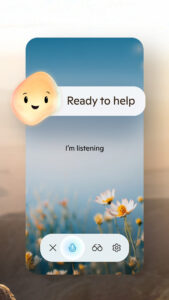


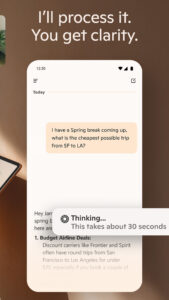

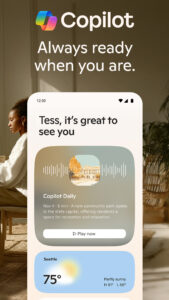
Microsoft Copilot 29.2.42090500 Play Store trailer
Download Microsoft Copilot 29.2.42090500
This release may come in several variants. Consult our handy FAQ to see which download is right for you.

Version:30.0.44081400
Uploaded:September 11, 2026 at 10:18PM UTC
File size:43.79 MB
Downloads:370
Version:30.0.44081000
Uploaded:August 12, 2026 at 7:34PM UTC
File size:43.77 MB
Downloads:343
Version:30.0.44080500
Uploaded:August 12, 2026 at 7:34PM UTC
File size:43.77 MB
Downloads:284
Version:30.0.44072800
Uploaded:August 3, 2026 at 5:48AM UTC
File size:43.74 MB
Downloads:125
Version:30.0.44071400
Uploaded:July 19, 2026 at 5:45PM UTC
File size:43.80 MB
Downloads:66
Version:30.0.44063000
Uploaded:July 11, 2026 at 6:19PM UTC
File size:43.74 MB
Downloads:189
Version:30.0.44070700
Uploaded:July 11, 2026 at 6:09PM UTC
File size:43.76 MB
Downloads:60
Version:30.0.44062300
Uploaded:June 26, 2026 at 11:19AM UTC
File size:43.80 MB
Downloads:135
Version:30.0.44061600
Uploaded:June 17, 2026 at 5:21PM UTC
File size:45.41 MB
Downloads:89
Version:30.0.44060900
Uploaded:June 17, 2026 at 5:21PM UTC
File size:45.00 MB
Downloads:96
Follow APK Mirror


