

 Premium
About Microsoft Defender: Antivirus 1.0.3105.0302
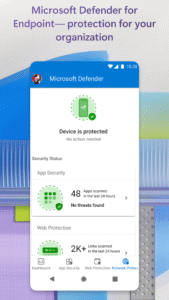
This app is not a free app and is for business/enterprise users only. Microsoft Defender for Endpoint helps enterprises stay protected from cyber security threats such as malicious apps and dangerous web sites that may try to steal user information. It allows your company’s security operations teams to prevent, detect, and investigate cyber security incidents. Microsoft Defender for Endpoint is also the client app for Microsoft Tunnel, which helps users gain access to apps and data on your company's internal network on the go.
Premium
Key features of Microsoft Defender for Endpoint:
1. Warns users of malicious, potentially unwanted apps and APKs that may get installed or copied on to the user’s device.
2. Automatically blocks malicious web pages that may be accessed via links from SMS, messaging apps, browsers, and email.
3. Offers a world-class SecOps experience enabling security operations teams to see all alerts and threat context, and investigate incidents and respond.
4. Supports Mobile App Management (MAM) also called as App Protection Policies. This protects your organization's data within a managed application based on MDE device risk signals.
5. Enables secure connections to internal documents and apps through Microsoft Tunnel on Microsoft Intune-managed devices.
6. Offers Conditional Access integration based on device risk level with Intune.
7. Supports in-app feedback.
Microsoft Defender for Endpoint web protection and app security features require a valid Microsoft 365 E5 license. Microsoft Tunnel functionality in Defender for Endpoint requires a license for Microsoft Endpoint Manager which is available in E3 licenses from Microsoft. Additionally, the device needs to be enrolled in Intune which is included in Endpoint Manager. Both Defender for Endpoint and Endpoint Manager require work accounts to be set up in Azure Active Directory.
A note about Defender for Endpoint and Microsoft Endpoint Manager: every organization has different access requirements and will use these solutions in ways specific to their needs. Microsoft, your network provider, and your device’s manufacturer will not be aware of every organization’s access needs and therefore how Microsoft Defender for Endpoint will be used. Some capabilities may not be available in certain countries. If you have questions about how this app is being used within your organization, your company’s IT administrator should have those answers for you.
Microsoft Defender: Antivirus 1.0.3105.0302 Play Store screenshots (5)
Screenshots from version 1.0.9309.0102
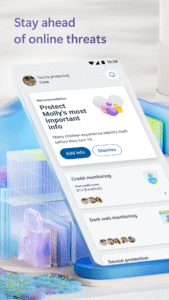
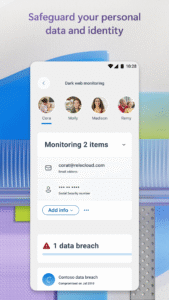
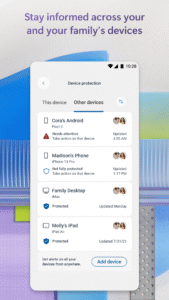
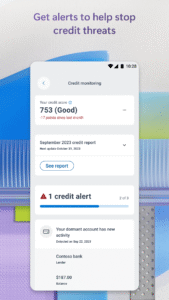
Download Microsoft Defender: Antivirus 1.0.3105.0302
This release comes in several variants (we currently have 2). Consult our handy FAQ to see which download is right for you.

Version:1.0.9309.0102
Uploaded:September 14, 2026 at 6:00AM UTC
File size:80.40 MB
Downloads:15
Version:1.0.9309.0202
Uploaded:September 11, 2026 at 10:17PM UTC
File size:96.79 MB
Downloads:9
Version:1.0.9228.0101
Uploaded:September 3, 2026 at 11:00AM UTC
File size:83.65 MB
Downloads:30
Version:1.0.9212.0102
Uploaded:August 24, 2026 at 10:01AM UTC
File size:84.23 MB
Downloads:39
Version:1.0.9129.0201
Uploaded:August 12, 2026 at 6:52PM UTC
File size:101.14 MB
Downloads:22
Version:1.0.9129.0101
Uploaded:August 7, 2026 at 11:31AM UTC
File size:83.78 MB
Downloads:37
Version:1.0.9107.0101
Uploaded:July 24, 2026 at 10:18AM UTC
File size:79.34 MB
Downloads:25
Version:1.0.9102.0102
Uploaded:July 6, 2026 at 6:50AM UTC
File size:79.73 MB
Downloads:31
Version:1.0.9014.0101
Uploaded:June 23, 2026 at 5:57AM UTC
File size:79.38 MB
Downloads:54
Version:1.0.9003.0101
Uploaded:June 13, 2026 at 3:43AM UTC
File size:79.25 MB
Downloads:59
Follow APK Mirror


