

 Premium
What's new in Microsoft Edge 46.05.24.5158
Thanks for using Microsoft Edge! Here’s what’s new in this release:
• Try Collections! Easily collect and organize content as you browse the web -- with any of your signed-in devices.
We’ve also made some general bug fixes and performance improvements.
About Microsoft Edge 46.05.24.5158
The Microsoft Edge web browser offers a fast, private and productive experience every time you browse. It’s time to expect more. More privacy. More control. More productivity. More value.
Premium
Browse the web anywhere with one seamless experience from your phone to your computer and other signed-in devices.
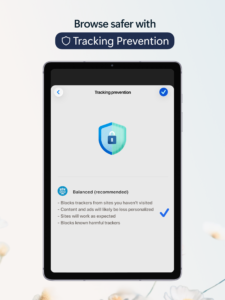
Tracking prevention, AdBlock, InPrivate browsing, and InPrivate search in Microsoft Bing are available to protect your privacy online.
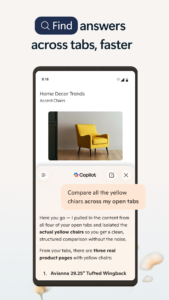
Organize the web in a way that cuts through the clutter, making it easier to find, view, and manage your content on the go.
Browse the internet with world class compatibility, performance, and new features. Microsoft Edge is the only web browser you’ll ever need.
Microsoft Edge features:
Web Browser and a more productive browsing experience
• Browser that securely syncs your favorites, passwords, Collections, and other saved data across your signed-in devices.
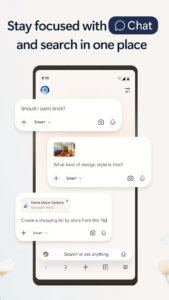
• Search the web on the go with visual and voice search powered by Microsoft Bing.
• Browse the web with a redesigned navigation helps you get to your Favorites, Reading list, and more in fewer taps.
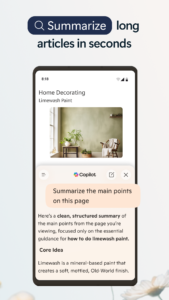
• With Immersive Reader users can remove ads and other distracting content from articles and blog posts for a more streamlined reading experience.
Privacy & Control: Take control of your data
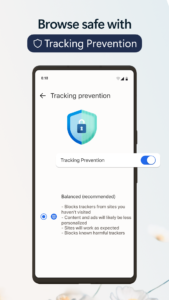
• Tracking prevention is enabled by default, so you don’t have to take any action to start having a more private browsing experience.
Private Browser: InPrivate browsing
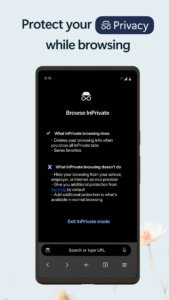
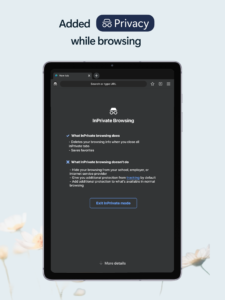
• Privacy matters. InPrivate tabs won't store your browsing data (like cookies, history, autofill information, or temporary files)
• Keep your search history private with InPrivate search in Microsoft Bing. When you browse using InPrivate mode, your search history will not be saved to Microsoft Bing or associated back to your Microsoft account.
Ad Blocker:
• AdBlock Plus helps block unwanted ads.
• Block ads by turning on ad blocking by visiting Settings > Content blockers.
Organize & Collect: Organization on the go
• Collections makes it easier than ever to collect and organize content you find on the web across your signed-in devices.
Microsoft Rewards
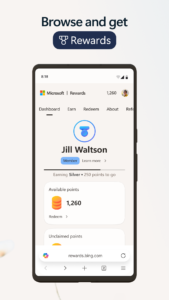
• Earn rewards while you search with Microsoft Bing and find shopping deals online and in nearby stores.*
Get the Microsoft Edge web browser for a fast, private, and productive experience every time you browse.
*This shopping feature currently is only available in the United States.
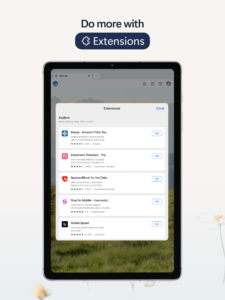
Download Microsoft Edge 46.05.24.5158
This release may come in several variants. Consult our handy FAQ to see which download is right for you.
Known valid signatures: 3f64 2459.

Version:152.0.4191.53
Uploaded:September 4, 2026 at 2:49AM UTC
File size:218.27 MB
Downloads:700
Version:151.0.4129.101
Uploaded:August 28, 2026 at 7:41PM UTC
File size:217.04 MB
Downloads:1,317
Version:151.0.4129.96
Uploaded:August 22, 2026 at 12:38AM UTC
File size:217.01 MB
Downloads:418
Version:151.0.4129.86
Uploaded:August 17, 2026 at 6:22PM UTC
File size:300.68 MB
Downloads:11
Version:151.0.4129.70
Uploaded:August 10, 2026 at 10:52AM UTC
File size:216.71 MB
Downloads:1,713
Version:151.0.4129.59
Uploaded:August 4, 2026 at 5:42AM UTC
File size:216.56 MB
Downloads:865
Version:150.0.4078.96
Uploaded:July 29, 2026 at 9:08AM UTC
File size:216.88 MB
Downloads:874
Version:150.0.4078.81
Uploaded:July 19, 2026 at 6:55AM UTC
File size:216.88 MB
Downloads:1,535
Version:149.0.4022.105
Uploaded:July 4, 2026 at 6:54PM UTC
File size:213.59 MB
Downloads:1,621
Version:149.0.4022.80
Uploaded:June 25, 2026 at 4:31PM UTC
File size:213.58 MB
Downloads:1,080
Follow APK Mirror


