

 Premium
What's new in Microsoft SharePoint 2.4.0
• People cards display more information, more quickly
• General bug fixes and performance improvements
Shake to send us feedback and let us know how we did!
About Microsoft SharePoint 2.4.0
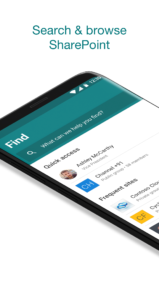
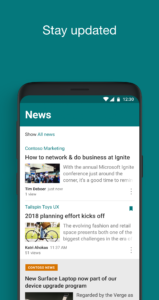
Get your intranet in your pocket with the SharePoint mobile app. With easy on-the-go access, the SharePoint mobile app helps keep your work moving forward by providing quick access to your team sites, organization portals and resources, and the people you work with – across online in Office 365 and on-premises. You can see site activities, get quick access to recent and popular files, and view and arrange lists on your team sites.
• Sign in to your SharePoint sites, whether they're in the cloud or on-premises. The app works with SharePoint Online, and SharePoint Server versions 2013 and 2016. You can add multiple accounts, and easily switch between them.
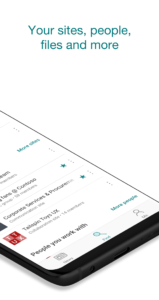
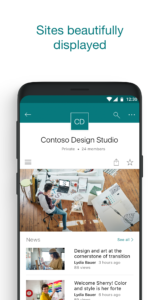
• Quickly find your sites. Check out the Sites tab, to see the sites you frequently visit and the sites you follow. Tap on a team site to dive into it. See site activity, navigate using the familiar quick launch navigation, easily follow or share the site, and work with your lists.
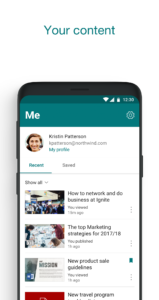
• Check out recent and popular files. In a team site, get to your recent or popular files quickly to view or share them, and have full access to your document libraries using the new integration with the OneDrive app. Edit your files easily using Office Mobile apps like Word, Excel, PowerPoint, and OneNote.
• Use the Links tab to find promoted links for your organization. Curated by your SharePoint admin for all employees, these links get you to the organizational resources and sites that you care about.
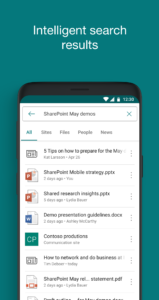
• Search. Enterprise Search is available throughout the app and results are organized into sites, files and people.
• Find and browse for people you work with. Tap on a user to get to their contact card and to see who they work with and what they are working on.
Note: To sign in to SharePoint, your organization needs to have an Office 365 subscription that includes SharePoint Online, or an on-premises SharePoint Server.
By installing the app, you agree to these terms and conditions: aka.ms/spandeula/
This app is provided by Microsoft. Data provided through the use of this store and this app may be accessible to Microsoft and transferred to, stored, and processed in the United States or any other country/region where Microsoft or its affiliates maintain facilities.
Download Microsoft SharePoint 2.4.0
This release may come in several variants. Consult our handy FAQ to see which download is right for you.

Version:4.00.03
Uploaded:September 11, 2026 at 10:22PM UTC
File size:34.15 MB
Downloads:26
Version:4.00.00
Uploaded:August 3, 2026 at 6:31AM UTC
File size:32.85 MB
Downloads:91
Version:3.42.01
Uploaded:May 7, 2026 at 9:07PM UTC
File size:25.47 MB
Downloads:116
Version:3.41.01
Uploaded:March 3, 2026 at 10:33PM UTC
File size:25.29 MB
Downloads:95
Version:3.41.00
Uploaded:December 16, 2025 at 5:08AM UTC
File size:25.29 MB
Downloads:147

Version:3.40.01
Uploaded:October 16, 2025 at 6:46AM UTC
File size:23.00 MB
Downloads:76
Version:3.39.61
Uploaded:June 10, 2025 at 7:20AM UTC
File size:24.82 MB
Downloads:154
Version:3.39.60
Uploaded:April 13, 2025 at 8:36PM UTC
File size:26.14 MB
Downloads:42
Version:3.39.53
Uploaded:February 28, 2025 at 8:09PM UTC
File size:26.10 MB
Downloads:65
Version:3.39.52
Uploaded:February 26, 2025 at 5:28PM UTC
File size:26.10 MB
Downloads:19
Follow APK Mirror


