

 Premium
What's new in Microsoft To Do: Lists & Tasks 1.51.104
Looking for a file but forgotten which task you attached it to? We now give you results for files in search too.
We’ve also fixed a number of crashes and bugs, to keep the app running smoothly as it should.
Want early access to updates and new features? Then join our Beta: play.google.com/apps/testing/com.microsoft.todos
About Microsoft To Do: Lists & Tasks 1.51.104
Microsoft To-Do is a simple and intelligent to-do list that makes it easy to plan your day. Whether it’s for work, school or home, To-Do will help you to increase your productivity and decrease your stress levels. It combines intelligent technology and beautiful design to empower you to create a simple daily workflow.
Premium
Organise and plan your day
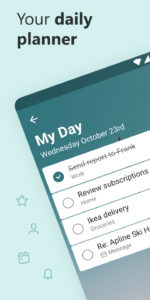
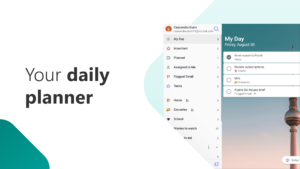
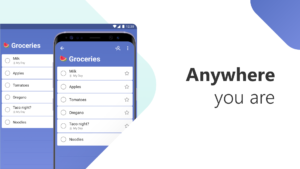
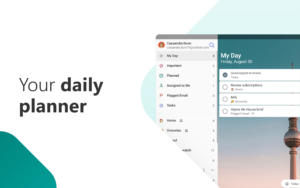
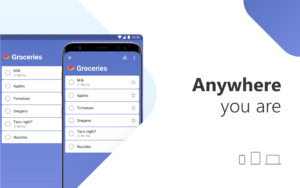
Organise your day with To-Do’s smart Suggestions and complete the most important tasks, jobs or housework you need to get done, every day. To-Do syncs between your phone and computer, so you can access your to-do from school, the office or the supermarket, or even whilst you’re traveling around the world.
Share your lists with family and colleagues
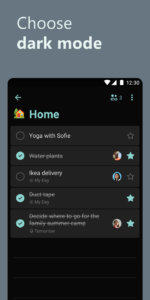
List sharing enables you to collaborate on common lists and tasks and achieve your goals seamlessly. Whether you want to share a list of work items with your teams or a shopping list with your partner, with our share link, we make it easy to coordinate and collaborate in small teams and one-on-one. Getting things done together has never been easier!
Break down your task into smaller, actionable items
Steps (Subtasks) allow any to-do to be broken down into smaller, more actionable pieces. To help customers be even more productive, each to-do will display just how many steps (subtasks) it contains and how many of those steps have been completed so far. Steps (Subtasks) will also maintain their completion state even as the to-do they belong to is marked as completed or incomplete.
Set due dates and reminders
You can quickly add, organise and schedule your to-dos whilst you’re on the go. With important to-dos that you really shouldn’t forget, you can add reminders and due dates – we’ll remember them for you. And if you have to-dos that you need to tick off on a daily, weekly or yearly basis, you can set up recurring due dates to remind you each and every time.
Add notes to your tasks
You can also use To-Do as a note-taking app, adding detailed notes to every to-do – from addresses, to details about that book you want to read, to the website for your favourite café. You can collect all of your tasks and notes in one place to help you achieve more.
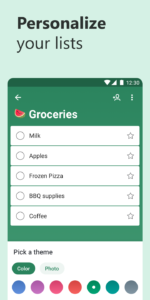
Colour-coding your lists
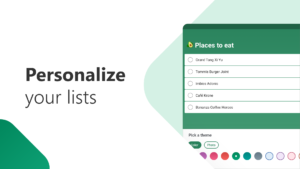
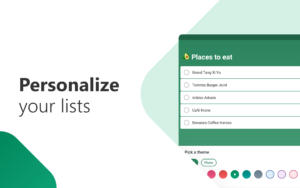
What areas of your life do you want to be more productive in? You can have a colour-coded list for each. Now you can quickly add your homework to one list, your shopping to another, your packing list, your work projects and your home DIY projects to yet more lists. And if you follow a productivity system, such as GTD (David Allen’s Getting Things Done Methodology), then you can create a Someday list or a Follow-up list.
Outlook integration
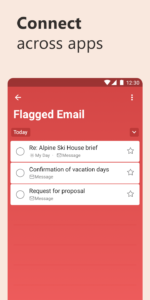
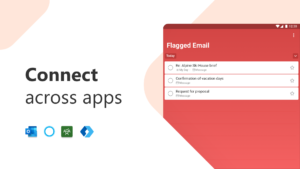
With the integration with Outlook Mail, you can view your tasks on your Outlook Desktop client or on Outlook.com using the same Microsoft Account. All to-dos are stored on Exchange Online servers, so they will be shown in both Microsoft To-Do and Outlook Tasks automatically.
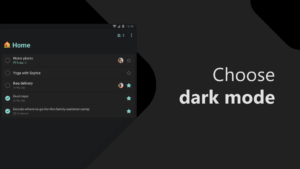
Plan what you want to focus on each morning and give yourself a powerful productivity boost for the day. This simple to-do list app is free to download and use. It includes customisable themes, notes, reminders, due dates, smart Suggestions and syncing across multiple devices. In short, everything you need to manage your life and accomplish more. Completing your jobs or housework has never been so easy. It is the task management tool you need to add to your daily arsenal.
Learn more: to-do.microsoft.com
Follow us: twitter.com/MicrosoftToDo
Idea or feature suggestion: todo.uservoice.com/
Need support: todosupport.helpshift.com/
By installing Microsoft To-Do, you agree to these terms of use: go.microsoft.com/fwlink/?linkid=842577
Microsoft To Do: Lists & Tasks 1.51.104 Play Store screenshots (16)
Screenshots from version 2.178.8835


Microsoft To Do: Lists & Tasks 1.51.104 Play Store trailer
Download Microsoft To Do: Lists & Tasks 1.51.104
This release may come in several variants. Consult our handy FAQ to see which download is right for you.

Version:2.178.8835
Uploaded:September 11, 2026 at 10:36PM UTC
File size:28.08 MB
Downloads:75
Version:2.178.1020
Uploaded:July 15, 2026 at 8:45AM UTC
File size:25.64 MB
Downloads:247
Version:2.169.1015
Uploaded:June 4, 2026 at 5:17AM UTC
File size:25.64 MB
Downloads:118
Version:2.169.8825
Uploaded:May 29, 2026 at 4:25PM UTC
File size:28.08 MB
Downloads:25
Version:2.169.1010
Uploaded:May 22, 2026 at 5:35AM UTC
File size:25.72 MB
Downloads:51
Version:2.169.1005
Uploaded:April 29, 2026 at 5:58AM UTC
File size:25.65 MB
Downloads:102
Version:2.168.1000
Uploaded:April 24, 2026 at 7:09AM UTC
File size:25.65 MB
Downloads:61
Version:2.168.995
Uploaded:April 6, 2026 at 11:18AM UTC
File size:25.61 MB
Downloads:73
Version:2.168.8800
Uploaded:April 2, 2026 at 6:40PM UTC
File size:27.90 MB
Downloads:35
Version:2.146.965
Uploaded:February 23, 2026 at 4:50AM UTC
File size:25.61 MB
Downloads:129
Follow APK Mirror


