

 Premium
What's new in Microsoft Lens - PDF Scanner 16.0.6315.1000
• You can open Word and PowerPoint apps from Office Lens Android.
• With Business Card mode you can convert piles of business cards and store the info in your address book and in OneNote.
Help make it better!
You can help our recognition algorithms get smarter:
1. Upload your collection of scanned business cards to a folder on any cloud drive
2. Create a sharing link
3. Email the sharing link to OneNoteBizCards@microsoft.com
We'll use the images only to improve our algorithms.
About Microsoft Lens - PDF Scanner 16.0.6315.1000
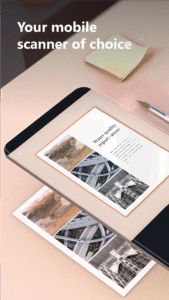
Office Lens trims, enhances, and makes pictures of whiteboards and docs readable. You can use Office Lens to convert images to PDF, Word and PowerPoint files, and you can even save images to OneNote or OneDrive.
Office Lens is like having a scanner in your pocket. Like magic, it will digitize notes on whiteboards or blackboards. Always find important documents or business cards. Sketch your ideas and snap a picture for later. Don't lose receipts or stray sticky notes again!
By installing the app, you agree to these terms and conditions: http://aka.ms/olensandterms.
Scenarios:
- Capture and crop a picture of a whiteboard or blackboard and share your meeting notes with co-workers.
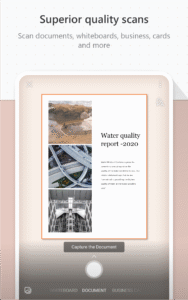
- Make digital copies of your printed documents, business cards, or posters and trim them precisely.
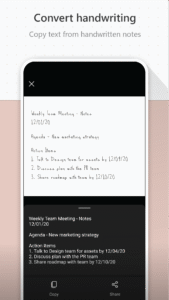
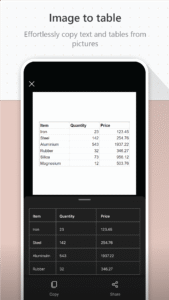
- Printed text will be automatically recognized (using OCR) so you can search for words in images and copy and edit them.
Key Features:
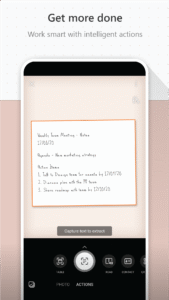
- With Whiteboard mode, Office Lens trims and cleans up glare and shadows.
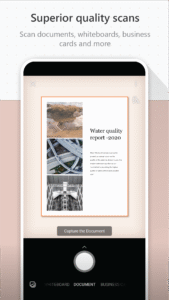
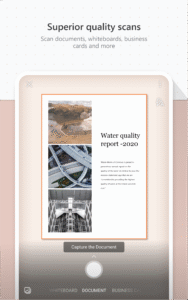
- With Document mode, Office Lens trims and colors images perfectly.
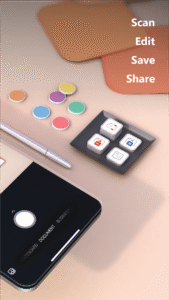
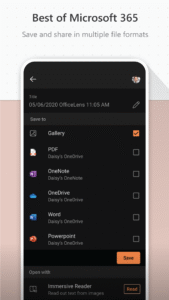
- The scanned picture can be saved to your choice of OneNote, OneDrive, or locally on the device.
- Business Card mode can extract contact information and save it into your address book and OneNote. This feature works best with English, German and Spanish business cards. Support for more languages is coming soon.
- Choose to convert images to Word (.docx), PowerPoint (.pptx), or PDF (.pdf) files that are automatically saved to OneDrive.
Microsoft Lens - PDF Scanner 16.0.6315.1000 Play Store screenshots (9)
Screenshots from version 16.0.19628.20008
Download Microsoft Lens - PDF Scanner 16.0.6315.1000
This release may come in several variants. Consult our handy FAQ to see which download is right for you.

Version:16.0.19628.20008
Uploaded:March 17, 2026 at 7:50PM UTC
File size:63.06 MB
Downloads:8,659
Version:16.0.19530.20076
Uploaded:December 21, 2025 at 2:35AM UTC
File size:62.80 MB
Downloads:2,798
Version:16.0.19426.20004
Uploaded:December 16, 2025 at 5:09AM UTC
File size:62.61 MB
Downloads:1,056
Version:16.0.19328.20042
Uploaded:October 10, 2025 at 7:32PM UTC
File size:66.38 MB
Downloads:582
Version:16.0.18526.20136
Uploaded:March 25, 2025 at 6:02AM UTC
File size:61.05 MB
Downloads:2,929
Version:16.0.17425.20158
Uploaded:April 26, 2024 at 6:27PM UTC
File size:57.39 MB
Downloads:2,250
Version:16.0.17425.20008
Uploaded:March 12, 2024 at 7:48AM UTC
File size:61.20 MB
Downloads:369
Version:16.0.16827.20036
Uploaded:October 5, 2023 at 6:57PM UTC
File size:56.37 MB
Downloads:1,674
Version:16.0.16626.20178
Uploaded:September 1, 2023 at 8:50AM UTC
File size:54.24 MB
Downloads:524
Version:16.0.16501.20008
Uploaded:June 14, 2023 at 8:04PM UTC
File size:54.15 MB
Downloads:986
Follow APK Mirror


