

 Premium
About Microsoft Copilot 16.0.12130.20272
Introducing the new Office app, designed to be your go-to productivity app on a phone.
Premium
This new app combines the Word, Excel, and PowerPoint apps you know and rely on, with new capabilities that harness the unique strengths of mobile devices to create a simpler, yet more powerful Office experience for the phone.
Key Features
Word, Excel, and PowerPoint combined in one app:
• Create, edit, and work together on documents with others in real-time.
• Store and access documents in the cloud or on your device.
• Easily access recent and frequently used Word, Excel, PowerPoint files stored in the cloud or on your device.
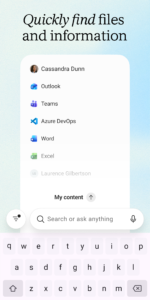
• Search for documents stored in the cloud, on your phone, or across your organization (if using a work account).
Uniquely mobile ways that make document creation easier:
• Snap a picture of a document and turn it into an editable Word file with the press of a button.
• Transform a picture of a table into an Excel spreadsheet so you can work with the data.
• Let PowerPoint help you design a presentation by simply selecting the pictures you want to use from your phone.
• Create automatically enhanced digital images of whiteboards and documents with Office Lens features integrated into the app.
Quickly perform common mobile tasks with in-built Actions:
• Instantly create PDFs from photos or Word, Excel, and PowerPoint documents.
• Sign PDFs using your finger.
• Quickly jot down ideas and notes with Sticky Notes.
• Easily transfer files between your phone and computer or share instantly with nearby mobile devices.
• Scan QR codes to open links.
Anyone can download the Office app for free and start using it right away – no need to sign in. However, simply logging in with a personal, work, or school Microsoft Account will enable you to access and save documents on OneDrive and SharePoint.
The Office app is in Public Preview and currently only available on phones.
REQUIREMENTS:
� OS version: Last 4 major versions of Android running an ARM-based or Intel x86 processor
� 1 GB RAM or above
This app is provided by either Microsoft or a third-party app publisher and is subject to a separate privacy statement and terms and conditions. Data provided through the use of this store and this app may be accessible to Microsoft or the third-party app publisher, as applicable, and transferred to, stored, and processed in the United States or any other country where Microsoft or the app publisher and their affiliates or service providers maintain facilities.
Please refer to Microsoft's EULA for Terms of Service for Office on Android. By installing the app, you agree to these terms and conditions: go.microsoft.com/fwlink/?linkid=519111
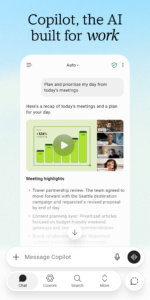
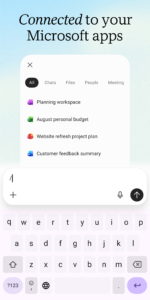
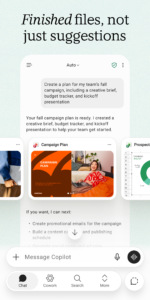
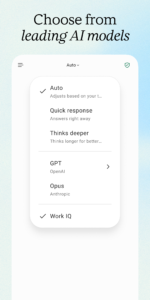
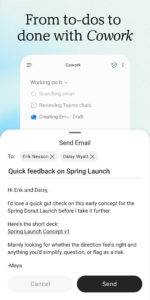
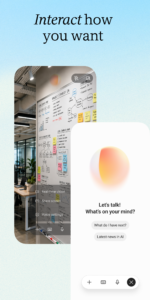
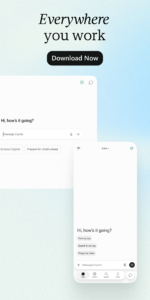
Microsoft Copilot 16.0.12130.20272 Play Store screenshots (8)
Screenshots from version 16.0.20520.20020
Download Microsoft Copilot 16.0.12130.20272
This release comes in several variants (we currently have 2). Consult our handy FAQ to see which download is right for you.
Known valid signatures: 7dc8 464f.

Version:16.0.20520.20020
Uploaded:September 26, 2026 at 7:10AM UTC
File size:290.26 MB
Downloads:119
Version:16.0.20513.20022
Uploaded:September 20, 2026 at 3:38AM UTC
File size:289.39 MB
Downloads:166
Version:16.0.20506.20016
Uploaded:September 16, 2026 at 2:35PM UTC
File size:233.55 MB
Downloads:454
Version:16.0.20430.20032
Uploaded:September 11, 2026 at 4:40PM UTC
File size:232.02 MB
Downloads:204
Version:16.0.20506.20010
Uploaded:September 10, 2026 at 11:10PM UTC
File size:289.17 MB
Downloads:34
Version:16.0.20409.20036
Uploaded:September 9, 2026 at 12:13PM UTC
File size:310.37 MB
Downloads:418
Version:16.0.20416.20042
Uploaded:September 7, 2026 at 4:58PM UTC
File size:227.78 MB
Downloads:284
Version:16.0.20416.20020
Uploaded:August 22, 2026 at 6:19PM UTC
File size:283.15 MB
Downloads:150

Version:16.0.20409.20016
Uploaded:August 15, 2026 at 5:26PM UTC
File size:281.83 MB
Downloads:126
Version:16.0.20402.20034
Uploaded:August 15, 2026 at 5:26PM UTC
File size:225.09 MB
Downloads:262
Follow APK Mirror


