

 Premium
What's new in Microsoft Copilot 16.0.14701.20116
From version 16.0.14430.20246:
Thank you for using Office.
We regularly release updates to the app, which include great new features, as well as improvements for speed and reliability.
About Microsoft Copilot 16.0.14701.20116
Microsoft Office brings you Word, Excel, and PowerPoint all in one app. Take advantage of a seamless experience with Microsoft tools on the go with the Office app, the simple solution for productivity.
Premium
Scan PDF files, create spreadsheets or draft up documents anytime, anywhere by accessing integrated Office features through your mobile device. Complete your workflows, no matter where you are. From Word documents and outlines, to PowerPoint presentations and slides or Excel files and formulas, the Office app provides you with one seamless experience.
With intelligent cloud services and trusted security, the Office app will help maximize your productivity in work, school and life.
Word, Excel, & PowerPoint combined:
• Store and access Word, Excel, and PowerPoint files using the cloud-based storage
• Word documents can be created and collaborated on with others in real-time
• Spell check every essay, research paper, outline & doc
• PowerPoint presentations can be shared and edited. Practice slideshows with Presenter Coach or customize your slides to stand out
• Excel worksheets can be created using templates available in-app, or instantly edited
• Access and collaborate on files shared with you directly or via Outlook and Teams
Collaboration Tools
• Edit, view and provide feedback on slideshow presentations, documents & more
• Work remotely on school or work projects with your team
• Share files with just a few taps
• Stay on top of changes to text, layout & formatting
Convert Pictures and Documents with Office Lens
• Create docs by snapping a picture or uploading a photo from your camera roll
• Transform a photo of a table into an Excel spreadsheet to work with the data
• Enhance images of whiteboards and documents
• Capture handwritten notes and carry them wherever you go. Edit and share notes to your friends, family or team instantly
PDF Scanning & Editing Capabilities:
• Scan PDF files and convert them into Word documents and vice versa, instantaneously
• Edit PDF files on your device quickly and easily while on the go
• PDF Reader allows you to access and sign PDFs
• Add bookmarks to pages and rotate specific pages for an easier read
• Quick-edit existing annotations without entering Edit mode
Unique Office Mobile Functions:
• Capture voice recordings and read them back with auto transcription
• Catch up on meetings or open shared videos right where you left off
• Jot down thoughts and ideas, and then save or share them via Sticky Notes.
• QR Scanner enables your device to scan QR codes and open attached links.
• Documents and spreadsheets can be transferred between your phone and computer or shared instantly with nearby mobile devices.
Anyone can download the Office app for free and start using it right away. Access and save documents to the cloud by connecting with a Microsoft Account (for OneDrive or SharePoint) or by connecting to a third-party cloud storage provider. Logging in with a personal Microsoft account or a work or school account connected to a Microsoft 365 subscription will unlock premium features within the app.
Achieve more while on the go with the help of Microsoft Office.
Requirements:
OS version: Last 4 major versions of Android running an ARM-based or Intel x86 processor
1 GB RAM or above
This app is provided by either Microsoft or a third-party app publisher and is subject to a separate privacy statement and terms and conditions. Data provided through the use of this store and this app may be accessible to Microsoft or the third-party app publisher, as applicable, and transferred to, stored and processed in the United States or any other country where Microsoft or the app publisher and their affiliates or service providers maintain facilities.
Please refer to Microsoft's EULA for Terms of Service for Office on Android. By installing the app, you agree to these terms and conditions: go.microsoft.com/fwlink/?linkid=519111
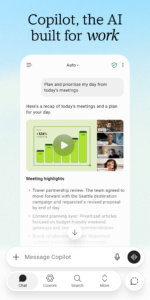
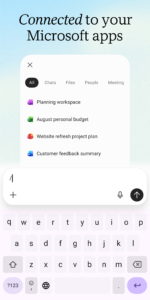
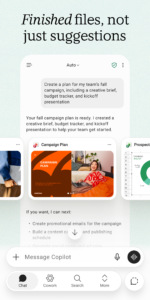
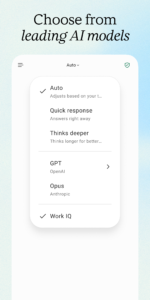
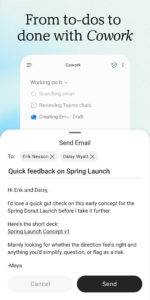
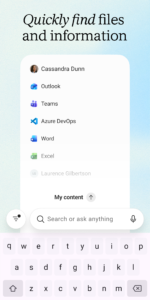
Microsoft Copilot 16.0.14701.20116 Play Store screenshots (8)
Screenshots from version 16.0.20527.20022

Download Microsoft Copilot 16.0.14701.20116
This release comes in several variants (we currently have 3). Consult our handy FAQ to see which download is right for you.
Known valid signatures: 7dc8 464f.

Version:16.0.20527.20022
Uploaded:October 9, 2026 at 6:49PM UTC
File size:235.64 MB
Downloads:361
Version:16.0.20604.20012
Uploaded:October 9, 2026 at 6:49PM UTC
File size:293.18 MB
Downloads:35
Version:16.0.20527.20016
Uploaded:October 2, 2026 at 7:24PM UTC
File size:291.30 MB
Downloads:112
Version:16.0.20520.20020
Uploaded:October 2, 2026 at 7:24PM UTC
File size:234.63 MB
Downloads:447
Version:16.0.20527.20010
Uploaded:October 1, 2026 at 5:41AM UTC
File size:291.30 MB
Downloads:130
Version:16.0.20513.20022
Uploaded:September 20, 2026 at 3:38AM UTC
File size:289.39 MB
Downloads:178
Version:16.0.20506.20016
Uploaded:September 16, 2026 at 2:35PM UTC
File size:233.55 MB
Downloads:555
Version:16.0.20430.20032
Uploaded:September 11, 2026 at 4:40PM UTC
File size:232.02 MB
Downloads:231
Version:16.0.20506.20010
Uploaded:September 10, 2026 at 11:10PM UTC
File size:289.17 MB
Downloads:34
Version:16.0.20409.20036
Uploaded:September 9, 2026 at 12:13PM UTC
File size:310.37 MB
Downloads:437
Follow APK Mirror


