

 Premium
What's new in Microsoft Copilot 16.0.18129.20002
From version 16.0.17029.20018:
Thank you for using Office.
We regularly release updates to the app, which include great new features, as well as improvements for speed and reliability.
About Microsoft Copilot 16.0.18129.20002
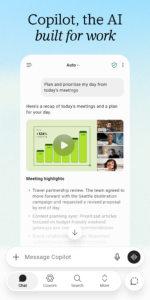
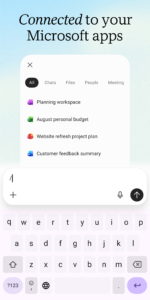
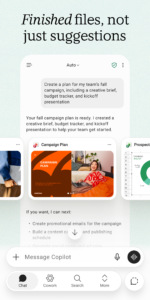
Microsoft 365 is the productivity app for work and life that helps you find and edit files, scan documents, and create content on the go with Copilot*, Word, Excel, PowerPoint, and PDFs all in one app.
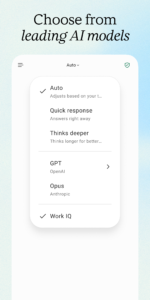
For work, Copilot enables you to boost productivity, enhance decision-making, and unlock powerful insights in your favorite Microsoft 365 apps.
*Copilot in the Microsoft 365 App is available for Microsoft 365 Enterprise, Academic, and SMB subscribers with a work or education account. Microsoft 365 Personal and Family subscribers and free accounts can access Copilot at copilot.microsoft.com and on the Copilot mobile app. It is available in these specific markets: support.microsoft.com/en-us/office/supported-languages-for-microsoft-copilot-94518d61-644b-4118-9492-617eea4801d8.
Word, Excel, PowerPoint, and Copilot all in one app:
* Ask Copilot questions as your AI-powered Chat Assistant to improve productivity.
* Use Word to write and edit documents like resumes with professional templates.
* Use PowerPoint with tools like Presenter Coach to practice your presentation.
* Use Excel to manage your budget with spreadsheet templates.
* Try Designer* to create designs and edit photos in seconds with the power of AI.
*Designer is only available for personal Microsoft accounts. A Microsoft 365 Personal and Family subscription will be required to continue using premium features.
PDF scanning, editing, and signing capabilities:
* Scan PDF files and convert them into Word documents with the PDF converter tool.
* Edit PDF files on your device quickly and easily while on the go.
* PDF Reader allows you to access and sign PDFs.
Anyone can download the Microsoft 365 App for free. Access and save documents to the cloud by connecting a Microsoft Account (for OneDrive or SharePoint) or by connecting to a third-party cloud storage provider. Logging in with a personal Microsoft account or a work or school account connected to a Microsoft 365 subscription will unlock premium features within the app.
Subscription & Privacy Disclaimer
Monthly Microsoft 365 Personal and Family subscriptions purchased from the app will be charged to your App Store account and will automatically renew within 24 hours prior to the end of the current subscription period unless auto-renewal is disabled beforehand. You can manage your subscriptions in your App Store account settings.
This app is provided by either Microsoft or a third-party app publisher and is subject to a separate privacy statement and terms and conditions. Data provided using this store and this app may be accessible to Microsoft or the third-party app publisher, as applicable, and transferred to, stored and processed in the United States or any other country where Microsoft or the app publisher and their affiliates or service providers maintain facilities.
Please refer to Microsoft's EULA for Terms of Service for Microsoft 365. By installing the app, you agree to these terms and conditions: support.office.com/legal?llcc=en-gb&aid=SoftwareLicensingTerms_en-gb.htm
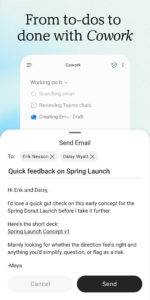
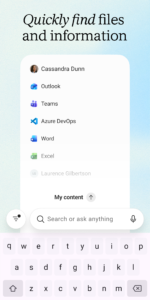
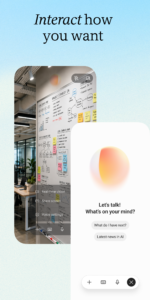
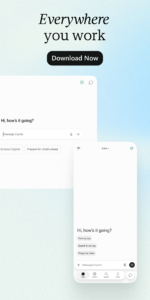
Microsoft Copilot 16.0.18129.20002 Play Store screenshots (8)
Screenshots from version 16.0.20506.20016
Download Microsoft Copilot 16.0.18129.20002
This release comes in several variants (we currently have 2). Consult our handy FAQ to see which download is right for you.
Known valid signatures: 7dc8 464f.

Version:16.0.20506.20016
Uploaded:September 16, 2026 at 2:35PM UTC
File size:233.55 MB
Downloads:138
Version:16.0.20430.20032
Uploaded:September 11, 2026 at 4:40PM UTC
File size:232.02 MB
Downloads:168
Version:16.0.20506.20010
Uploaded:September 10, 2026 at 11:10PM UTC
File size:289.17 MB
Downloads:30
Version:16.0.20409.20036
Uploaded:September 9, 2026 at 12:13PM UTC
File size:310.37 MB
Downloads:373
Version:16.0.20416.20042
Uploaded:September 7, 2026 at 4:58PM UTC
File size:227.78 MB
Downloads:266
Version:16.0.20416.20020
Uploaded:August 22, 2026 at 6:19PM UTC
File size:283.15 MB
Downloads:140

Version:16.0.20409.20016
Uploaded:August 15, 2026 at 5:26PM UTC
File size:281.83 MB
Downloads:97
Version:16.0.20402.20034
Uploaded:August 15, 2026 at 5:26PM UTC
File size:225.09 MB
Downloads:225
Version:16.0.20402.20030
Uploaded:August 10, 2026 at 1:47AM UTC
File size:280.56 MB
Downloads:64
Version:16.0.20402.20016
Uploaded:August 8, 2026 at 7:14AM UTC
File size:280.56 MB
Downloads:71
Follow APK Mirror


