

 Premium
What's new in Mobi PDF・Editor・Scanner・Reader 6.1.756
• Export as JPEG
• Support for OneDrive
• Optimized for Android 9
• Bug fixes and performance improvements
About Mobi PDF・Editor・Scanner・Reader 6.1.756
Get all the PDF features you need with a single app to edit, view, annotate, fill, sign, protect, scan to PDF, export to Word/ Excel and organize PDF pages.
Premium
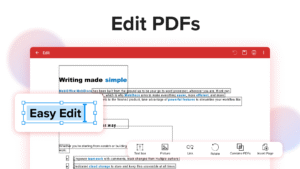
Edit PDF files
Edit PDFs with the most advanced mobile editor available. Feel free to change any document aspect you want - texts, pictures, design, signatures, certificates and more.
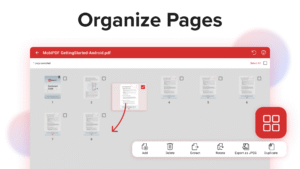
Organize pages in PDFs
View and organize pages in PDFs - rotate and delete pages at your convenience.
Read & Print
Quickly open and view PDFs. The optimized Read mode gives you the best reading experience – continuous, page mode or outline, with a Night mode and a “text to speech” feature. Print documents or just the selected pages you need.
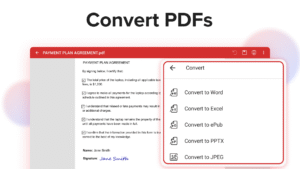
Export PDFs
Export PDFs to Word, Excel or ePub while keeping the original layout and formatting. Save Word, Excel and ePub files as PDFs and share them with ease.
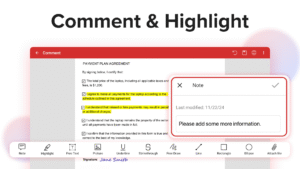
View and Comment
Make comments on PDFs using sticky notes and drawing tools. Highlight and markup text with the annotation tools.
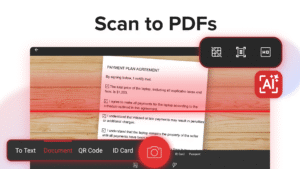
Scan to PDFs
Scan and digitize your paper documents into editable files with ease. Create one-page PDFs or scan a dozen in a single file using the auto batch option.
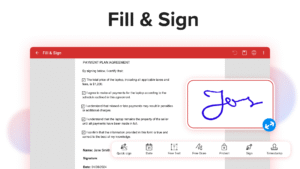
Fill and Sign
Fill out and sign PDF forms on the go, directly from your mobile device. Advanced support for fillable PDF forms allows you make all the changes you need and to sign documents with your saved digital signature or by simply drawing the signature on the document. Advanced digital certification allows you to validate PDFs authenticity.
Protect PDFs
Protect your sensitive documents with passwords to lock, encrypt and restrict the access to them. Work with advanced PDF certificates to validate their authenticity.
Integrated File Manager
Manage your local and remote documents with ease. Quickly locate your PDFs in the device`s “My Documents” folder, browse your local storage, or access and sync your documents on the cloud.
MobiSystems Drive
Enjoy 5GB Free cloud storage for your files and access them securely anytime. Connect to any popular cloud account such as Dropbox, Google Drive, Box to access your PDF files.
Mobi PDF・Editor・Scanner・Reader 6.1.756 Play Store screenshots (8)
Screenshots from version 11.17.270885
Mobi PDF・Editor・Scanner・Reader 6.1.756 Play Store trailer
Download Mobi PDF・Editor・Scanner・Reader 6.1.756
This release may come in several variants. Consult our handy FAQ to see which download is right for you.

Version:11.17.270885
Uploaded:September 17, 2026 at 8:57AM UTC
File size:72.56 MB
Downloads:25
Version:11.17.270850
Uploaded:August 25, 2026 at 12:47AM UTC
File size:71.44 MB
Downloads:46
Version:11.16.270809
Uploaded:August 10, 2026 at 3:42PM UTC
File size:69.29 MB
Downloads:55
Version:11.15.270544
Uploaded:June 24, 2026 at 1:46PM UTC
File size:61.83 MB
Downloads:35
Version:11.15.270530
Uploaded:June 17, 2026 at 5:21PM UTC
File size:61.83 MB
Downloads:27
Version:11.14.270457
Uploaded:May 19, 2026 at 8:43AM UTC
File size:61.43 MB
Downloads:49
Version:11.13.270380
Uploaded:April 7, 2026 at 4:20PM UTC
File size:61.38 MB
Downloads:35
Version:11.13.270377
Uploaded:April 6, 2026 at 3:43PM UTC
File size:61.38 MB
Downloads:23
Version:11.13.270366
Uploaded:April 1, 2026 at 8:14AM UTC
File size:61.38 MB
Downloads:14
Version:11.12.270246
Uploaded:February 3, 2026 at 12:05PM UTC
File size:61.32 MB
Downloads:47
Follow APK Mirror


