

 Premium
What's new in Mobizen Screen Recorder 3.1.0.6
ver. 3.1.0.6
1. Optimized memory used to record more smoothly
2. Various stability improvements and bug fixes
About Mobizen Screen Recorder 3.1.0.6
Now, Let's make a Good First Video!
Premium
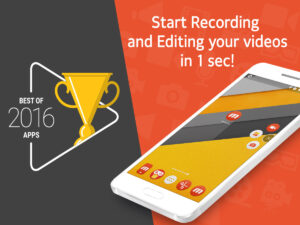
Mobizen, the Best screen recorder chosen by the most famous video creators. (Over 930,000 videos have been created per day with Mobizen & posted online)
Mobizen lets you Record game, app videos, Edit your videos, and more to make you the best video creator around. And It’s completely FREE!
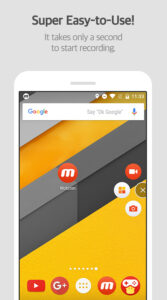
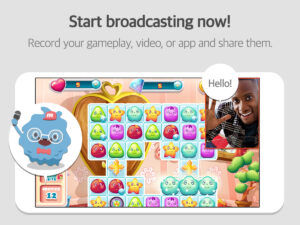
Screen Recording- Capture your best moves and moments in HD.
■ Include yourself with Facecam.
■ No root required, available for Android 4.4 and higher.
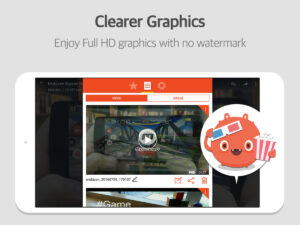
■ Create videos in Full HD (240p ~ 1080p)
■ Flexible settings to suit any device
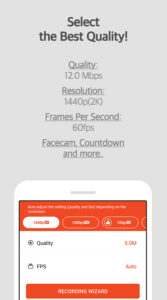
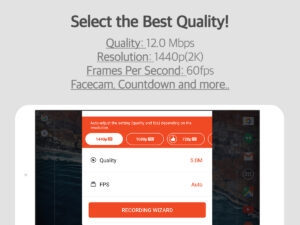
- Quality: 0.5 Mbps ~ 12.0 Mbps
- Resolution: 240p ~ 1080p
- Frames Per Second: 5fps ~ 60fps
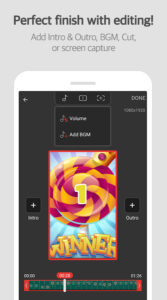
Edit Video- Perfect detailing to finalize your creation.
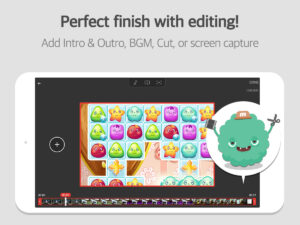
■ Add your own BGM.
■ Keep only the best parts with TRIM.
■ Add intro, outro with your signature.
■ Editing options
- BGM, intro-outro, trim, split, extract frame.
Share Video
■ Get your creations out there for the world to see!
Community- The best place for Mobizen user to hang!
■ Give us 5 stars to make Mobizen even better.
■ YouTube: goo.gl/WfdHVY
■ Helpdesk: goo.gl/upDgmK
■ Community: goo.gl/Apu9ef
Get Involved- We are looking for Mobizen users to help us add new languages to our apps!
■ Apply here: goo.gl/forms/0nxGT5XGqx
FAQ- Frequently Asked Questions
■ What is "Booster Mode"?
- Users with device’s OS 4.4 must activate Booster Mode to record.
- Users just need to download the Booster mode program to a PC (any PC) and connect the device via USB cable.
*Download the PC Booster mode program:www.mobizen.com
*Learn more: support.mobizen.com/hc/articles/217458648
■ Why is there so much sound in my recording?
- We are working hard to find a solution to this and hopefully it will be here soon!
- Learn more: support.mobizen.com/hc/articles/215467608
■ Why is my recording laggy/not appearing like it should?
- This happens when there are too many apps running in the background or recording settings are too high.
- Try setting the quality to 2.5 Mbps, resolution to 480p, FPS to 30fps, and watermark to OFF.
- Learn more:support.mobizen.com/hc/articles/215467628
For questions and user feedback, visit support.mobizen.com




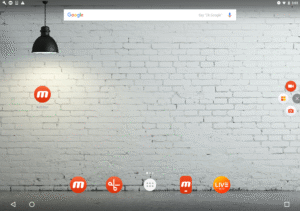
Mobizen Screen Recorder 3.1.0.6 Play Store trailer
Download Mobizen Screen Recorder 3.1.0.6
This release comes in several variants (we currently have 2). Consult our handy FAQ to see which download is right for you.

Version:3.11.2.5
Uploaded:July 6, 2026 at 1:32AM UTC
File size:98.42 MB
Downloads:347
Version:3.11.1.3
Uploaded:June 12, 2026 at 2:08AM UTC
File size:68.88 MB
Downloads:114
Version:3.10.17.5
Uploaded:January 29, 2026 at 6:46AM UTC
File size:54.62 MB
Downloads:468
Version:3.10.17.4
Uploaded:January 26, 2026 at 12:47PM UTC
File size:53.23 MB
Downloads:51
Version:3.10.17.3
Uploaded:January 22, 2026 at 6:54AM UTC
File size:53.53 MB
Downloads:68
Version:3.10.16.4
Uploaded:December 5, 2025 at 1:15PM UTC
File size:53.14 MB
Downloads:206
Version:3.10.16.2
Uploaded:December 3, 2025 at 5:53AM UTC
File size:53.20 MB
Downloads:49
Version:3.10.15.2
Uploaded:November 13, 2025 at 9:09AM UTC
File size:54.11 MB
Downloads:440
Version:3.10.14.3
Uploaded:September 14, 2025 at 2:31AM UTC
File size:54.09 MB
Downloads:327
Version:3.10.13.3
Uploaded:August 7, 2025 at 3:41AM UTC
File size:54.03 MB
Downloads:202
Follow APK Mirror


