

 Premium
What's new in Moonshine - Icon Pack 2.2
Moonshine 2.2:
NEW: Moonshine is now officially OPEN SOURCE! Read more about it here: bit.ly/1Mjzlb0
NEW: Activity Fixes
NEW: Finalized Moonshine application and Google Play icon. This is the last time the famous moon icon will go through a revision. There have been around 4 revisions to the main icon already since April, 2014. Credit to my friend Eduardo Pratti for creating and finalizing the official Moonshine logo.
Follow him here: bit.ly/1HDKqzz
~Valiant Pixels
About Moonshine - Icon Pack 2.2
A CUSTOM LAUNCHER IS REQUIRED TO USE ICONS. PLEASE DOWNLOAD ONE (NOVA, APEX, ACTION, ETC) BEFORE INSTALLING
Premium
Android 4.5? Project Hera? Nope. It is officially time for a new look. Introducing, Moonshine.
Inspired by leaks and rumors, we decided to make a full pack following these new guidelines
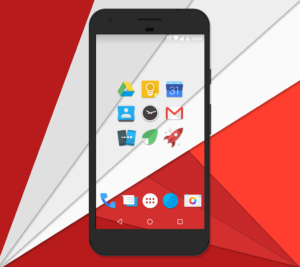
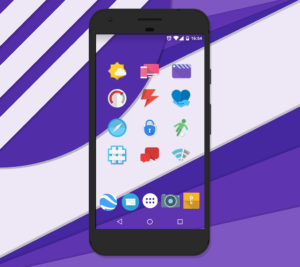
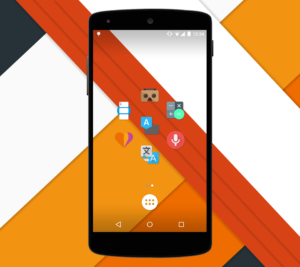
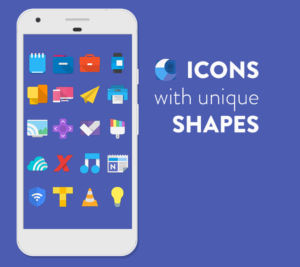
With the previous leaks of an apparent redesign of the core Android apps, we decided to explore more into the new guidelines, and experiment with them! Some have long shadows, most are flat, and almost all have a pop of color! We are taking Google's guidelines, and applying our own creative touch to them! This icon pack doesn't aim for "consistency"; instead, it aims for a "free form" type of look. Not every icon is supposed to look the same or mimic each other.
"If you’re anything like me, after seeing Android’s upcoming Moonshine UI icons, you’ve been drooling to get that sexy, flat design on your Android devices. Thanks to talented Android designers, you can now rock those new icons." - phandroid.com
FEATURES:
★ Material Design Dashboard App!
★ Muzei Wallpaper Support!
★ 925+ vector designed icons (Made in XXX-HDPI - 192x192 - THIS VARIES GREATLY ON YOUR DEVICES SCREEN RESOLUTION!)
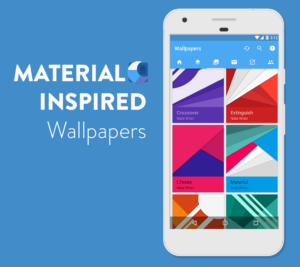
★ 28 homemade wallpapers!
★ Supports Nova, Apex, ADW, Smart, Unicon, Action Launcher, Aviate, Go Launcher, Next, Holo launcher, Solo Launcher, KK Launcher, Atom Launcher, and Inspire Launcher! (As well as Flow Home Beta)
★ Icon Picker that shows the latest added icons!
_________________________________
HOW TO APPLY:
1. Download a custom launcher from above (Nova, Apex, ADW, Smart, Action, Unicon, Go, etc)
2. Open the Moonshine application and hit the floating action button on the bottom right (the floating pink circle)
3. Select your dedicated launcher and you are set to go!
4. To access the wallpapers, simply go into the app, select wallpapers, and pick from over a dozen homemade walls!
__________________________________
Check out our website!
http://valiantpixels.com
Follow us on our Twitter!
https://twitter.com/valiantpixels
Follow us on Google+!
https://plus.google.com/u/0/b/106787432735371347997/106787432735371347997/posts
Download Moonshine - Icon Pack 2.2
This release may come in several variants. Consult our handy FAQ to see which download is right for you.

Version:3.9.1
Uploaded:June 11, 2026 at 9:52PM UTC
File size:37.38 MB
Downloads:29
Version:3.9.0
Uploaded:May 17, 2026 at 9:44AM UTC
File size:37.38 MB
Downloads:45
Version:3.8.8
Uploaded:May 2, 2026 at 7:18AM UTC
File size:37.38 MB
Downloads:31
Version:3.8.7
Uploaded:April 25, 2026 at 10:50AM UTC
File size:37.38 MB
Downloads:19
Version:3.8.5
Uploaded:April 12, 2026 at 10:48PM UTC
File size:37.38 MB
Downloads:47
Version:3.8.4
Uploaded:April 4, 2026 at 11:08PM UTC
File size:37.37 MB
Downloads:30
Version:3.8.1
Uploaded:March 24, 2026 at 10:51AM UTC
File size:37.37 MB
Downloads:25
Version:3.7.5
Uploaded:November 19, 2025 at 4:48PM UTC
File size:26.23 MB
Downloads:152
Version:3.6.7
Uploaded:May 27, 2025 at 4:23AM UTC
File size:25.08 MB
Downloads:222
Version:3.6.1
Uploaded:May 14, 2024 at 2:58AM UTC
File size:25.31 MB
Downloads:481
Follow APK Mirror


