

 Premium
What's new in FX File Explorer 5.0.1.2
FX 5.0
Material Design user interface makeover. Added FX Connect to enable wireless transfers of files between devices, and FX Web Access (based on NextApp WebSharing) for computer-device file transfers.
FX 5.0.1: Bugfixes. Music playlist import/export (M3U format). Archive performance improvements/fixes.
About FX File Explorer 5.0.1.2
*** FX PLUS IS ON SALE FOR $1.99: A popular "free" competitor to FX just added lockscreen adware to their app. So enjoy a "buck off" the regular price of FX Plus to tell that competitor the same. FX--free or paid--has no ads/adware/bundled garbage. ***
Premium
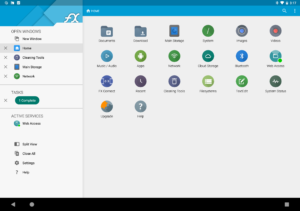
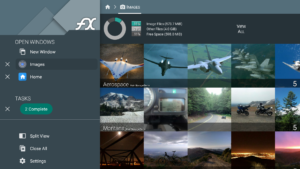
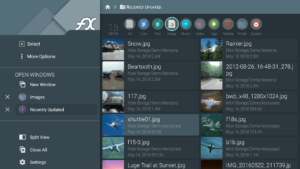
FX File Explorer 5 features a Material Design UI and new ways to transfer your files between devices and computers:
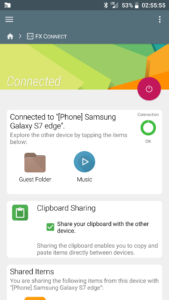
* New "FX Connect" transfers files from phone-to-phone with Wi-Fi Direct. Supports NFC to connect two phones by physically touching their backs together. (requires FX+)
* New "Web Access" enables transfer and management of files and media from your computer's web browser. You can drag-and-drop entire folders to your phone from your computer, or stream your phone's music playlists to your computer over Wi-Fi. (requires FX+)
FX is a file explorer built to make working with files and media on your phone or tablet as easy as it is on your computer:
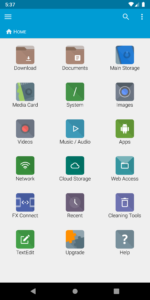
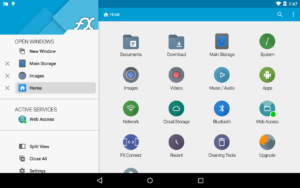
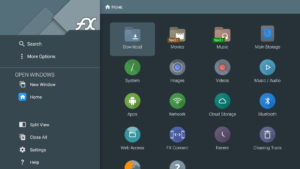
* Productivity-oriented "Home Screen": Directly access your important folders, media, and cloud storage
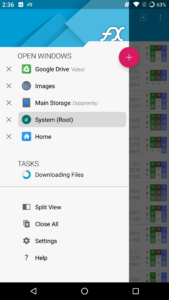
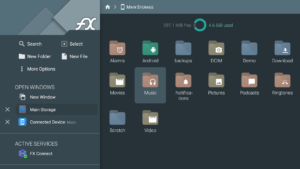
* Multiple window support, with dual-view mode to see two windows at once
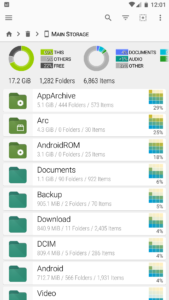
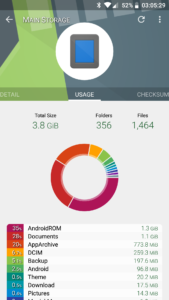
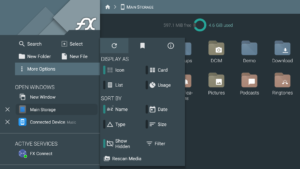
* "Usage View" mode shows the total size and content makeup of every folder, as you browse and manage files
* Support for most file archive formats
FX protects your privacy:
* No advertisements
* No tracking of user activity: FX does not ever "phone home"
* Built by NextApp, Inc., a US corporation founded in 2002; all proprietary code was developed in-house
The optional FX+ Add-On module enables more functionality:
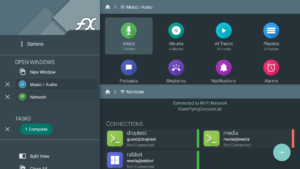
* Access networked computers, including FTP, SSH FTP, WebDAV, and Windows Networking (SMB)
* Connect to cloud storage including Google Drive, Dropbox, SugarSync, Box, SkyDrive, and OwnCloud
* Manage installed applications, with support for browsing applications based on their required permissions
* Create and explore inside AES-256/AES-128 encrypted zip files
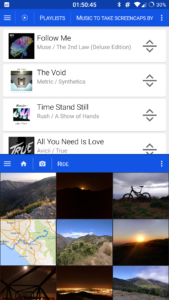
* Browse audio content by artist/album/playlist; manage and organize playlists
* Directly browse photo and video folders
* Encrypted password keyring (use one password to access network and cloud locations)
FX includes a number of built-in editing/viewing applets:
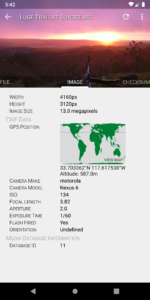
* Text Editor (with undo/redo history, cut/paste, search, and pinch-to-zoom)
* Binary (Hex) Viewer
* Image Viewer
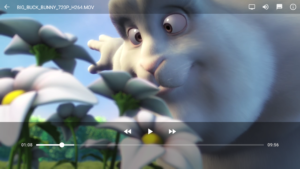
* Media Player and pop-up Audio Player
* Zip, Tar, GZip, Bzip2, 7zip archive creators and extractors
* RAR file extractor
* Shell Script Executor


Download FX File Explorer 5.0.1.2
This release may come in several variants. Consult our handy FAQ to see which download is right for you.

Version:9.1.0.8
Uploaded:May 17, 2026 at 1:23AM UTC
File size:12.11 MB
Downloads:2,193
Version:9.1.0.0
Uploaded:January 21, 2025 at 5:30AM UTC
File size:12.56 MB
Downloads:16,374
Version:9.0.1.2
Uploaded:April 7, 2023 at 8:02AM UTC
File size:10.71 MB
Downloads:15,903
Version:9.0.1.0
Uploaded:March 9, 2023 at 7:20PM UTC
File size:10.71 MB
Downloads:1,360
Version:9.0.0.8
Uploaded:February 26, 2023 at 8:53AM UTC
File size:10.71 MB
Downloads:554
Version:9.0.0.7
Uploaded:February 21, 2023 at 12:39AM UTC
File size:10.71 MB
Downloads:401
Version:9.0.0.3
Uploaded:November 7, 2022 at 5:07PM UTC
File size:10.69 MB
Downloads:3,596
Version:9.0.0.2
Uploaded:September 13, 2022 at 11:22PM UTC
File size:10.69 MB
Downloads:1,932
Version:8.9.2.4
Uploaded:August 29, 2022 at 8:45PM UTC
File size:10.57 MB
Downloads:1,007
Version:8.9.2.1
Uploaded:August 15, 2022 at 11:56PM UTC
File size:10.52 MB
Downloads:508
Follow APK Mirror


