

 Premium
What's new in Opera Mini: Fast Web Browser 16.0.2168.103662
- Ad blocker
- New page-loading animations
- Stop button in the bottom navigation bar
- Feature hints
- New news feed layout
- "Add to home screen" option in the address bar "+" menu
- Installation and startup time improvements
About Opera Mini: Fast Web Browser 16.0.2168.103662
The Opera Mini browser for Android lets you do everything you want to online without wasting your data plan. It’s a fast, safe browser that saves you tons of data.
Premium
New features
► Block ads - Opera Mini has a built-in ad blocker, so you can surf the web without annoying ads.
► Add to home screen - Add the sites you visit most to your mobile home screen with a single click.
Why Choose Opera Mini?
► Customise your savings - Choose from a full-web experience in high data-savings mode or a streamlined experience in extreme savings mode. You can also adjust image quality, boost videos and block ads.
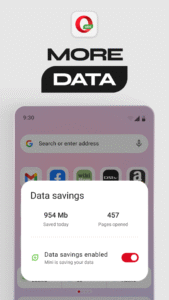
► Keep track of your data - You can check your savings in the settings menu and see how much data Opera Mini saves you.
► Multi-task - Keep lots of pages open at once with tabs.
► Browse privately - We all have pages we don’t want to remember visiting. If you don’t want something saved in your history, you can browse incognito with private tabs.
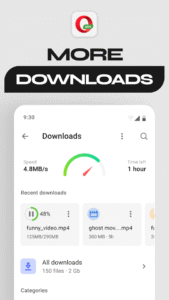
► Smarter downloads - Download files in the background and hold off downloading larger files until you’re back on Wi-Fi. Opera Mini will let you know as soon as your downloads are complete. Just click the notification to open your download – no more digging around in folders.
Other great stuff
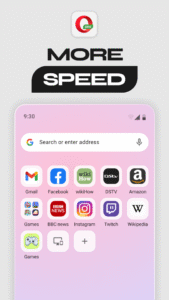
✔ Save your favorite sites: Tap the + button on the search bar to save a page to your Speed Dial, add it to your mobile bookmarks or read it offline.
✔ Get the latest news: The start page keeps everything in one place. Choose the categories you’re interested in and Opera Mini will serve you the top stories and freshest content from across the web.
✔ Sync your devices: Give yourself access to all the bookmarks, Speed Dial shortcuts and open tabs from your other devices.
✔ Night mode: Dim the screen to save your eyes.
✔ Switch up your search: Assign your favorite default search engine.
Download Opera Mini and try one of the fastest ways to browse the web on your mobile device.
This update introduces new permissions. To learn more, see our privacy policy: http://www.opera.com/help/mini/android/permissions
Opera Mini may show ads from Facebook. To learn more, see https://m.facebook.com/ads/ad_choices
Have questions or need help? Visit http://www.opera.com/help/mini/android/
Get the latest news about Opera:
Twitter – http://twitter.com/opera/
Facebook – http://www.facebook.com/opera/
Opera Mini: Fast Web Browser 16.0.2168.103662 screenshots (7)
Screenshots from version 99.3.2254.1265



Download Opera Mini: Fast Web Browser 16.0.2168.103662
This release may come in several variants. Consult our handy FAQ to see which download is right for you.

Version:99.3.2254.1265
Uploaded:June 13, 2026 at 9:59PM UTC
File size:26.58 MB
Downloads:137
Version:99.3.2254.1107
Uploaded:June 8, 2026 at 5:59AM UTC
File size:43.75 MB
Downloads:315
Version:99.2.2254.731
Uploaded:May 11, 2026 at 11:29AM UTC
File size:26.39 MB
Downloads:1,494
Version:99.1.2254.455
Uploaded:April 17, 2026 at 2:06PM UTC
File size:38.22 MB
Downloads:1,473
Version:99.1.2254.356
Uploaded:April 14, 2026 at 8:38AM UTC
File size:21.31 MB
Downloads:656
Version:99.0.2254.82153
Uploaded:March 30, 2026 at 6:57AM UTC
File size:21.68 MB
Downloads:1,407
Version:99.0.2254.81922
Uploaded:March 17, 2026 at 6:23AM UTC
File size:21.60 MB
Downloads:1,296
Version:98.0.2254.81553
Uploaded:February 17, 2026 at 7:33PM UTC
File size:38.64 MB
Downloads:1,413
Version:97.1.2254.80849
Uploaded:February 17, 2026 at 7:33PM UTC
File size:39.65 MB
Downloads:1,662
Version:97.0.2254.80716
Uploaded:December 21, 2025 at 11:07PM UTC
File size:39.64 MB
Downloads:1,203
Follow APK Mirror


